About AL Contact Sheet
A few photographs. One moment to linger on.
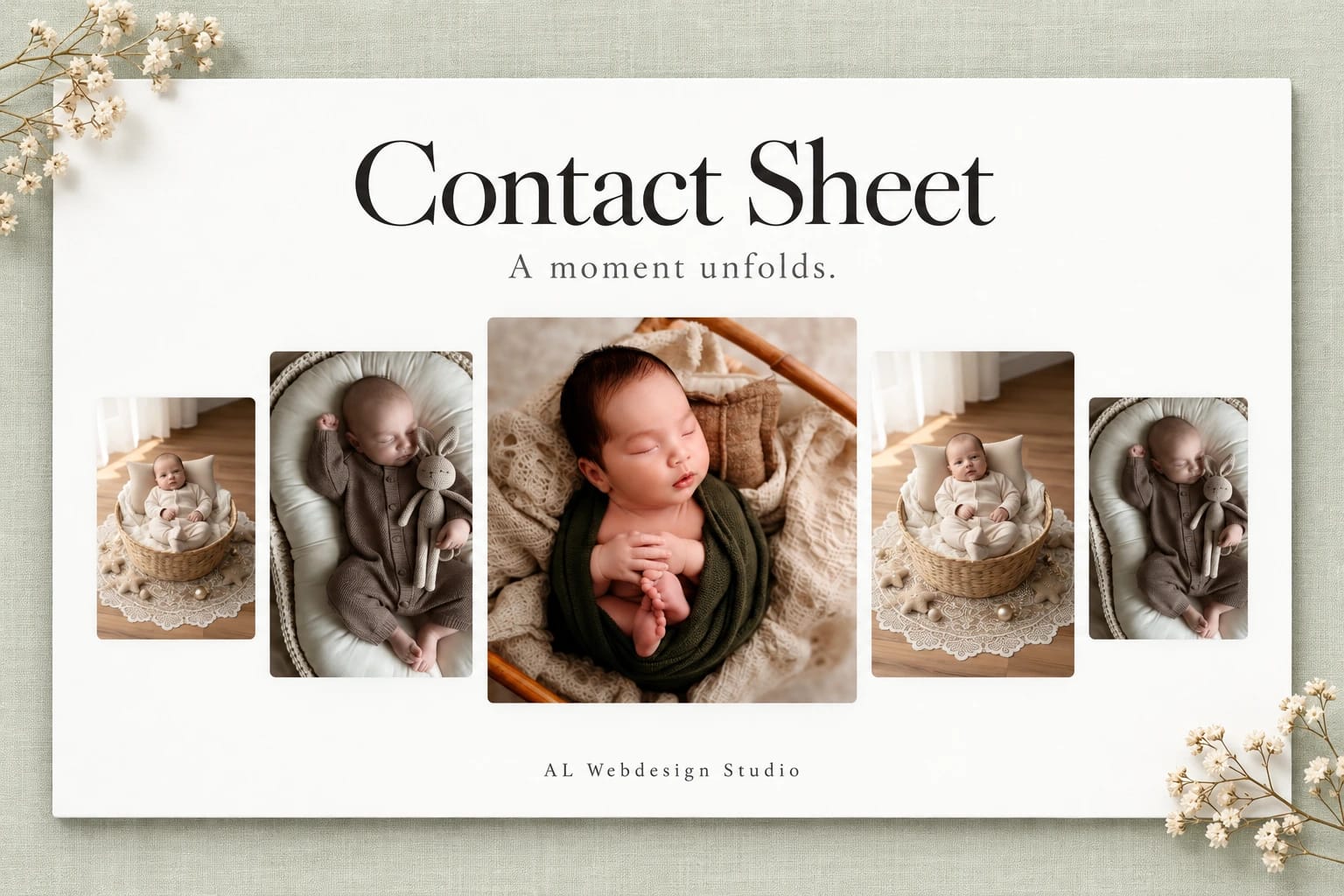
Contact Sheet opens with five staggered photographs. Scroll or swipe vertically and the centre image fills the scene while its neighbours gently retreat. A short caption appears as the photograph opens. Scroll back, press Escape or tap the open photograph to return.
Choose a side image, use the arrow keys or swipe horizontally to find another moment. An upward wipe carries the change from one photograph to the next. The opening slit reveal can repeat while the contact sheet rests.
Build your own studies with landscape and portrait photographs, separate image descriptions, focus positions and short captions. Edit three native fonts, colours, corners, image fitting and the opening rhythm in Framer. Use a full-height scene or an embedded section. Narrow screens keep the centre and its two nearest neighbours in view.
Your selected photograph and opening progress stay in place when the scene resizes or its appearance changes. Reduced motion removes the animated reveal, wipe and smoothing. Animation pauses outside the viewport and in hidden tabs. The editor offers a still contact sheet or an open photograph.
Your purchase includes this single Framer code component, matching editable source, a setup guide, two customisation prompts and a licence for one finished project. It excludes the shared development project, other components and a stock-photo licence. Replace the AI-generated demo images with your own licensed photographs before publication or marketing.