About Brick Mosaic
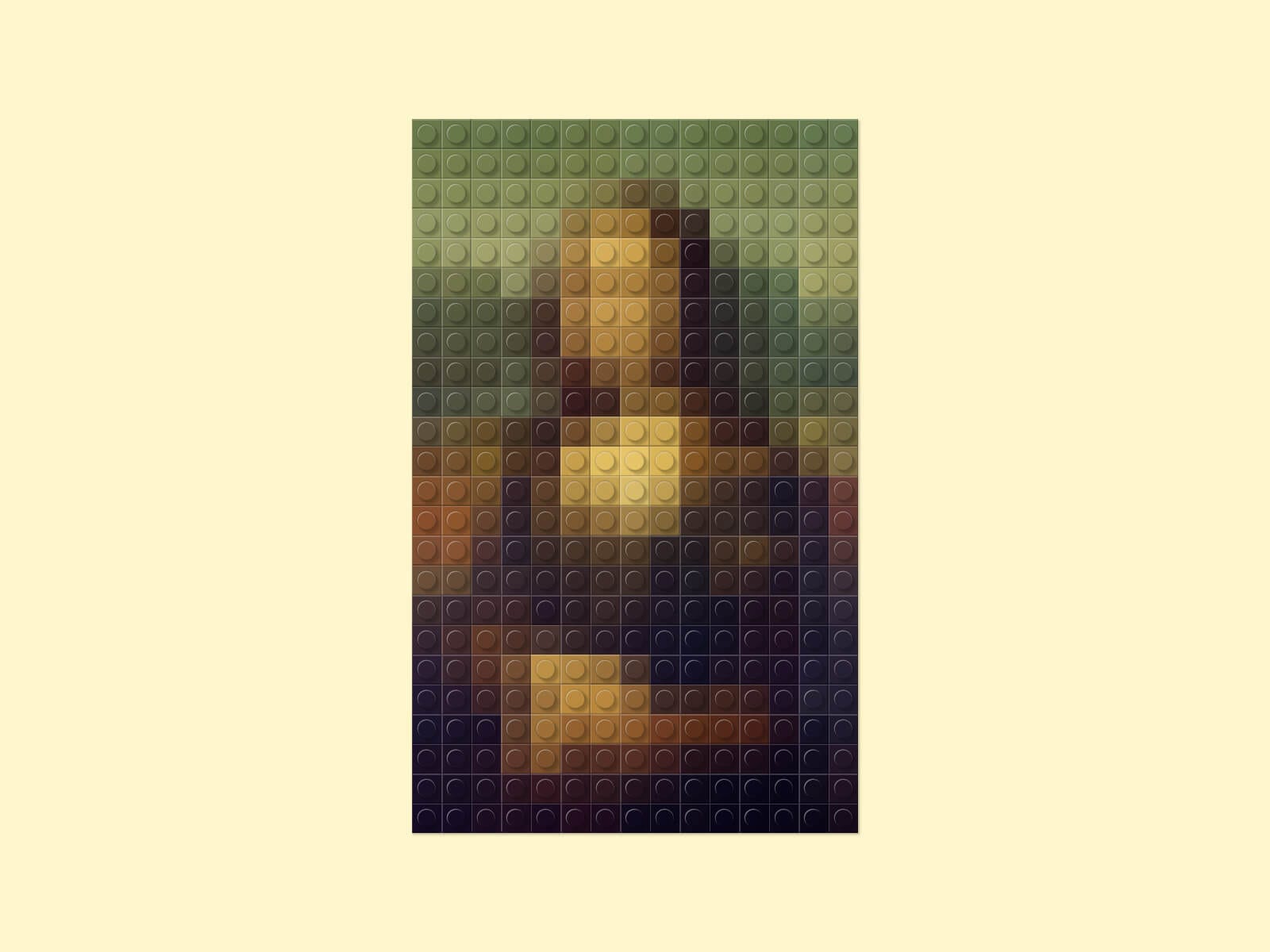
Brick Mosaic turns any photo into a mosaic of pixel-art building bricks, inspired by LEGO®. Drop in an image and it's resampled into a grid of individually colored 1x1 brick tiles, complete with studs, bevel shading, and a shadow that follows the mosaic's real shape — not a filter, a genuine per-brick recreation of your photo.
Key Features
Image
Upload any photo — resampled live into a brick mosaic
Cropped to match the component's aspect ratio, like a standard cover-fit image
Bricks
Brick Size from 8px to 60px controls how many bricks appear, i.e. how much detail shows
Studs toggle for a flatter, more graphic look
Stud Shadow fine-tunes the cast shadow on each stud — lower it on light-colored bricks where it can look too strong
Layout & Style
Crop to Fill: fill the frame edge to edge for a full-bleed hero, or keep whole, uncropped bricks with a thin margin
Native Shadow control, applied per brick so it traces the mosaic's actual silhouette instead of a plain rectangle — works great with transparent PNGs/SVGs
Usage Notes
Browser performance: Brick Mosaic uses native CSS box-shadow on each individual brick to create its shading and depth. Since every brick is rendered separately, mosaics with a high brick count can be demanding on browser resources — especially when using multiple Brick Mosaic instances on the same page. For the best browsing experience, we recommend using the effect sparingly and avoiding too many large or highly detailed mosaics on a single page.
It takes a moment to load the blocks. We therefore recommend using this effect further down on your page, or using a fade-in animation with a slight delay.
How to Set Up
Drag Brick Mosaic onto your canvas
Upload or choose an image
Adjust Brick Size
Publish
Refund Policy
All sales of digital products are final and non-refundable. Questions? Contact hellonostromostudio@gmail.com before purchasing. Enjoy!