About Butterfly Thinking
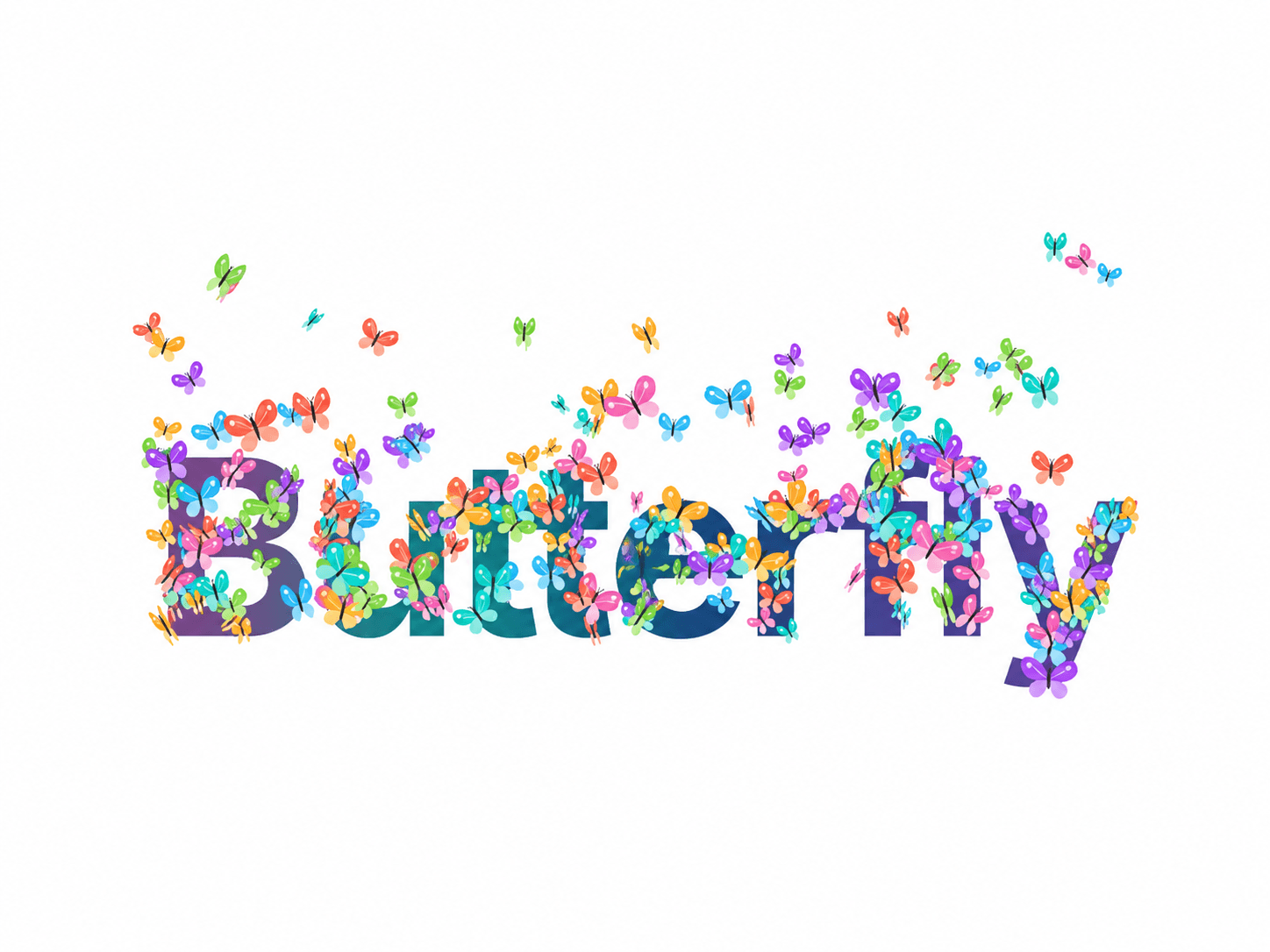
Bring your words to life with Butterfly: animated gradient typography surrounded by a colorful flock of butterflies. A dark butterfly can follow your pointer inside the component, adding a playful interaction to portfolios, creative websites and hero sections.
Customize without code
Change your word or short phrase in the Text field. Adjust the font, letter spacing, flight speed, gradient speed, butterfly count and wing size directly in Framer. Switch the cursor follower or animation on and off.
Designed to fit your layout
The effect scales to the component’s frame and has a transparent background, so you can place it on your own page color. The live demo uses a clean white background. Short words and phrases work best; longer text scales down automatically.
Thoughtful motion
Click or tap to replay the flight. The editor displays a still preview, while the animation runs in Preview and on the published site. Reduced-motion preferences are respected, and animation pauses when the browser tab is hidden.
Getting started
1. Install the component using the component link supplied after purchase.
2. Add it to your Framer page and choose its width and height.
3. Select the component, open Text in the right panel and enter your own word.
4. Open Preview to see the animation and cursor interaction.
For mobile layouts, try 80–140 butterflies for a lighter effect. No background photos, video files or additional animation libraries are required.