About RightClickProtect
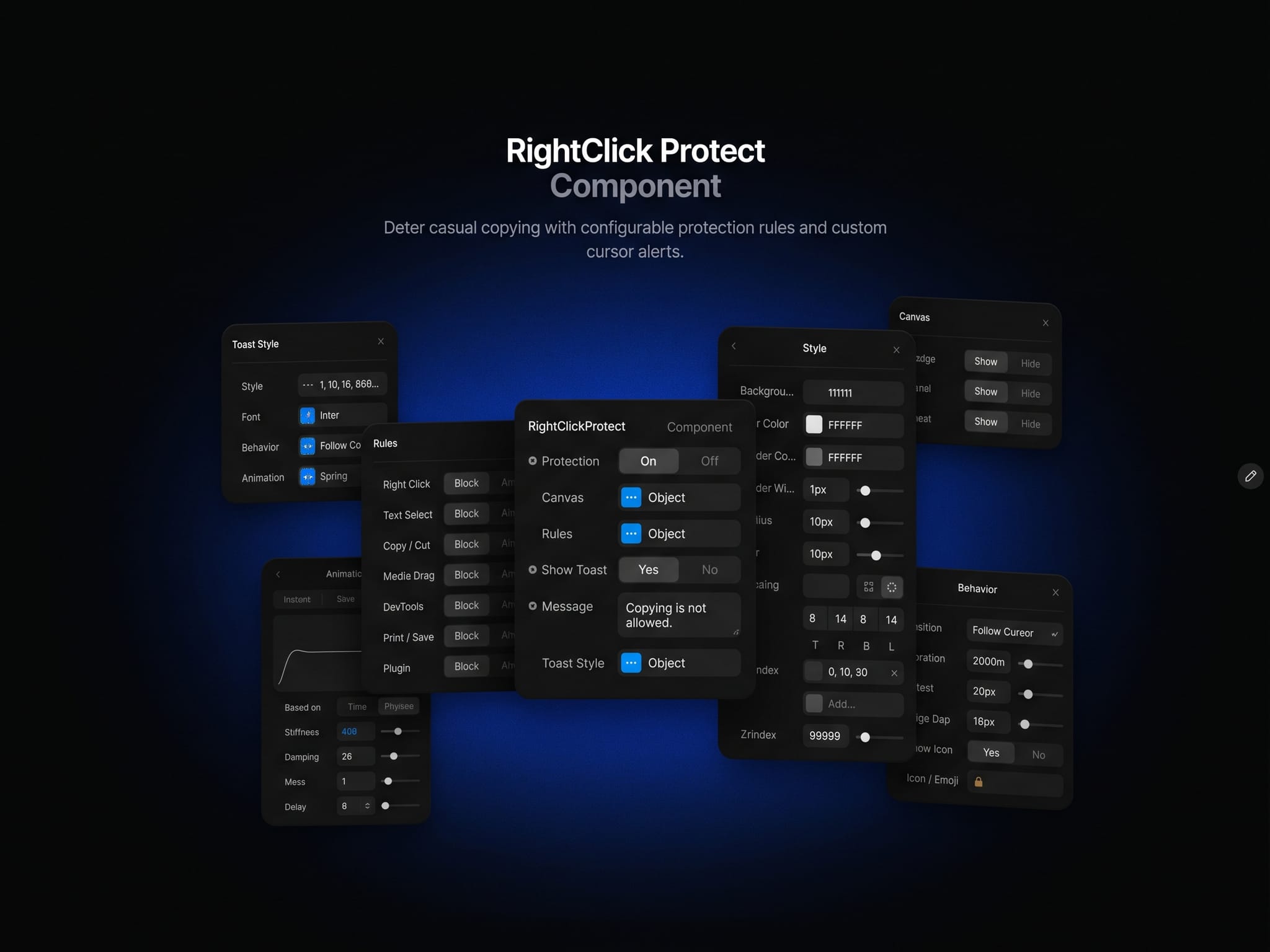
Content Protection – Controls:
🔒 Protection – Enable or disable protection for connected content.
🧩 Content – Connect the layer or section to protect.
🖱️ Right Click & Text Selection – Restrict context menus and text selection.
📋 Copy / Cut & Media Drag – Restrict copying, cutting, and media dragging while preserving text editing in form fields.
⌨️ Shortcuts – Restrict DevTools, view-source, select-all, print, and save shortcuts when focus is inside protected content.
🛡️ Plugin – Add the page-wide HTML to Framer opt-out meta tag.
🎛️ Rules – Set each rule to Block or Allow.
⚡ On Blocked – Connect an action to detected blocked interactions.
Custom Alerts:
💬 Show Toast & Message – Toggle notifications and write your own message.
🧪 Testing Toast – Show the triggered rule’s name, even with Show Toast off. Disabled by default; switch off before publishing. Plugin protection has no toast event.
🎨 Style & Font – Adjust colors, typography, borders, radius, padding, shadow, blur, and z-index.
📍 Position & Behavior – Choose cursor, top/bottom center, or top/bottom right placement. Set duration, offset, and cursor edge spacing.
🌊 Animation – Customize transitions and spring response. Repeated interactions refresh the timer.
✨ Icon – Toggle the icon or use your own emoji. Long messages wrap.
Canvas & Accessibility:
🏷️ Badge, Rules Panel & Toast Preview – Toggle each editor indicator independently.
📐 Placement – Indicators appear as an absolute overlay at the component’s top-left, without adding space below content.
🛠️ Preview – Protection is inactive on the Canvas; test interactions in Preview.
♿ Accessibility – No unnecessary Tab stop; toast messages use polite screen-reader announcements.
🔧 Typed Styles – Explicit typing for the custom blur property.
Note: Browser-side protection discourages casual copying, not screenshots or determined inspection. Plugin blocking depends on the importing tool respecting the meta tag.