About CampaignCrop
crop, focal point, art direction, social formats, campaign, responsive images
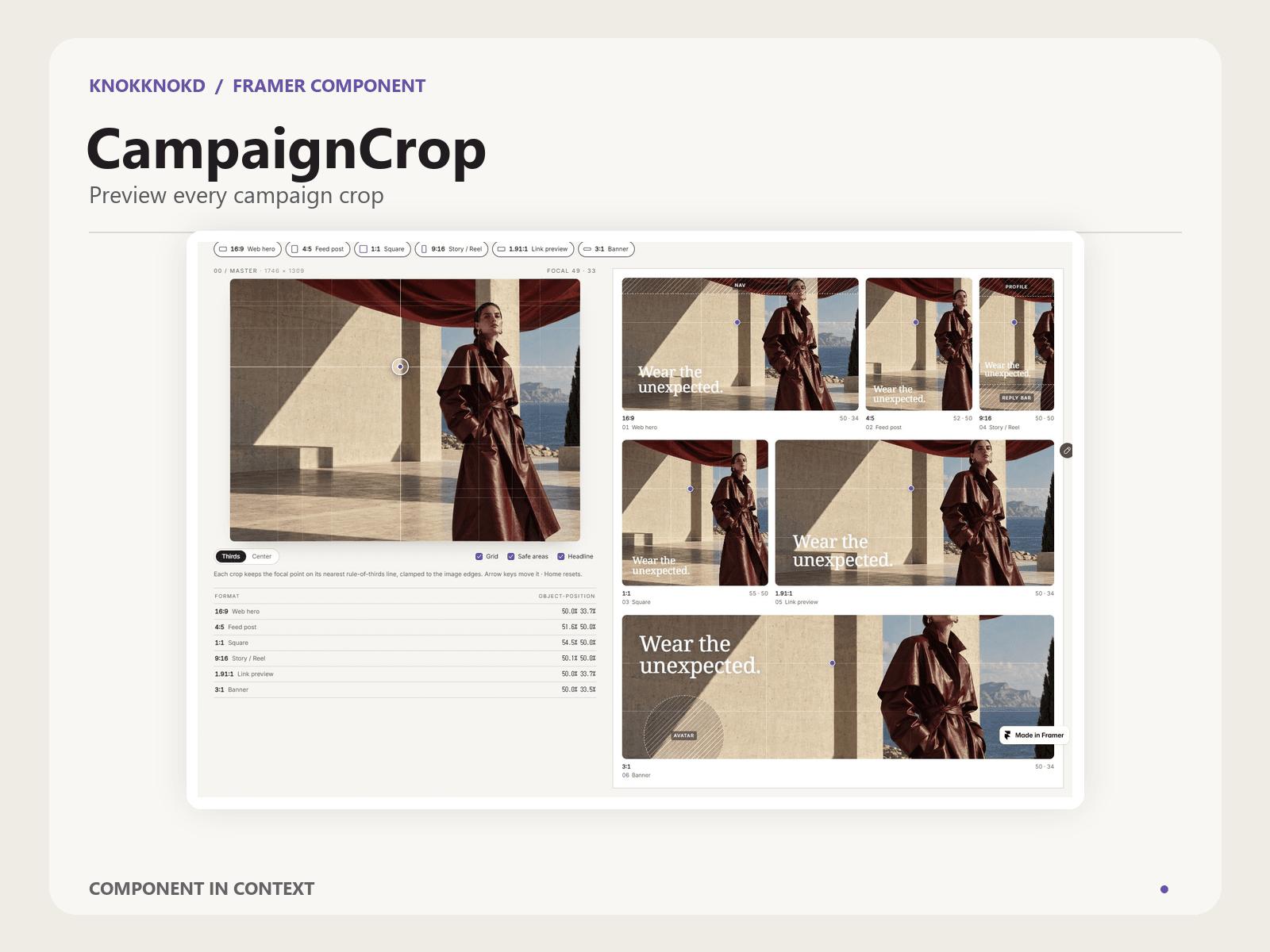
CampaignCrop shows one key visual in every format at once. Drop in your campaign image, drag the focal point, and six crops re-frame live around it: 16:9 web hero, 4:5 feed, 1:1 square, 9:16 story, 1.91:1 link preview and 3:1 banner.
- Real cover-crop math based on your image's own aspect ratio
- Thirds placement: the focal point lands on the nearest rule-of-thirds line, clamped to the image edges. Switch to Center if you prefer
- Overlays: thirds grid, approximate safe areas (story UI, nav, banner avatar) and a headline legibility test that moves to the side away from your subject
- Crop windows drawn on the master image; hover a format to isolate it
- Copy crop data: JSON with the CSS object-position for every format, ready to hand to a developer
- Keyboard friendly: arrow keys move the focal point, Home resets it
- Light and dark themes, accent colour, radius, heading and body fonts
- Works the moment you drop it in, with a built-in demo illustration. Responsive down to 320 px
Safe areas are approximate guides. Check each platform's current specs before you publish.
Made by knokknokD — more components on my profile.