About Category Filter Grid
Category Filter Grid – A Product Grid Filtered by Category Tabs
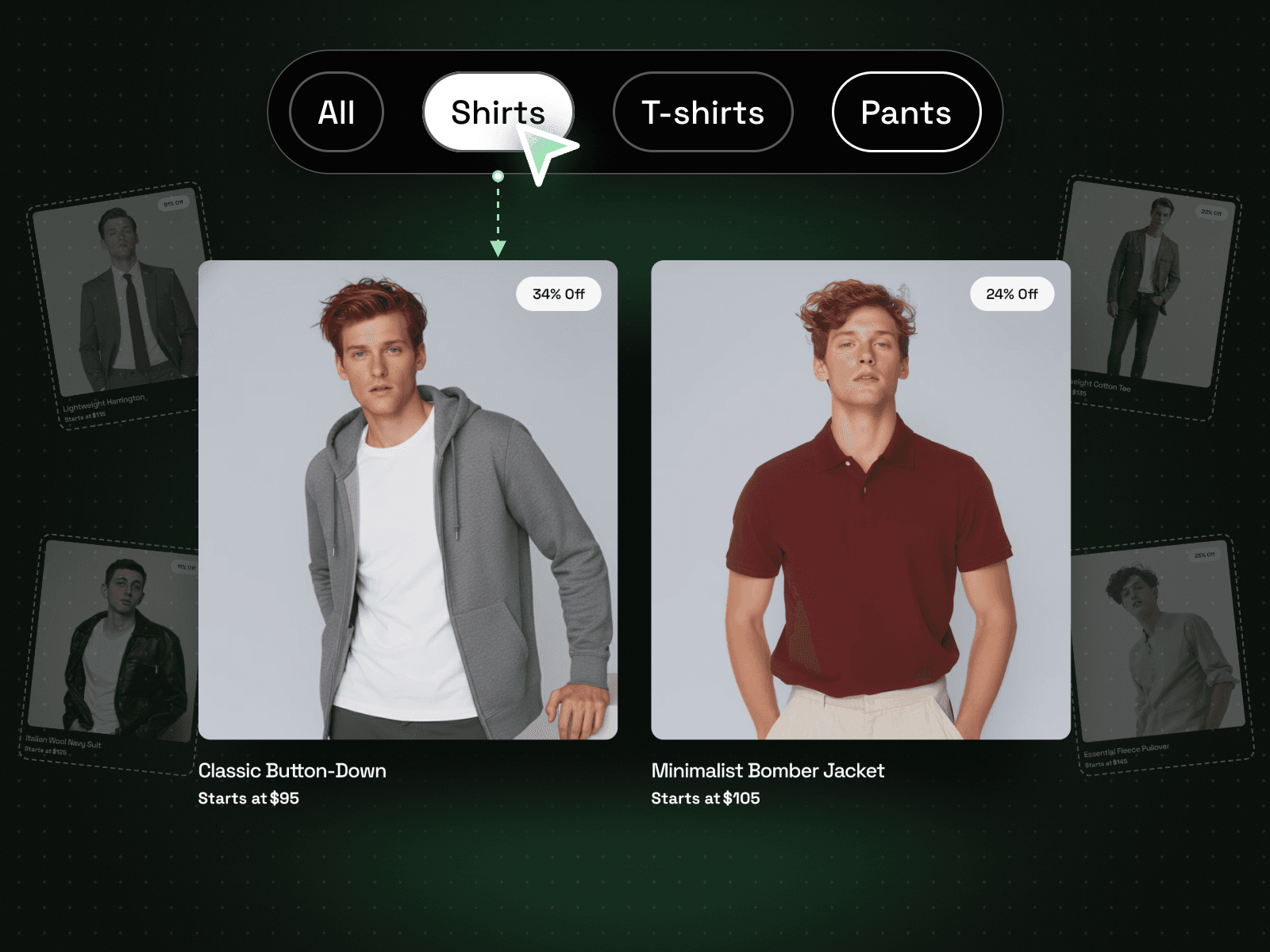
Category Filter Grid shows six product cards with a discount badge, name and price, under a row of category tabs. Click a tab and the grid shows only the products in that category. It suits a shop section, a collection or a portfolio.
How it works
Four tabs: All plus three categories.
Click a tab to filter the grid.
Each card has an image, discount badge, name and price.
Includes a Mobile variant.
Easy to customize
Edit the tab labels and all six images, names, prices and discounts.
Change the active and inactive tab colours, borders and text, plus the discount badge colours.
Drop it into any Framer page and edit it from the properties panel or with your AI agent.