About CMS Filter Timeline
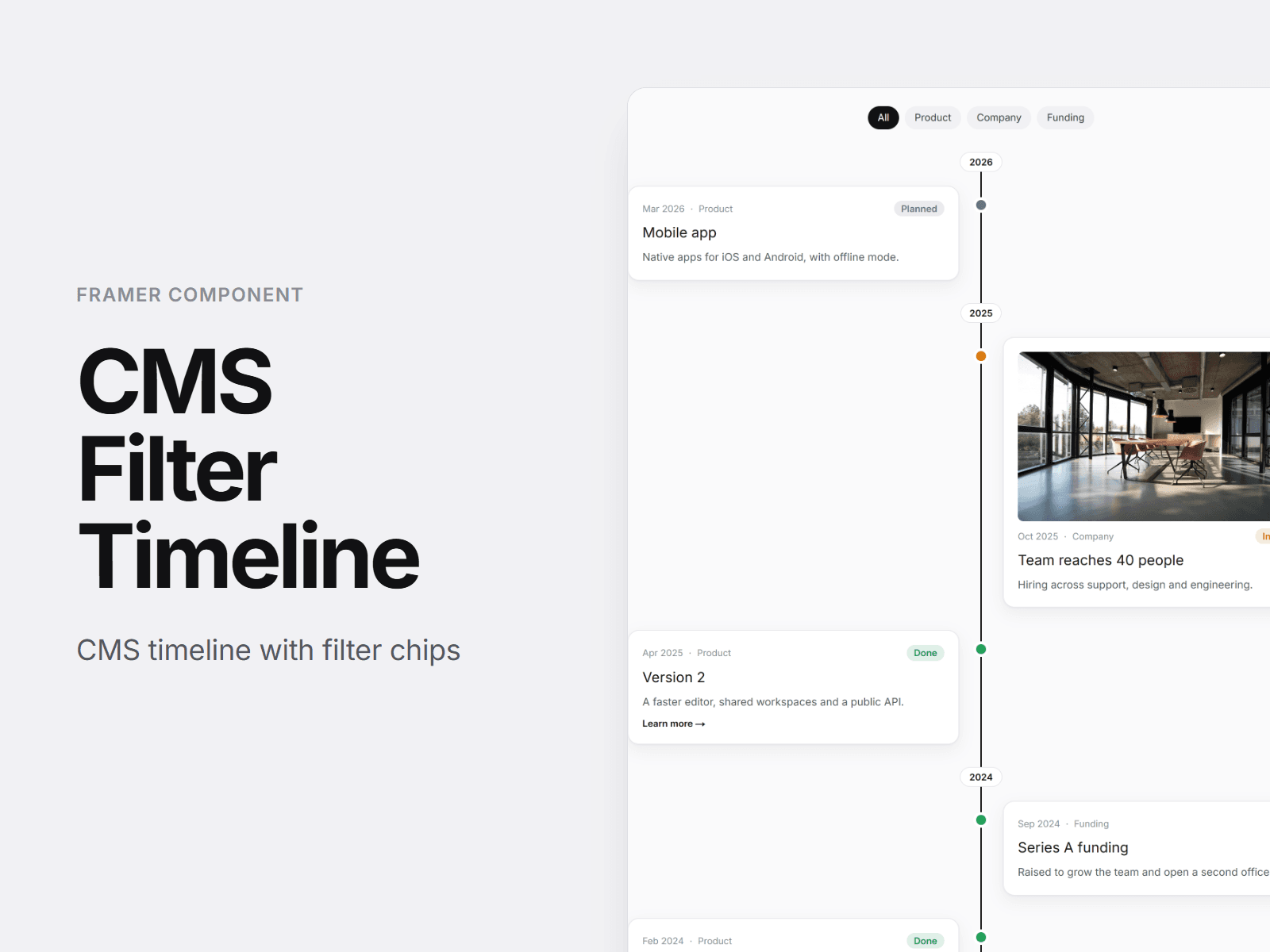
CMS Filter Timeline turns a CMS collection into a timeline your visitors can filter. Add an item in the CMS and it appears on the timeline, in the right place, with its filter chip. Use it for a company history, a product roadmap, a changelog or an event schedule.
Key features:
• CMS content: connect a Collection List and map your fields (title, date, category, text, image, link, status).
• Filter chips: built automatically from your categories, with an "All" chip and optional year chips.
• Three layouts: Alternating, One side and Horizontal. Horizontal scrolls with wheel, trackpad, touch or mouse drag.
• Phone-ready: below a width you choose, it becomes a clean one-side list.
• Year headings and status badges (Done, In progress, Planned) for roadmaps.
• Motion: scroll reveal and a progress line, each with an off switch.
• Works without a CMS: add items by hand, or leave it empty to see sample items.
• Safe with missing content: items with no image, link, category or date still look right.
Property controls:
• Layout, phone width, item width and spacing
• Filters: categories, years, "All" label, starting category, alignment
• Date format and language, link label, new-tab links
• Card: fill, border, radius, padding, image ratio, shadow
• Line: colors, width, dot size
• Text and chips: fonts, colors, radius
• Status colors and motion switches
You get a ready project with three working examples (company history, roadmap, changelog), plus links to add the component to a site you already have.
Open the live preview and click the chips to see all three layouts.