About Cursor Playground
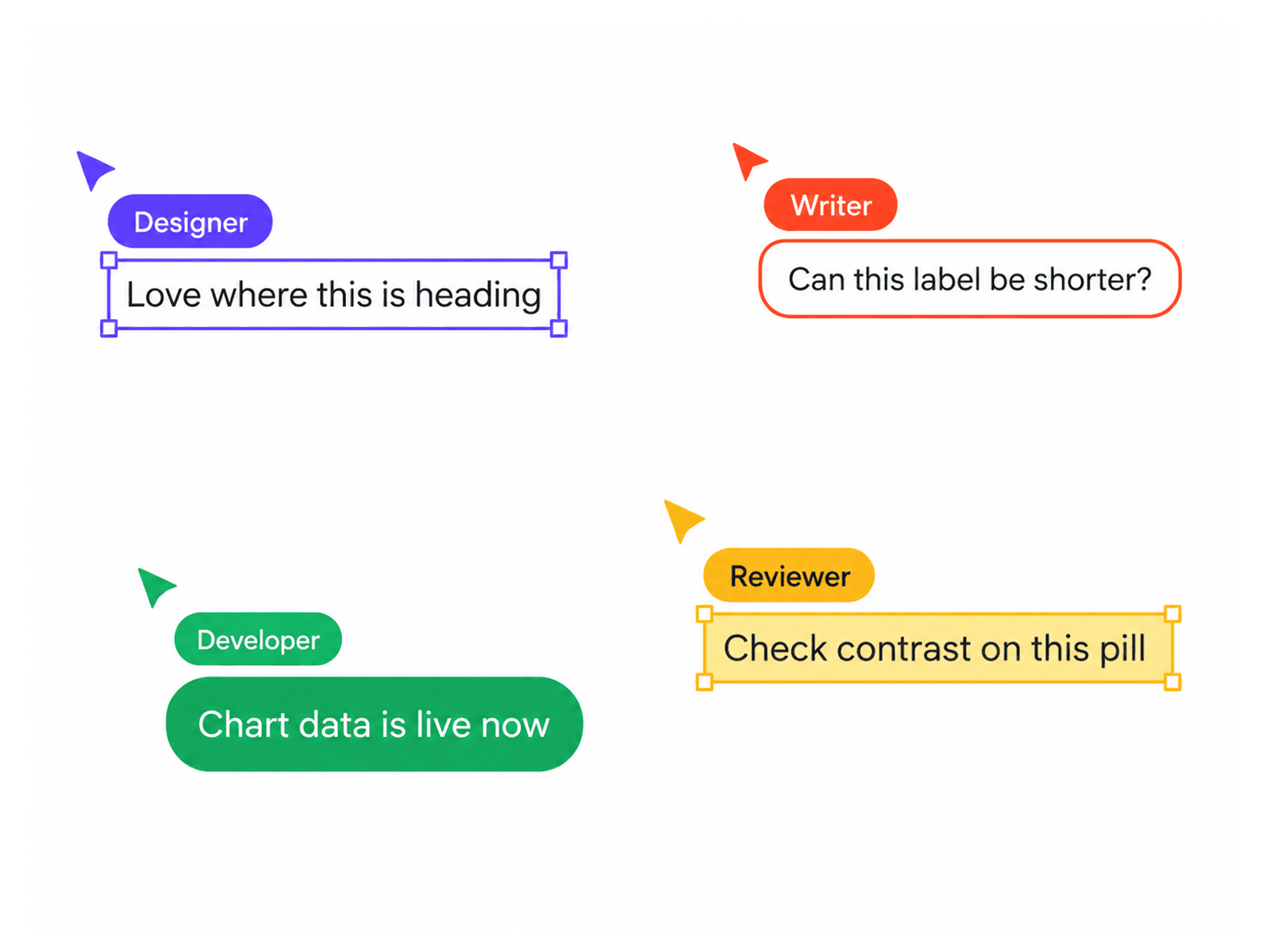
Cursor Playground adds animated cursors to your Framer website. Each cursor moves around the page, finds open space, and types custom messages with natural timing, occasional typos, and automatic corrections. Create the feel of a lively workspace with multiple cursors exploring your page.
Key Features
Up to 12 Cursors: Add independently moving cursors.
Custom Name Tags: Give each cursor its own label.
Personalized Messages: Set messages per cursor, played in sequence or shuffled.
Three Typing Styles: Choose Text Tool, Chat Bubble, or Sticky Note.
Three Cursor Shapes: Select Rounded, Classic Arrow, or Dart.
Realistic Typing: Add natural pauses, typos, and automatic corrections.
Smart Positioning: Cursors find open spaces while avoiding text, images, buttons, and page elements.
Cursor Dodging: Move cursors away when a visitor's pointer gets close.
Flexible Roam Zones: Choose a section, parent frame, this frame, or the whole window.
Motion Controls: Adjust walking and typing speed, delays, pauses, and message duration.
Custom Styling: Set cursor, text, and box colors, plus font and message width.
Animated Erasing: Clear messages with backspace or select-all effects.
Visitor Interaction: Set cursors to return after pointer or keyboard interaction.
Reduced Motion Support: Respects system preferences and pauses when offscreen or the tab is hidden.
Perfect For
Creative portfolios, agency websites, design studios, interactive landing pages, and playful web experiences.
Bring Your Page to Life
Customize each cursor, message, and movement to create an engaging website experience. SEO Keywords: Cursor Playground, Framer Cursor Component, Animated Cursors, Multiple Cursors, Typing Animation, Interactive Website Effects, Custom Cursor, Framer Animation Component