About Spin Image
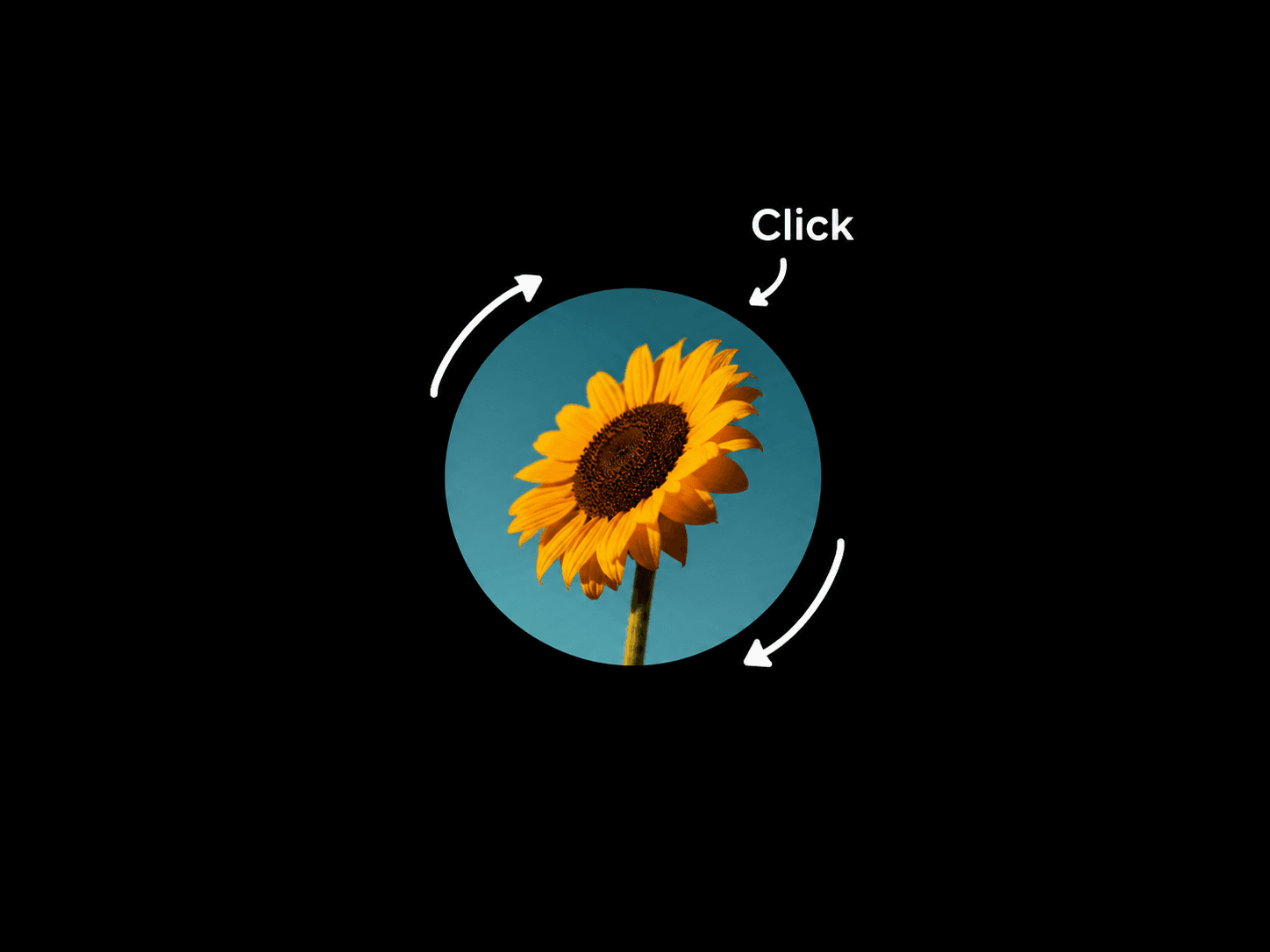
Spin Image adds continuous rotation to any image, with an interactive speed boost on every click or tap. Customize the rotation speed, acceleration, deceleration, direction, and image settings to create a smooth spinning effect that fits your site.
What you can customize
Upload your own image and choose between Cover and Contain to control how it fits within the circular frame.
Adjust the base rotation speed, set how much speed each click adds, and define the maximum speed limit. Fine-tune the acceleration and deceleration for smooth transitions, and control the delay before the image returns to its base speed.
Choose between clockwise and counterclockwise rotation to match your design.
How to use
Copy the component from the Marketplace and paste it onto your canvas
Upload an image and adjust its fit
Set the base speed, click boost, and maximum rotation speed
Customize the acceleration, deceleration, and slow delay
Choose the rotation direction
Preview the page and click or tap the image to test the interaction
Great for
Creative portfolios
Agency websites
Interactive landing pages
Personal websites
Playful and experimental designs
Support
Need help setting up or customizing Spin Image? Reach out at neo.framer@gmail.com for technical support and component setup assistance.