About Deskbell AI Chatbot
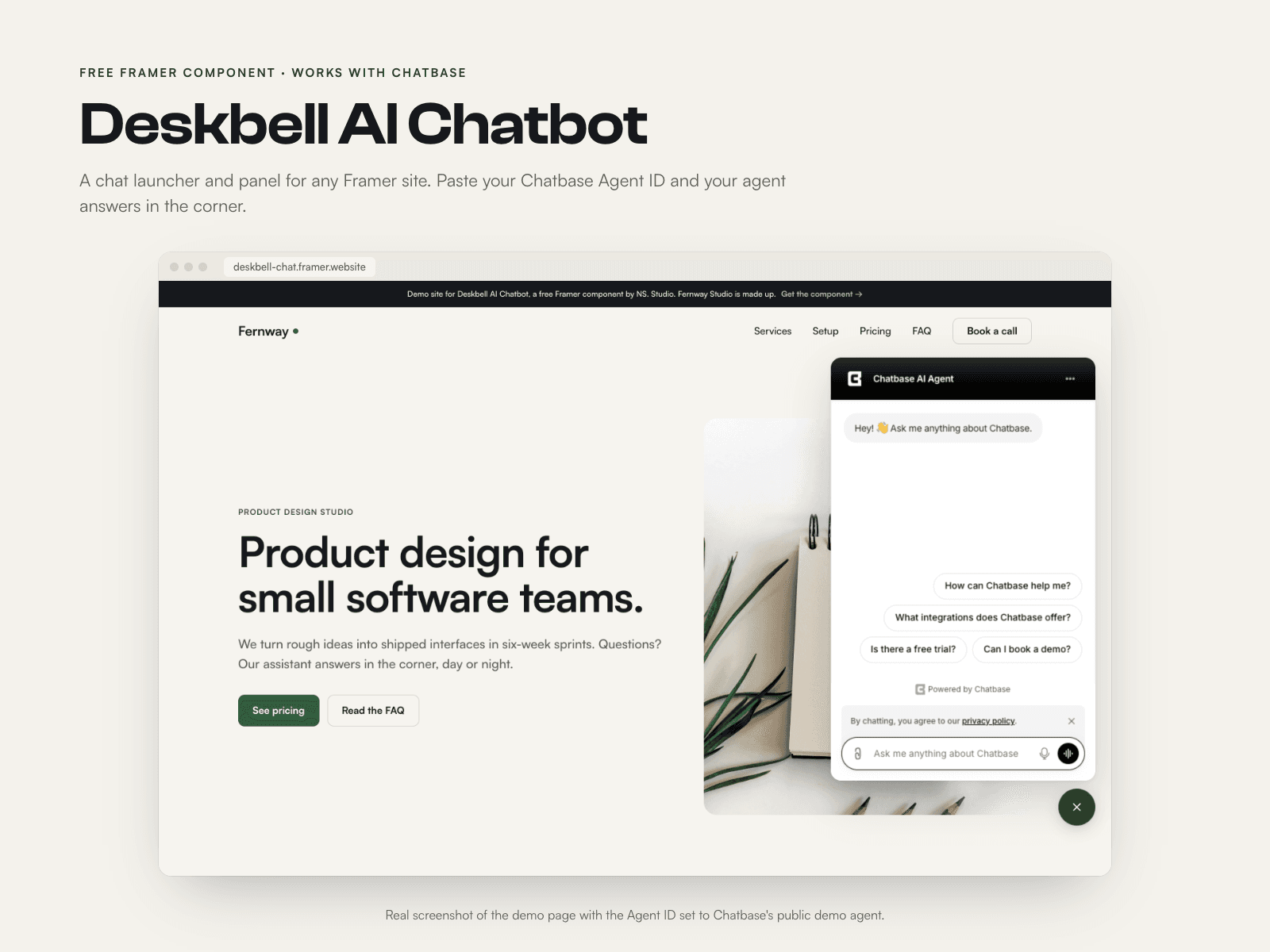
Deskbell adds an AI chat to your Framer site. Works with Chatbase: a launcher sits in the corner of the page, visitors tap it and your Chatbase agent, trained on your own site and docs, answers in a panel. On phones the chat opens full screen.
What it does
Launcher as an icon or a labelled pill, left or right, with your colours and size
Optional teaser bubble, and optional open on load after a delay (desktop and tablet only), once per visit if you want
Panel width, height and corner radius you set; full-screen chat on phones
The chat loads Chatbase's official iframe only when a visitor opens it (or when Open On Load fires). No scripts are added to your site
Until an Agent ID is pasted, a setup card shows the two setup steps
What you need
A paid Chatbase plan. Chatbase is a paid service with plans from $40 a month, so check their pricing before you start
An agent in your Chatbase account and its Agent ID
Place Deskbell at the top level of a page, not inside a frame with scroll or appear effects
What you get
The Deskbell code component, free
Step-by-step setup guide: ns-studio.store/p/deskbell/setup
About the preview: the demo site has no agent connected, so it shows the setup card. Images with a working chat are real screenshots using Chatbase's public demo agent.
Deskbell is made by NS. Studio and is not affiliated with or endorsed by Chatbase.