About Detail Reveal List
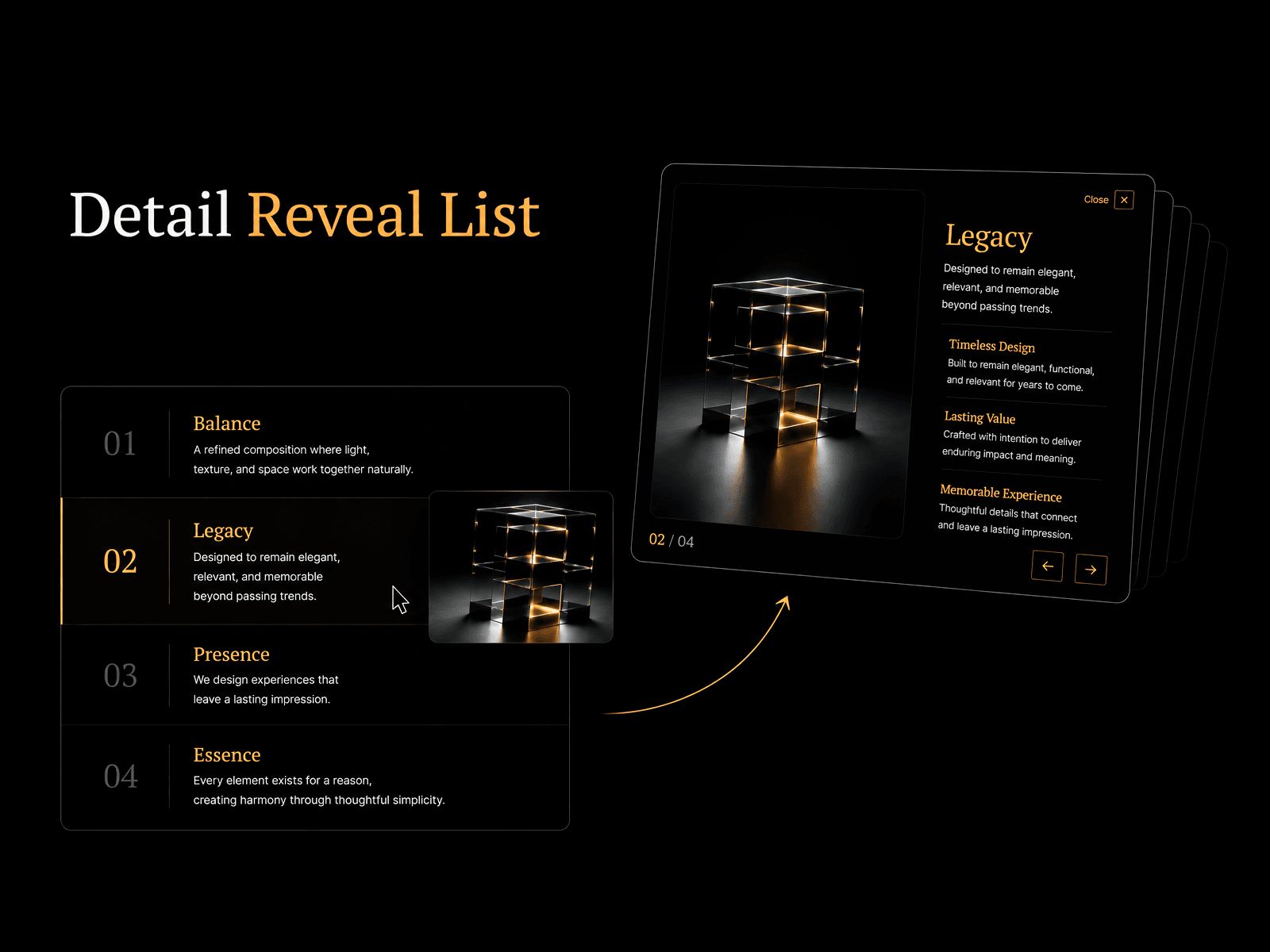
Detail Reveal List is a responsive Framer component for creating elegant interactive showcases with animated image previews, expandable detail views, and smooth transitions between content.
Hover over an item to instantly reveal its preview image, then click to open a beautifully animated detail layout with extended content, customizable perks, and built-in navigation. Whether you're presenting services, projects, portfolios, or case studies, Detail Reveal List helps transform a simple list into a premium browsing experience.
Designed with flexibility in mind, the component adapts seamlessly to different screen sizes while remaining fully customizable through Framer's properties panel.
Use Cases
This component works especially well for:
service showcases
creative portfolios
featured projects
case studies
Perfect when you want visitors to browse multiple items while providing an elegant way to explore detailed information without leaving the page.
–––––––––––––––––––––––––––
Customization
Fully customizable via the Framer properties panel.
Built to fit a wide range of websites while remaining easy to customize — no code required.
–––––––––––––––––––––––––––
Responsive Behavior
Desktop
Displays an interactive list alongside a large animated preview image. Hovering over items instantly updates the preview, while clicking opens a fully detailed layout with smooth transitions.
Mobile
Below the mobile breakpoint, the layout switches to a vertical structure with the image positioned above the content, and scales fluidly across everything in between, from tablets down to phones.
–––––––––––––––––––––––––––
Features
Interactive image previews on hover
Animated detail view
Built-in item navigation
Separate preview and detail images
Multiple image reveal animations
List and grid layouts for perks
Fully responsive layout
Customizable typography
Adjustable spacing and sizing
Custom color controls
Static Preview mode for easier editing
No code required