About Editorial Hover Grid
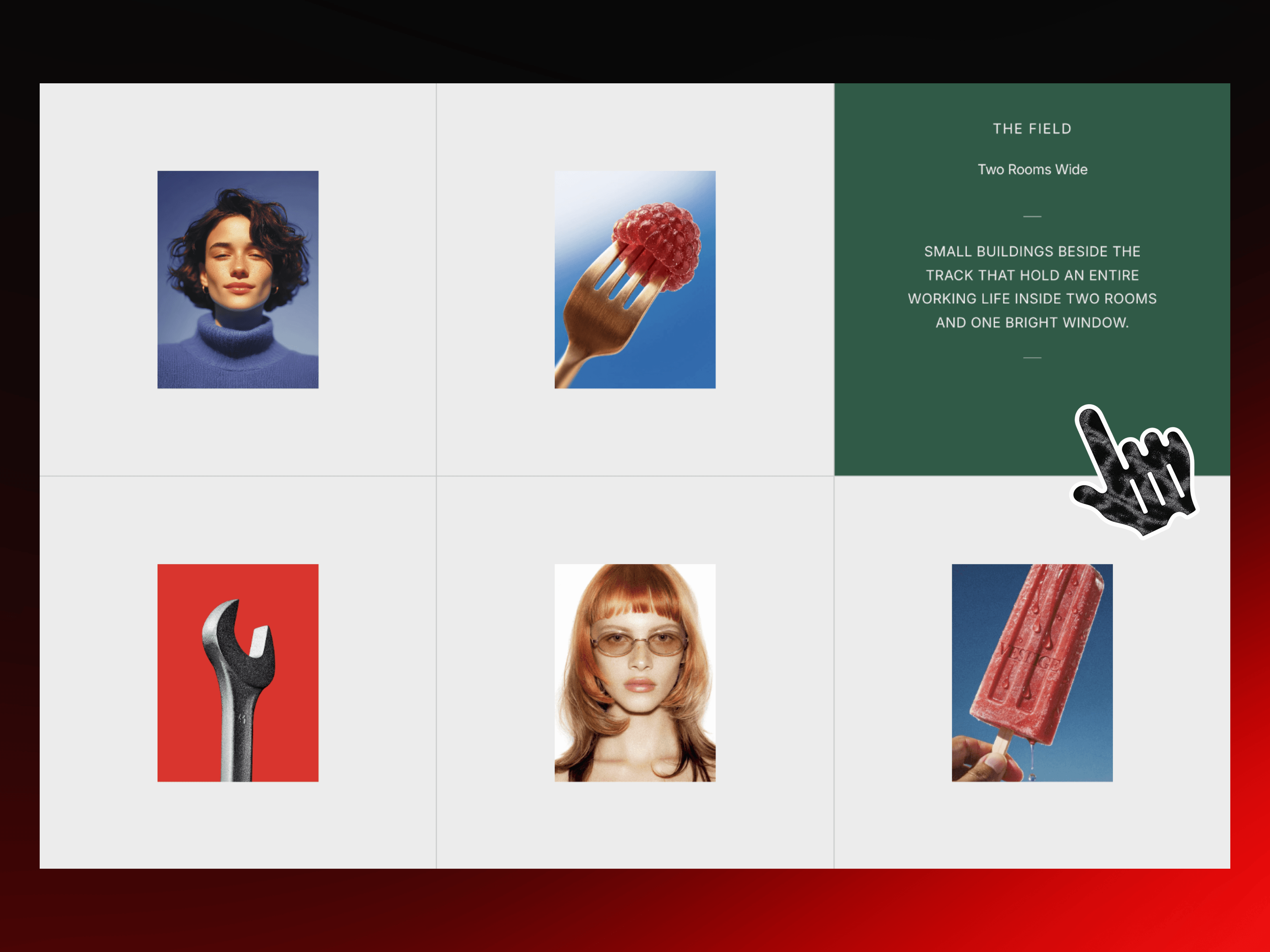
Editorial Hover Grid is an interactive editorial image grid for Framer that transforms a clean visual layout into a rich content experience. Each image can reveal a beautifully styled information panel with a label, title, description, custom colors, and an optional link.
✦ Key Features
Interactive Hover Reveal - Hover over an image to reveal its editorial content.
Image Gallery - Build visual collections using uploaded images or image URLs.
Editorial Content - Add a custom label, title, and description to every card.
Custom Card Links - Connect individual cards to pages, projects, or external destinations.
Staggered Text Reveal - Content smoothly appears in sequence for a polished interaction.
Flexible Grid - Choose a fixed number of cards per row or use an automatically adapting layout.
Custom Panel Colors - Give every reveal panel its own background and text colors.
Adjustable Image Layout - Control image size, aspect ratio, inset, corner radius, and reveal scaling.
Custom Typography - Independently style labels, titles, and body copy.
Responsive Typography - Text automatically scales with the available card size.
✦ What You Can Create
Editorial image galleries
Photography portfolios
Art and exhibition showcases
Creative project archives
Magazine-inspired layouts
Case study collections
Design studio portfolios
Museum and cultural websites
Visual storytelling sections
Interactive project grids
✦ Turn Every Image Into a Story
Editorial Hover Grid gives every image a second layer of information. Visitors can explore the visuals first, then reveal the story behind each piece through smooth interaction, bold color panels, and carefully structured typography. Keywords: Editorial Hover Grid, Hover Grid, Editorial Gallery, Hover Reveal, Interactive Grid, Image Grid, Framer Gallery, Editorial Layout, Portfolio Grid, Image Reveal, Hover Gallery, Creative Portfolio, Photography Gallery, Interactive Gallery.