About GravityPills
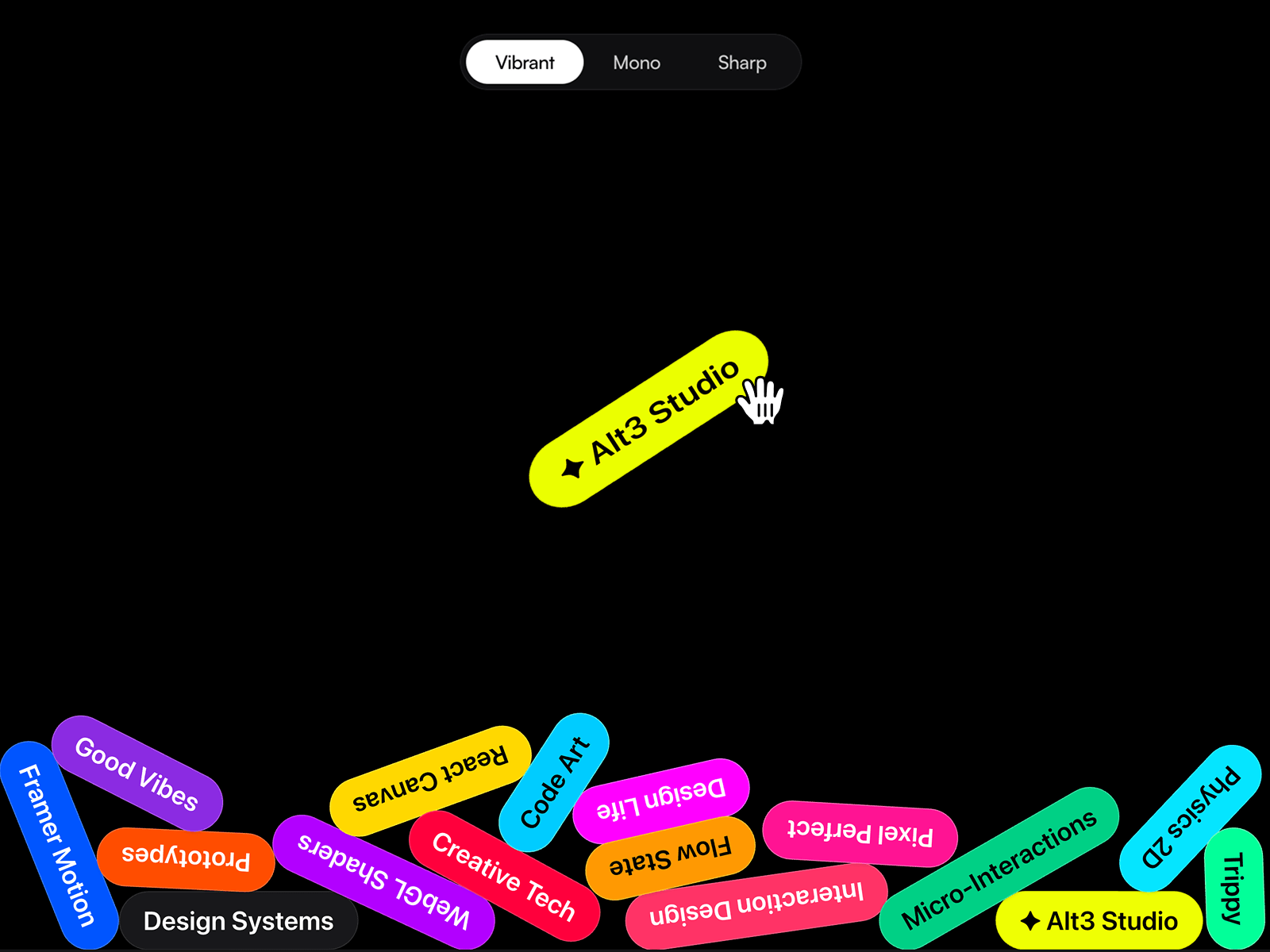
Gravity Pills An interactive, 60fps physics-based component powered by Matter.js. Perfect for skill stacks, categories, or highly engaging hero sections.
Core Features:
True 2D Physics: Grab, drag, throw, and watch pills collide with realistic gravity, friction, and elasticity.
[NEW] Real Top Collision: Toggle a ceiling boundary to keep pills bouncing dynamically inside your container.
[NEW] Impact Squash & Stretch: Tunable squish physics. Pills stretch while airborne and squash with a satisfying "thud" on impact.
[NEW] Natural Throws: Smart drag-and-release mechanics track your hand motion for perfectly predictable tosses.
Dynamic Depth Shadows: Fast-moving pills cast deeper, softer shadows to simulate 3D space and elevation.
Mobile Tilt Ready: Hardware gyroscope integration lets mobile users shift gravity simply by tilting their devices.
Premium Design Ready: The ideal dynamic element to highlight your brand's core pillars like Art Direction or No-code development.
Fully Customizable: Tweak throw power, bounce, floaty gravity (down to 0.01), squish amount, and drag directly in the properties panel.
Granular Theming: Apply global themes or set unique background, text, and border colors for every single pill individually.
Scroll or Load Triggers: Drop pills immediately on load or wait until they scroll into view.
Bulletproof Performance:
Zero-Crash Logic: Re-engineered dependencies eliminate canvas refreshing on click. Interact aggressively without breaking the engine.
Infinite Stacking Limits: Expanded vertical boundaries let you drop dozens of pills without them getting stuck off-screen.
Memory Leak Protection: Built-in engine cleanup ensures lightweight, buttery smooth 60fps performance across all devices.
Setup in Seconds:
Drop the component onto the canvas or into any Stack.
Set Width to Fill.
Set Height to 100vh for a full-screen effect (or any custom height).
Add text to the Badges List and watch them drop.