About Halftone Pro
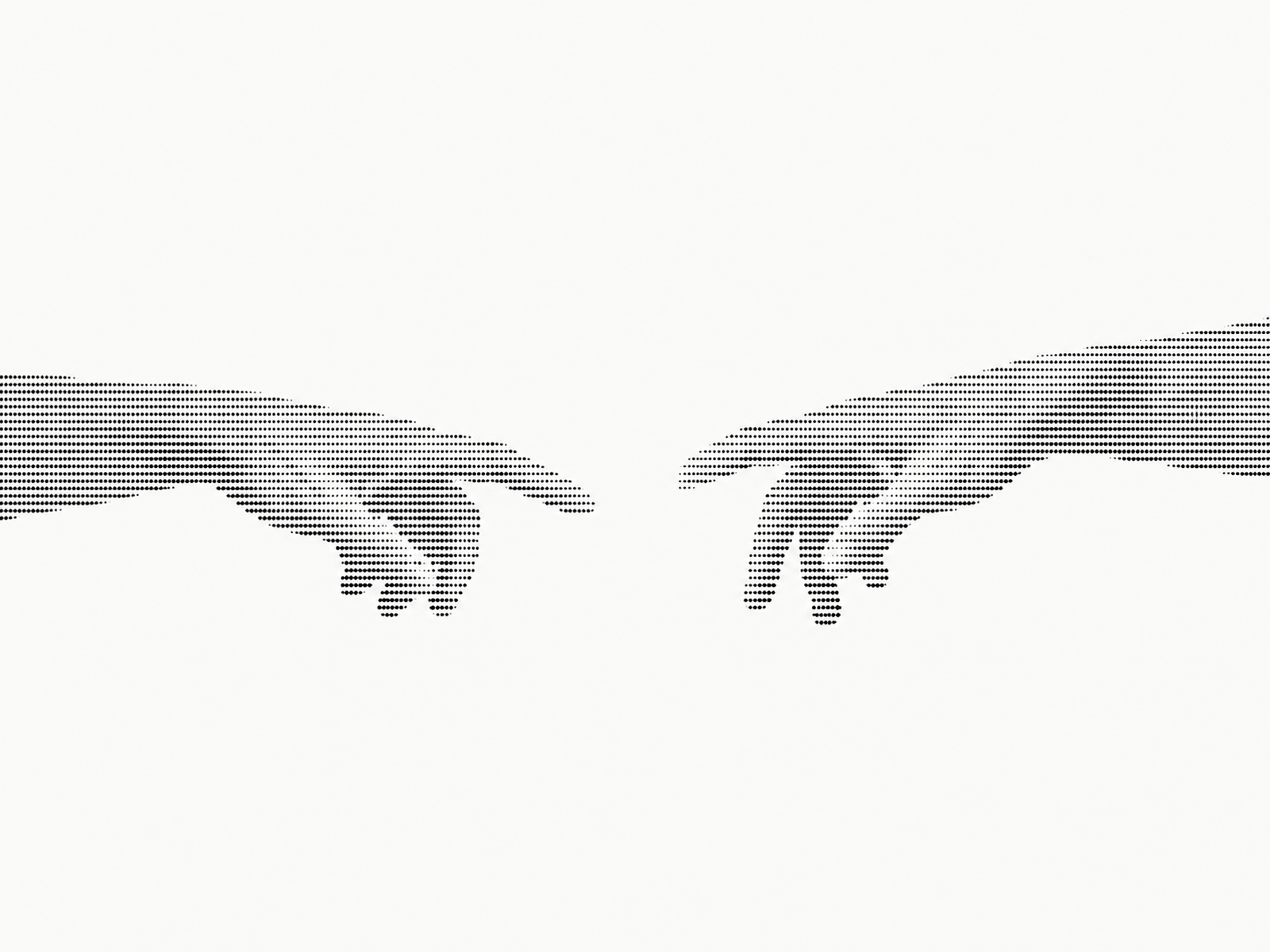
Halftone Pro is a premium animated halftone visual component for Framer that transforms images into striking dot-based artwork. Featuring expressive hand imagery, fluid pose transitions, interactive cursor effects, and a collection of carefully crafted themes, it brings a distinctive graphic aesthetic to any website.
HOW TO USE
Add Halftone Pro to your Framer page.
Choose between a single 2×2 image sheet or four separate images for the hand poses.
Select a preset theme or create your own custom color palette.
Adjust dot shapes, density, size, contrast, and tone settings.
Fine-tune animation speed, movement, pose transitions, and cursor lens effects.
Customize the component to match your website's visual identity.
KEY FEATURES
Animated Halftone Effect – Transform image details into dynamic dot-based artwork.
Multiple Dot Shapes – Choose Circle, Square, Diamond, or Bar patterns.
11 Preset Themes – Explore Paper, Graphite, Phosphor, Amber CRT, Blueprint, Risograph, Ember, Neon Night, Sage, Gilt, and Glacier.
Custom Themes – Define your own background, ink colors, glow, vignette, and scanlines.
Flexible Image Sources – Use a 2×2 image sheet or four individual image sources.
Pose Morphing – Transition smoothly between two image poses.
Interactive Cursor Lens – Add a responsive magnifying effect with adjustable radius, swell, push, and reveal.
Advanced Motion Controls – Customize animation speed, drift, breathing, rotation, shimmer, and glitch effects.
WHY HALFTONE PRO?
Halftone Pro turns ordinary imagery into a distinctive visual experience. With expressive motion, customizable dot patterns, interactive details, and versatile themes, it's ideal for creative portfolios, experimental landing pages, digital studios, and bold visual showcases.