About Image GSAP
⚡ GSAP Image Trail for Framer — Interactive Cursor Effect
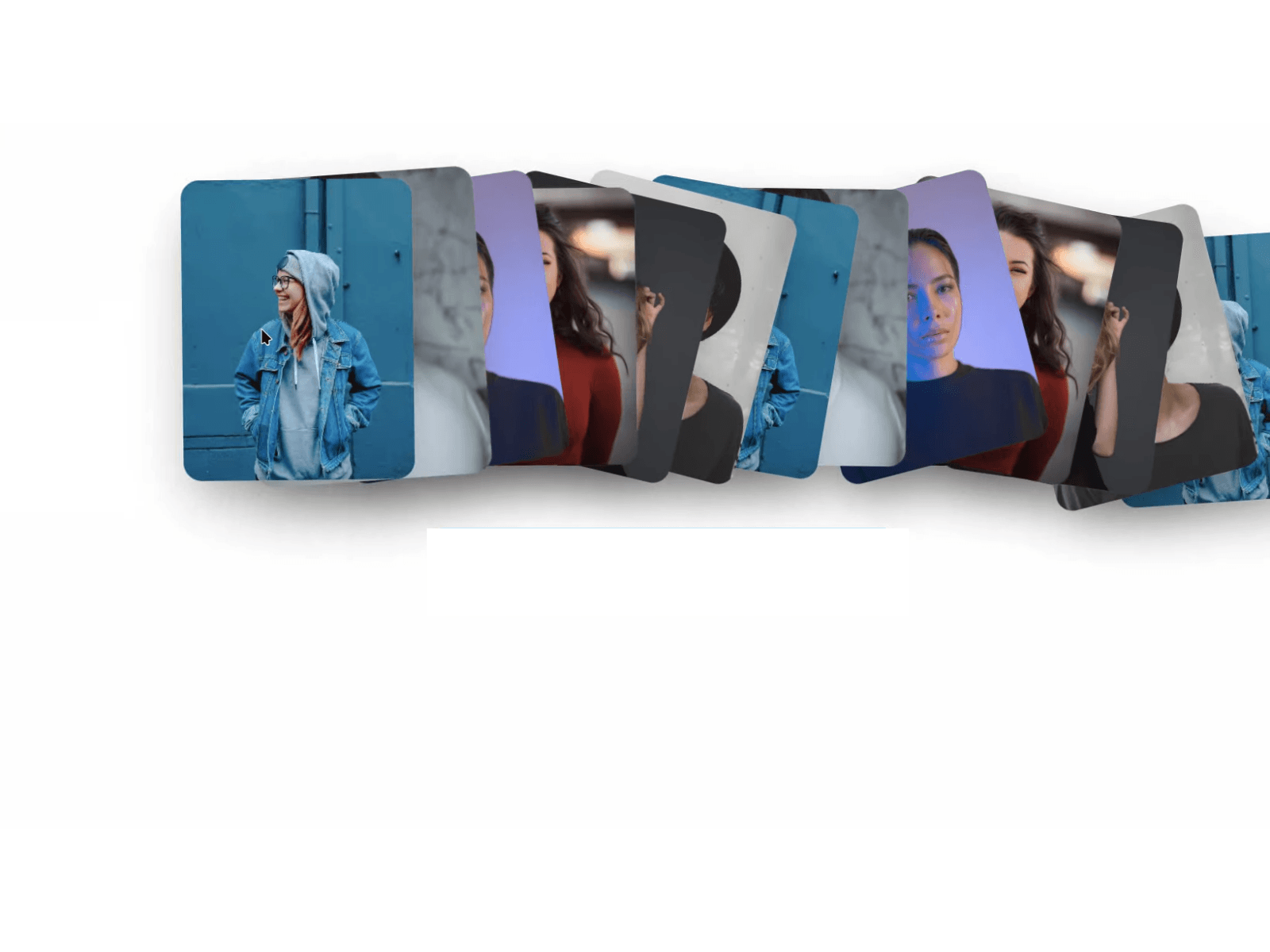
Bring award-winning agency aesthetics to your Framer sites with GSAP Image Trail—a high-performance, mouse-driven micro-interaction. Dynamic images pop in with spring physics (back.out), tilt with organic randomness, and shrink out smoothly as visitors move their cursor.
Perfect for creative agencies, modern portfolios, luxury fashion showcases, and high-impact hero sections.
🔥 Why It’s Better Than Other Trail Effects:
🖱️ 100% Clickable Buttons (No Event Blocking): Buttons and links connected to the Content Slot retain full Hover and Pressed states. The trail layer uses isolated stacking contexts, so animated images never block clicks or interactions.
🔗 Dual Image Input (Paste URLs or Upload): Tired of uploading assets one by one? Paste direct image URLs (Unsplash, CDN) into the multiline text area, or upload files via Framer’s picker. Images preload automatically to eliminate blank pop-ins.
📐 Native "Fill" & Real-Time Responsive: Built with dynamic ResizeObserver tracking. It natively supports Width: Fill and Height: Fill (or 100vh), automatically adapting to any viewport without collapsing to 0px.
⚡ 60–120 FPS Performance: Engineered with GSAP and a smart DOM recycling pool. Zero memory leaks, zero lag, and buttery smooth motion even on quick mouse flicks.
🎛️ Fully Customizable in Framer:
Image Dimensions & Border Radius
Distance Threshold (mouse sensitivity)
GSAP Spring Easing (back.out), In/Out Speeds & Hold Time
Random Tilt Range (-60° to +60°)
Container-only or Full Window tracking
Drop Shadow Elevation toggle
🚀 2-Minute Quick Setup:
Create a new Code Component in Framer and paste the code.
Drag it onto your page and set Width: Fill & Height: Fill.
Connect your Hero Frame / Button to the Content Slot.
Paste your image URLs and hit Publish!
Includes: Production-ready ImageTrail.tsx + Lifetime updates.