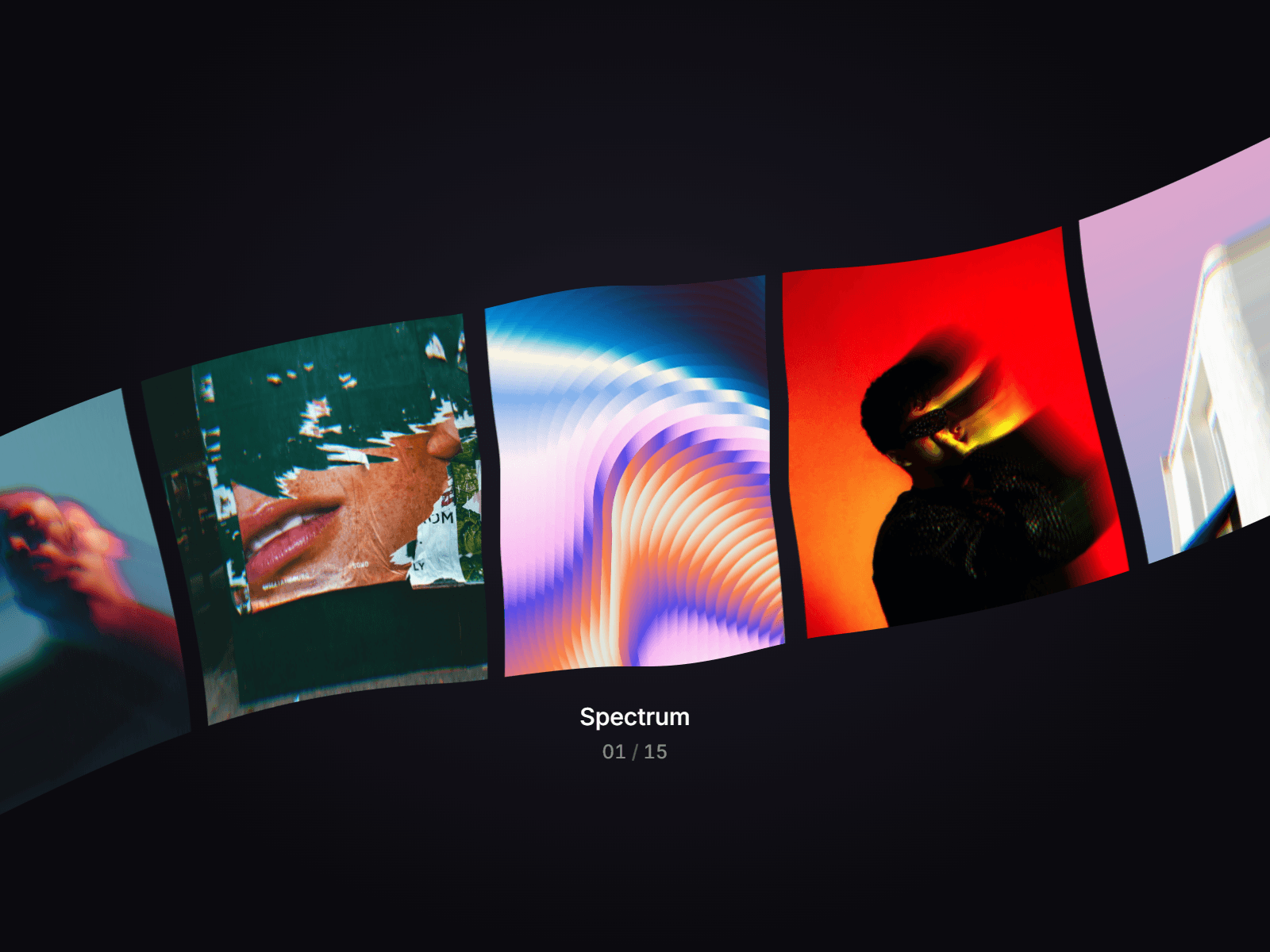
About Infinite3DCarousel
Elevate your Framer site with a cinematic 3D Infinite Stack Carousel. Unlike standard sliders, this component uses true 3D perspective and spring physics to create a tactile "fanning" effect. Whether you are showcasing a portfolio, product features, or team members, this carousel adds a layer of depth and interaction that feels premium and responsive.
Features
Infinite Looping: Seamlessly cycle through your items without ever hitting a "dead end."
Immersive 3D Depth: Utilizes Z-axis transformation and fanned rotation for a realistic physical feel.
Interactive Hover Reveals: Content (Headings and Descriptions) stays hidden to maintain a clean aesthetic, revealing itself with a smooth slide-up animation on hover.
Physics-Based Drag: Fully draggable with customizable spring stiffness and damping for that "perfect" weight.
Theming Options: Choose from 5 built-in styles: Standard, Glassy (Frosted), Neon (Glow), Metallic, and Fire.
Auto-Play: Optional automatic cycling with adjustable intervals.
What Makes It Unique?
Center-Locked Drag: We’ve engineered the drag logic so the cards never "fly away" from the frame. They remain perfectly centered while your gesture rotates the stack, ensuring your layout stays intact.
Exposed Customization: Almost every internal variable is exposed. You don't need to touch a single line of code to change the fanning angle, the stack depth, or the background card transparency.
How to Use
Copy & Paste the code into a new Framer code component.
Add Content: Use the "Items" array in the property panel to upload your images and add your text.
Adjust Layout: Set your desired width and height to match your site design.
Fine-tune the "Feel": Adjust the "Fan Angle" and "Z-Radius" to find the perfect 3D balance for your brand.
Property Panel Reference
PropertyDescriptionVisible DepthControls how many cards are visible in the background stack.
ThemeSwitches between visual styles (Standard, Glassy, Neon, etc.).
3D PerspectiveAdjusts the "lens" of the 3D view (lower values = more extreme 3D).
Spring StiffnessControls how "snappy" the movement is.
Spring DampingControls how much the movement "bounces" before stopping.
Z-RadiusDetermines how far back the background cards sit in 3D space.
Stack SpacingSets the horizontal (X-axis) distance between stacked cards.
Fan AngleSets the rotation degree of the side cards.
Center ScaleThe size multiplier of the active card in the front.
Back ScaleHow much smaller the cards get as they move to the background.
Back OpacityThe transparency level of the background cards.
Shadow AlphaAdjusts the intensity of the card shadows or glows.