About LinkPlank
Summary
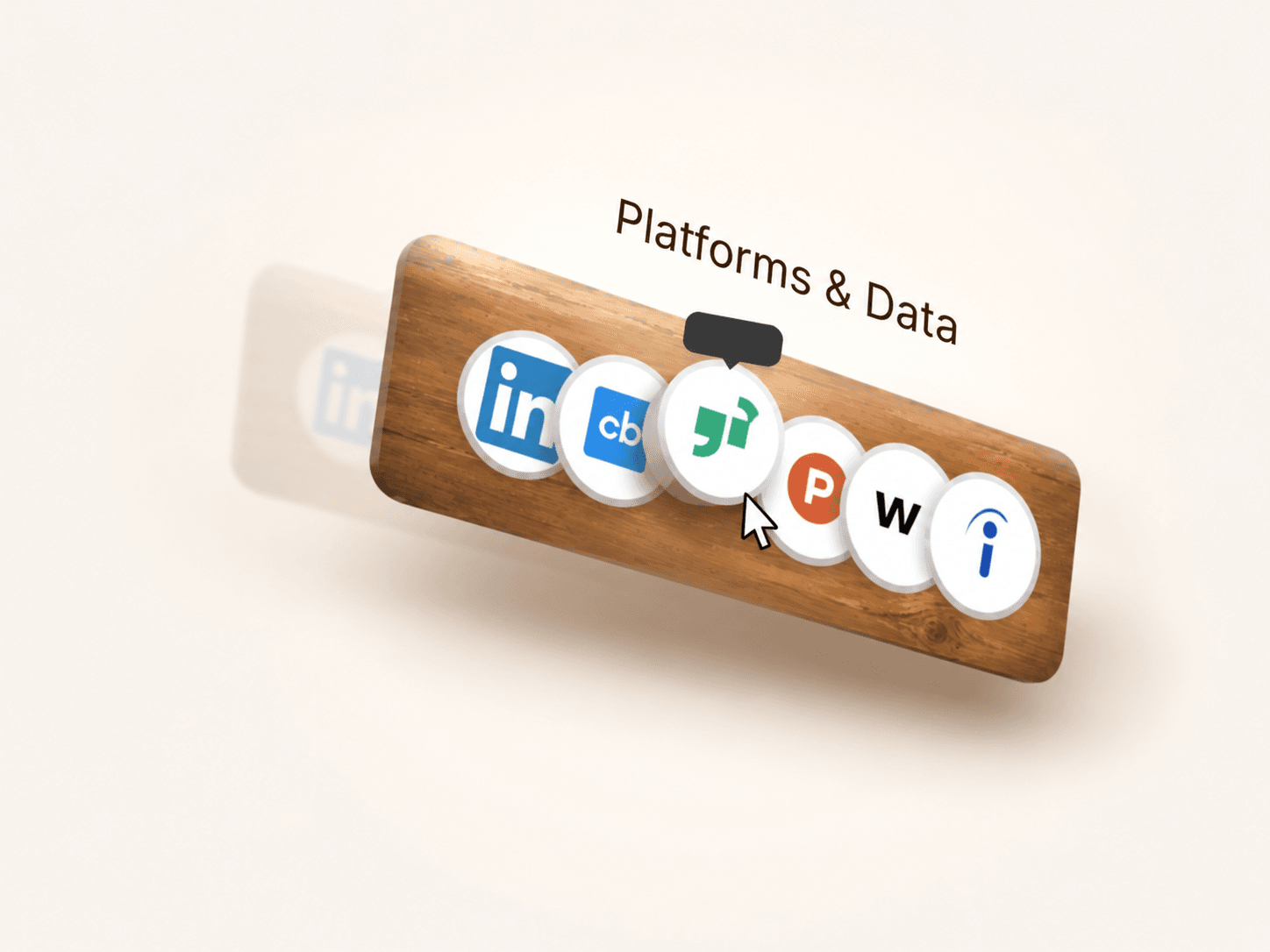
A wooden board that carries your logos and links and leans with the cursor anywhere on the page. Icons pull their own favicons from each URL, so a link list becomes a finished shelf in a minute.
About Component
Full page cursor tracking with eased drift
3D tilt on both axes, stronger on hover
Light band that slides across the grain as it turns
Four shapes: straight, narrow right, narrow left, narrow both ends
Adjustable taper and corner radius, cut as a true rounded path
Upload your own wood texture, with a tint colour as fallback
Shading control for the baked light and edge rolloff
Favicons fetched from each URL, three sources tried in order
Letter fallback, plus custom icon upload per link
Hover tooltips with their own colours and font
What's Included
One code component, no dependencies
20 plus property controls
Unlimited link entries through an array control
Canvas safe, and idles while scrolled offscreen
How It Works
Drop it on your canvas and set the width.
Add entries to the Sources array. Paste a URL and the icon appears.
Pick a shape, add a wood texture, then tune drift and tilt.
Use Cases
Agency sites listing the platforms they work in
SaaS pages showing integrations or data sources
Portfolio and footer social link rows
Press and "as seen in" logo strips
Link in bio pages
Keywords
framer, code component, logo showcase, link shelf, wooden plank, 3d tilt, cursor parallax, favicon, social links, hover tooltip, logo row, wood texture
Refund Policy
Due to the digital nature of this product, all sales are final and refunds are not available. Please review the product details and the live preview carefully before purchasing.
Support
If you experience any issues or need help customising the component, reach out within 3 business days of your purchase. Email: framercore@siddhantbaghel.art