About Logo Construct
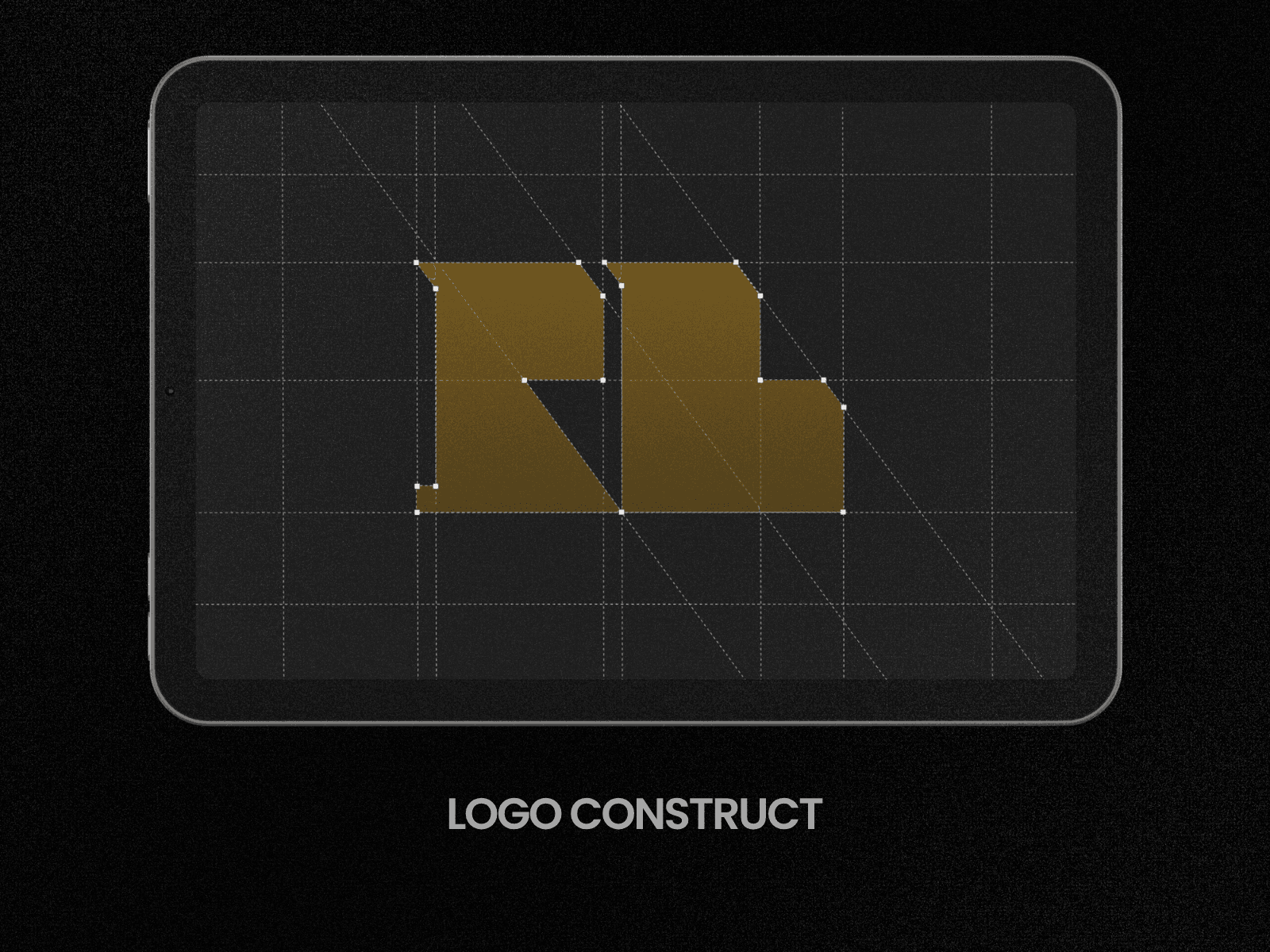
Logo Construct turns any logo into a construction-sheet reveal, the kind you see in brand guideline decks and logo case studies.
Drop in your logo SVG (upload the file or paste the code) and the component reads its geometry and builds the grid for you: horizontal and vertical guides, angle lines, circles for curves, a frame, and anchor points. Then it plays it all out: guides draw in, anchors pop, the outline traces, and the fill floods in.
No manual grid drawing. No After Effects. It works with your actual logo.
What you can control
Trigger: on scroll into view, on scroll, on hover, or on a loop
Duration, pause between loops, and replay
End state: keep the grid, fade it out faintly, or hide it
Guides: color, opacity, stroke width, solid or dashed
Turn horizontals, verticals, angles, circles and the frame on or off
Grid density, plus limits on how many angles and circles show
Measurement labels on the grid
Anchor points: square, circle or cross, with size and color
Logo fill: gradient, solid colour, or your logo’s original colours
Trace colour and width, with an option to keep the outline after it fills
Works best with geometric logos and wordmarks. Curved logos work too, since circles are detected automatically.
Great for portfolio case studies, agency sites, brand launch pages, and “about the brand” sections.
Made by Raghav (@raghavdesignz).