About Media Compare Slider
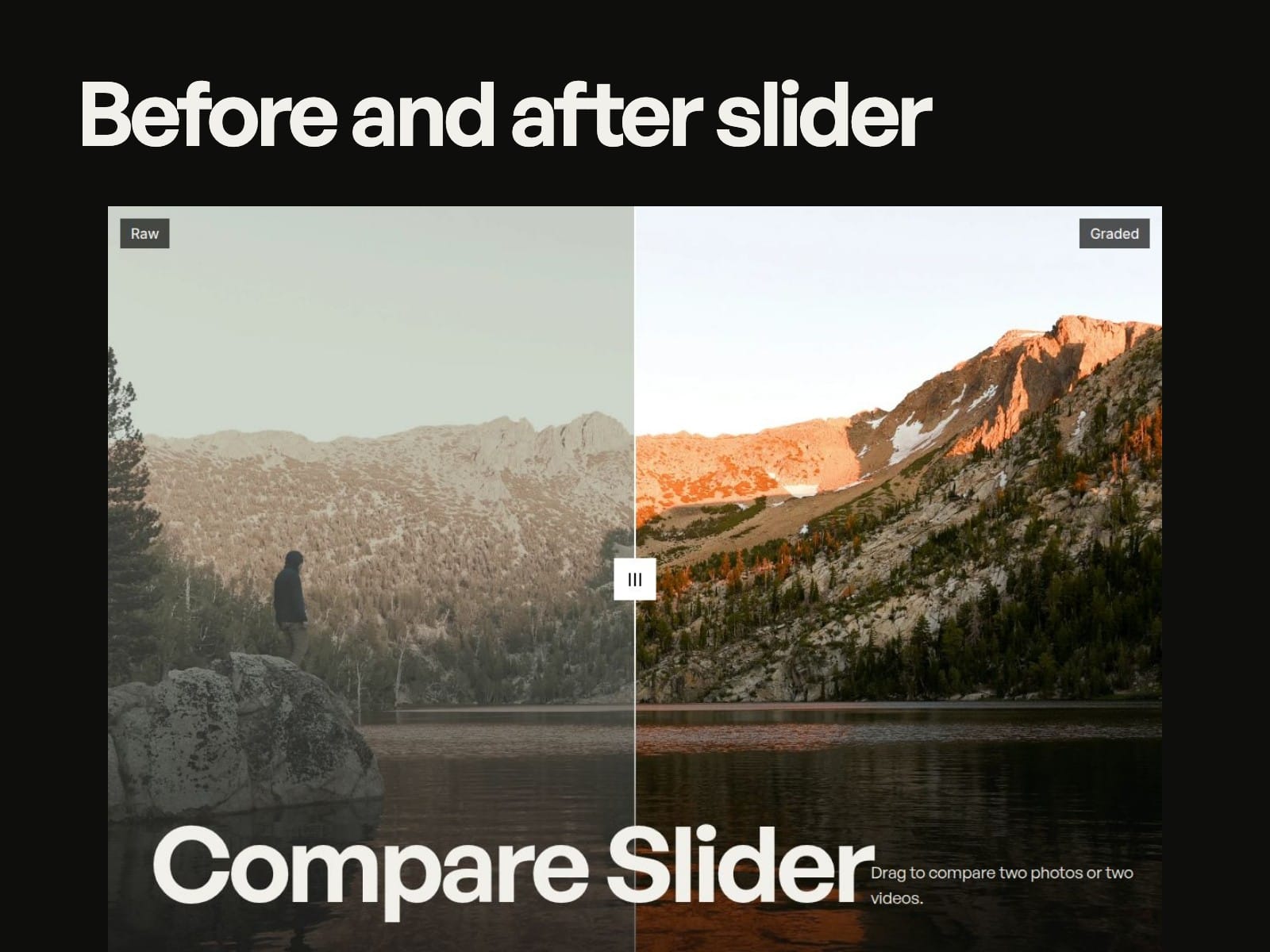
Compare Slider shows two photos or two videos on top of each other with a handle in between. Drag it, hover it or use the arrow keys to reveal the difference. Built for retouchers, colourists, renovation and cleaning companies, clinics, salons and anyone selling a change.
What you get
Photos or video: two clips that play in step, frame for frame, with an optional poster while they load.
Horizontal or vertical: switch direction for tall shots and phone screens.
Drag or hover: hover follows the mouse on desktop; phones always drag, and page scrolling keeps working.
A short intro sweep: the handle moves once when the slider scrolls into view so visitors see it is interactive. It is skipped for anyone with reduced motion on.
Three handles: square, bar or a single line, with your own colours, sizes and line width.
Labels: before and after text, fill, colour, font and edge, and they fade out as the handle reaches them.
Accessible: keyboard support (arrows, Shift for bigger steps, Home and End) and screen reader labels.
Fill or fit, focus point, corner radius and background all in the properties panel.
How it arrives: after checkout you get a link. Paste it onto your Framer canvas and the component appears with all its controls.
Demo media: photos from Unsplash, video from Pexels.
Support: support@datesparkstudio.ca, reply within one business day.