About Particle Dust Button
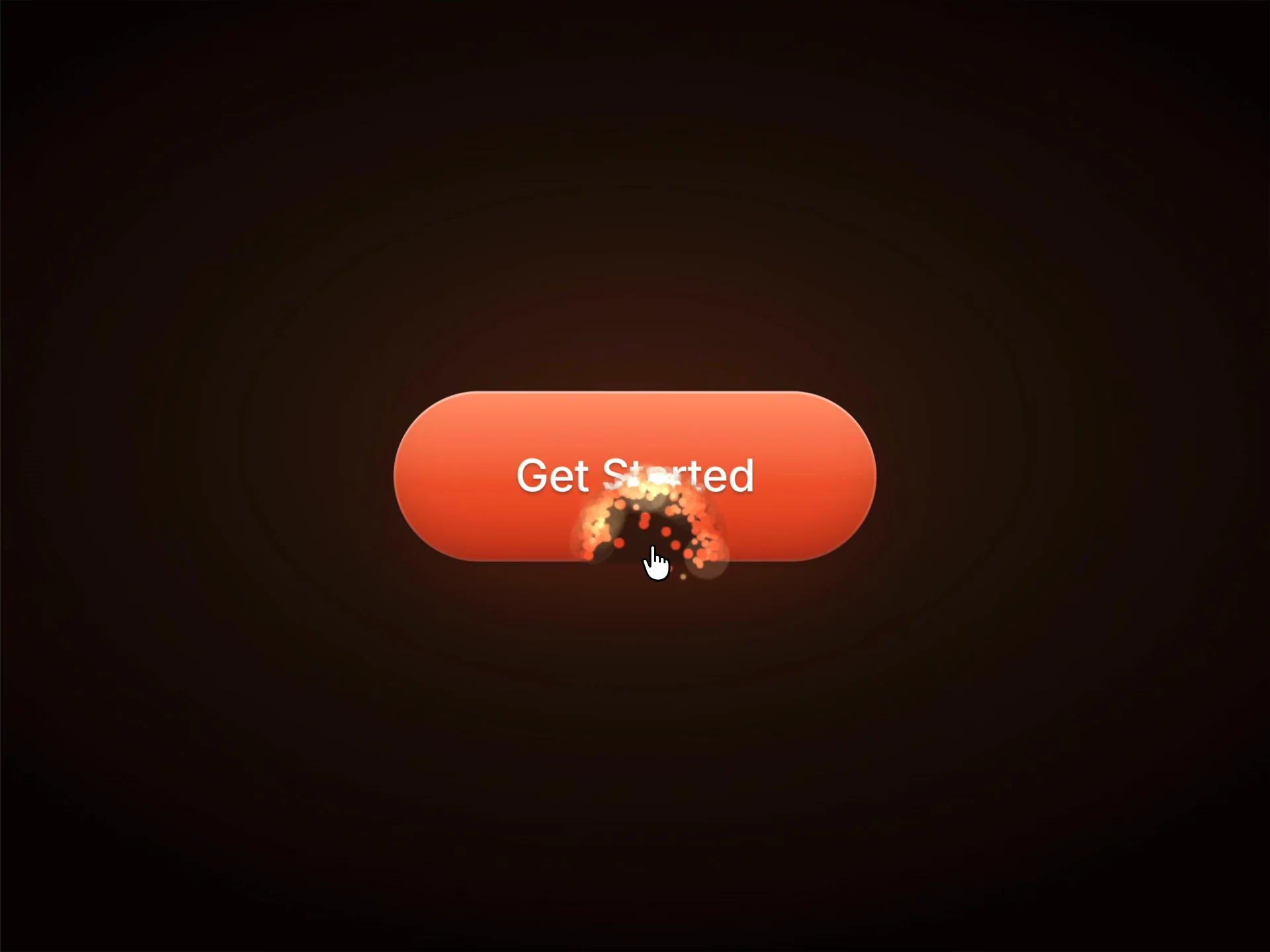
Turn a click into a cloud of particles
Particle Dust Button is an animated Framer button that breaks apart from the point of interaction, scatters into dust, and gathers back into shape. Move your cursor across the surface and the button parts beneath it, leaving a delicate trail of particles.
Use the effect to give a call to action a playful, tactile feel while keeping the button simple to add to your layout.
Make the effect your own
Choose from five color looks or create a custom palette for the button and its dust. Set the label, destination and new-tab behavior, then adjust typography, padding, corner radius, border and shadow to fit your design.
Shape the particle animation with controls for size, amount, round or square particles, spread, duration, gravity, swirl and glow. Tune the hover opening, force, wind and dust, or make the interaction quieter by reducing those settings.
For same-tab links, an optional delay gives the dissolve time to play before navigation. A configurable press scale and focus ring complete the interaction.
Where it fits
Landing page and hero section calls to action
Creative portfolios, studios and agency websites
Product launches, app pages and sign-up buttons
Interactive websites, digital experiences and experiments
Personal brands, designer portfolios and playful campaigns
Contact links, project inquiries and calls to explore
Supports keyboard activation and reduced-motion preferences. On the Framer canvas, the button displays its resting appearance.