About Peel & Play Stickers
About
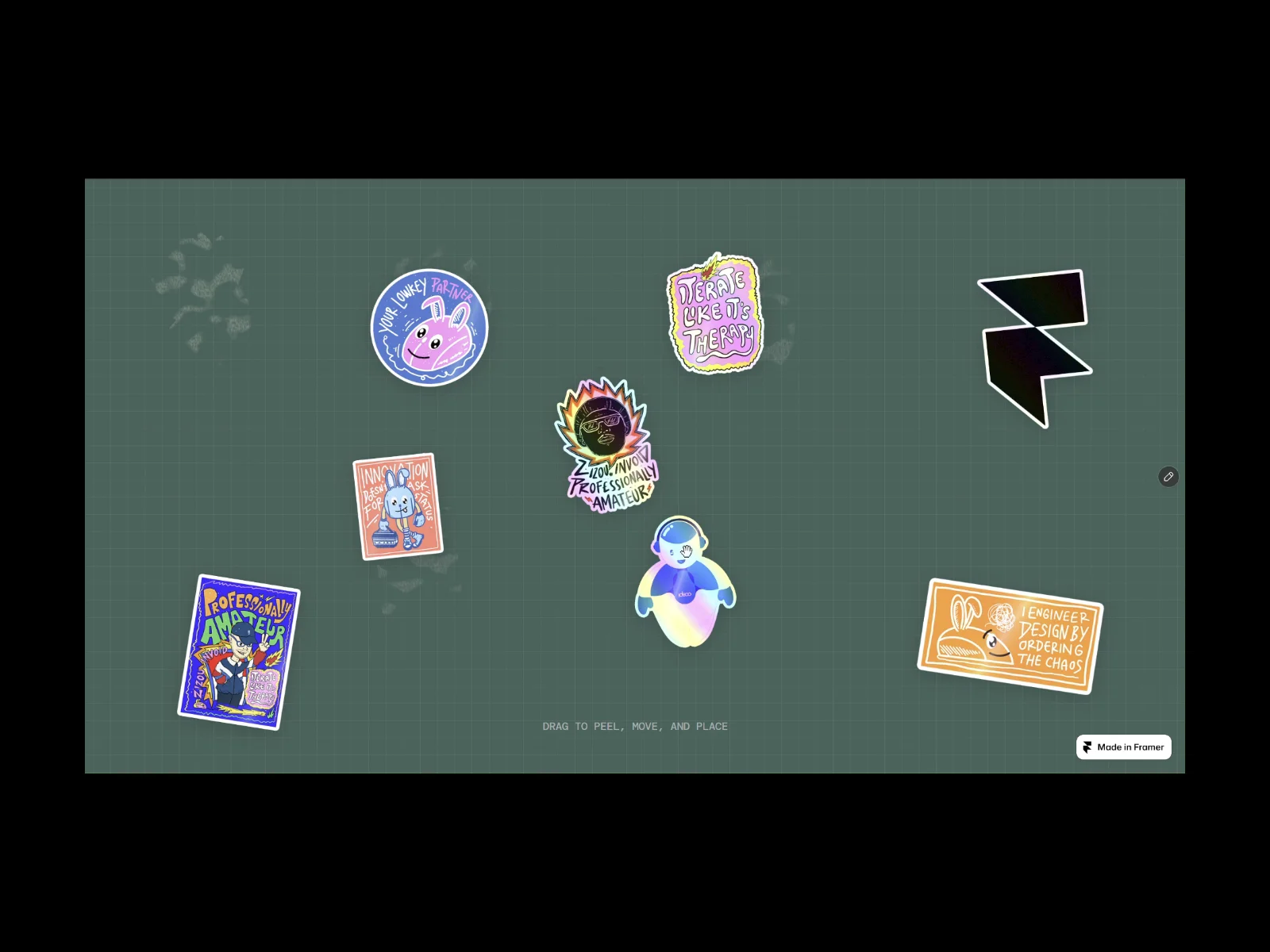
Interactive Peelable Stickers brings the tactile experience of peeling a physical sticker to your Framer website. Upload your own image, grab it, and drag to peel. Watch it curl, lift, and follow your movement before settling into a new position.
Realistic 3D effects, dynamic lighting, soft shadows, optional adhesive residue, and sound effects make every interaction feel more engaging.
Use individual stickers freely wherever they fit your design.
What You Can Customize
Fine-tune your sticker through Framer's property controls:
Sticker Image: Upload your own image.
Material: Choose Vinyl, Paper, Foil, or Rigid.
Surface Finish: Select Print, Chrome Holo, Glitter, or Clear Holo.
Paper Backing: Customize the reverse-side color.
Peeling: Adjust curl intensity and pull distance.
Appearance: Control rotation, shadow strength, blur, opacity, and distance.
Adhesive Residue: Toggle glue marks and adjust their strength and duration.
Sound Effects: Enable or disable peeling and placement sounds independently.
Interaction
Grab and drag to peel the sticker away. Once detached, move it freely and release it within the component area.
Features include:
Real-time 3D peeling and curling.
Dynamic pointer-responsive lighting.
Smooth lifting and landing transitions.
Natural-looking shadows.
Optional peeling and placement sounds.
Keyboard controls and reduced-motion support.
Great For
Portfolio and personal websites
Interactive hero sections
Creative experiments and digital playgrounds
Product showcases and campaigns
About pages and visual storytelling
Good To Know
Each instance displays one customizable sticker.
Transparent PNG images work best.
Replace images directly through Framer's property panel.
Residue and sound effects are optional.
Each instance supports independent image, material, and finish settings.
Created By
Zulfiqar Islahqamat | Engineering & Design Voyager
Explore more experiments, creative coding, and interactive projects at zizouinvoid.me