About Pocket Team Card
About Pocket Team Cards
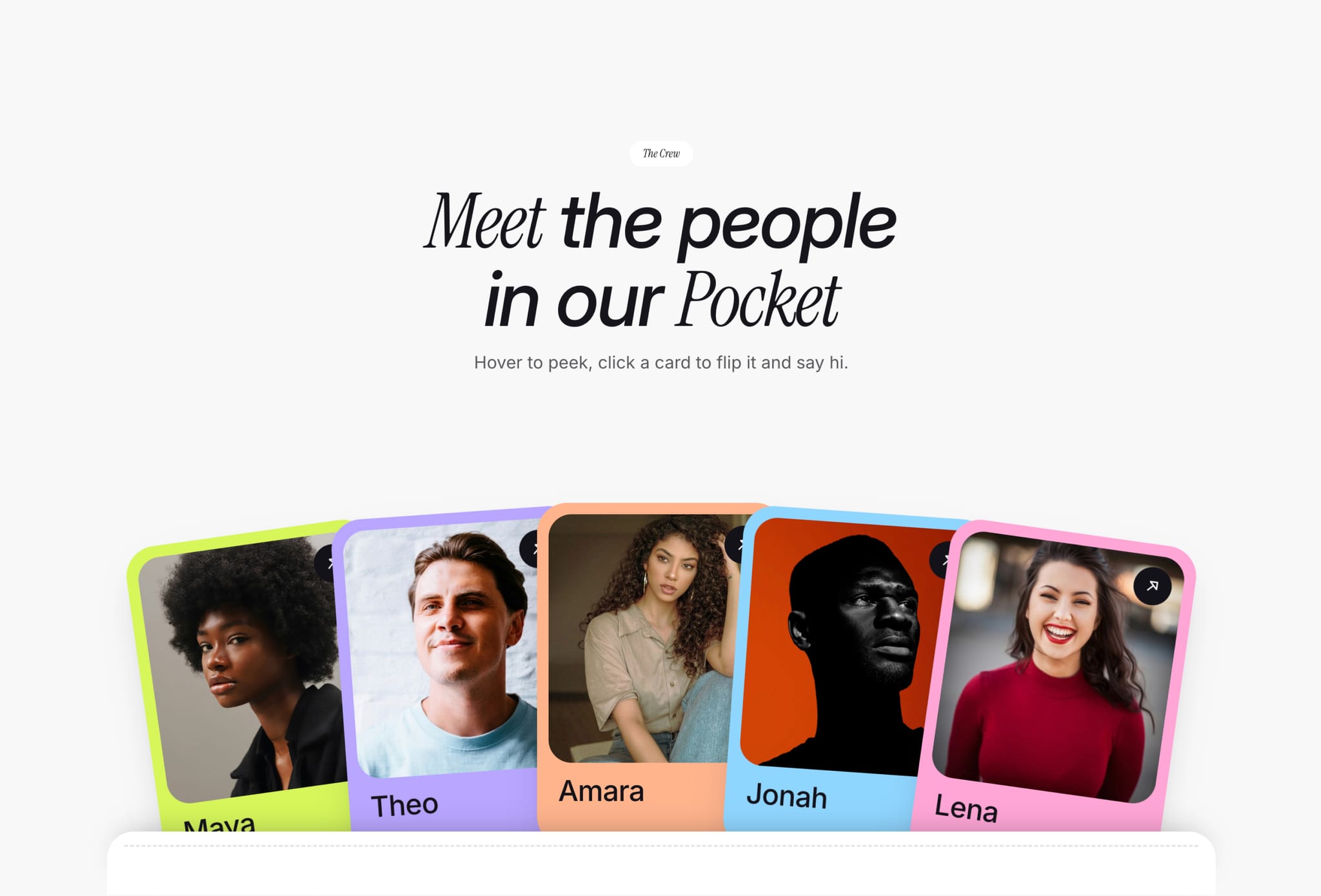
Pocket Team Cards is a CMS-powered team section component for Framer. It shows your team as a playful fan of colorful profile cards tucked into a stitched pocket. Visitors hover to peek a card up, then click to flip it and meet the person behind the photo.
Every card’s content comes from the Framer CMS, so updating names, photos, roles and colors takes seconds, with no layout editing and no code. Need more people? Just ask Framer’s agent to add more cards, and it handles the rest on the canvas.
✦ Key Features
CMS-Powered Cards – Each card’s name, photo, role, color and link is pulled from a Framer CMS collection. Edit your team in one place without touching the layout.
Grow Your Team with Framer’s Agent – Need more members? Ask Framer’s agent to add cards, and it extends the pocket for you, with no manual rebuilding.
Hover to Peek – Cards lift out of the pocket on hover, inviting visitors to explore.
Click to Flip – Each card flips to reveal the member’s role and link.
Fanned Card Layout – Cards spread in a natural arc with subtle rotation for an editorial, hand-placed feel.
Custom Card Colors – Give every team member their own frame color, set right in the CMS.
Beginner-Friendly Setup – Paste it in, edit the CMS, and ask the agent for anything else.
Responsive – Adapts across desktop, tablet and mobile, with tap-to-flip on touch screens.
✦ Set Up in 3 Steps
Copy the component and paste it into your Framer project.
Open the "Team Members" CMS collection and replace the sample members with your own: name, photo, card color, role, bio and link.
Need more people? Ask Framer’s agent, for example: “Add two more cards to Pocket Team Cards, connected to the next CMS items.” Then publish.
✦ What You Can Create
Meet-the-team sections for agencies and studios
About pages for startups and SaaS companies
Creative crew and contributor showcases
Event speaker lineups
Community, club or collective member pages