About Pricing Cards Pro
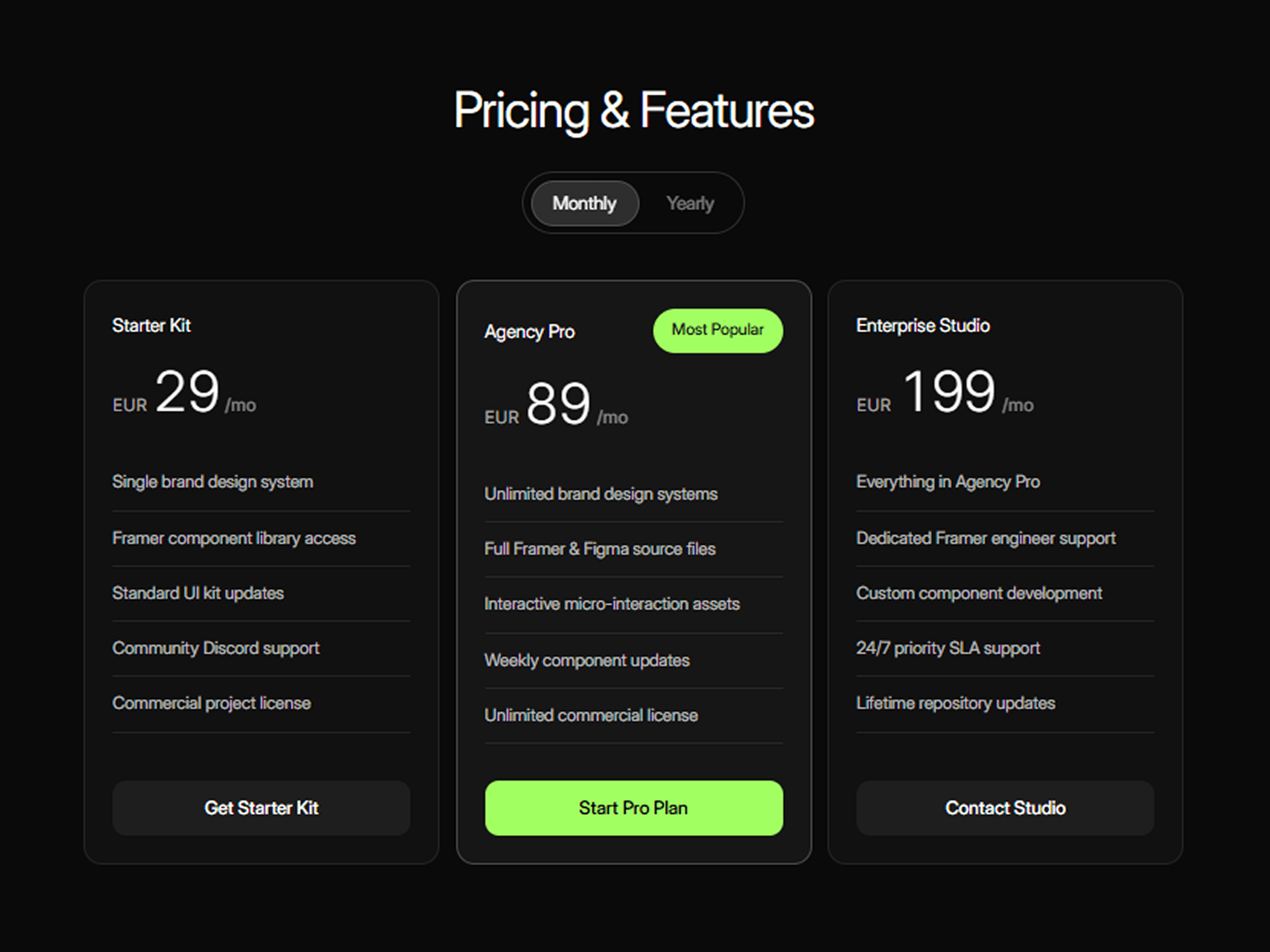
Pricing Cards gives you a flexible pricing section designed to make plan comparisons feel clear while adding just enough motion to keep the interaction engaging.
Switch between monthly and yearly pricing with an animated toggle that smoothly transitions each price using a digit-roller effect. The toggle knob stretches and settles into place, while an optional savings chip appears alongside the yearly option.
Features
Monthly and yearly pricing switch
Animated digit-by-digit price transitions
Smooth GSAP-powered animations
Stretching and smearing toggle interaction
Optional yearly savings chip
Up to 3 pricing plans
Popular-plan badge and styling
Custom feature lists for every plan
Custom CTA labels and links
Open links in the same or new tab
Responsive card layout
Custom typography and colors
Static-render optimized for Framer
Fully Customizable
Everything can be adjusted directly from the Framer property panel, so you can adapt the component to match your website, product, SaaS, agency, or studio.
Customize
Plan names, prices, and features
Monthly/yearly pricing
Currency and savings label
Popular-plan state and badge
CTA text, links, and new-tab behavior
Card spacing, padding, radius, and borders
Heading and plan typography
Feature and supporting text styles
Card and border colors
Toggle typography, spacing, knob, and borders
CTA colors, hover states, and borders
Animation duration and digit stagger
How It Works
Add your pricing plans and define their monthly and yearly prices. Visitors can switch between billing periods using the animated toggle.
When the billing period changes, each price updates with a vertical digit-roller animation instead of simply replacing the number. The toggle knob stretches during the transition before settling into its new position, while the optional savings chip can appear for yearly billing.