About Push Menu Navigation
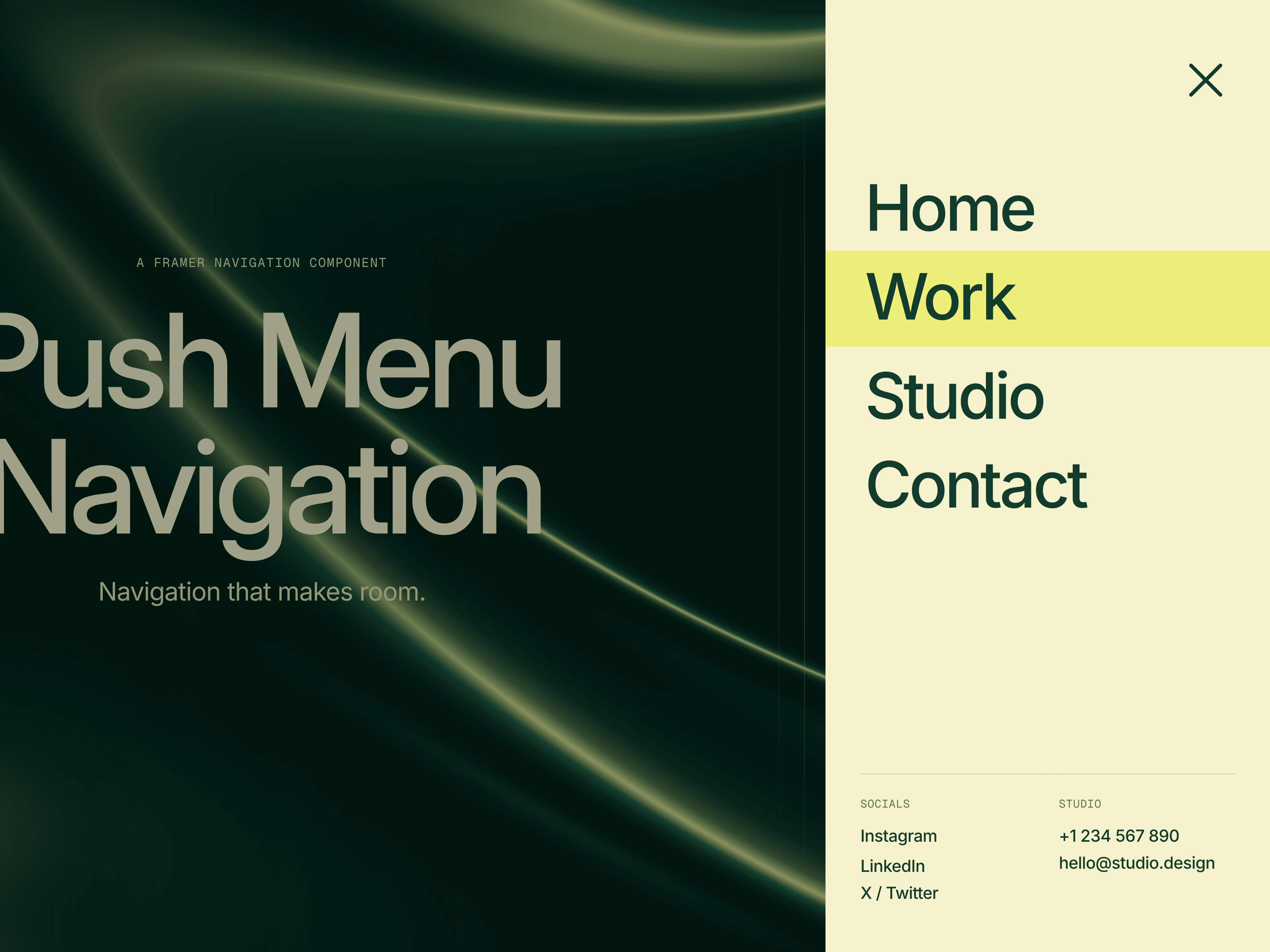
Push Menu Navigation is a responsive Framer navigation component with a right-side, off-canvas menu that pushes your page aside. Built with editable native layers and Framer Motion, it pairs staggered menu links with customizable page-push animation. Close with Escape or a tap on the dimmed backdrop, while the page push respects reduced-motion preferences.
How to Use
Place the navigation at the top of your page, fix it in position above your content, and choose a closed desktop or phone variant.
Group your page sections in one stack, keeping the navigation outside it; copy the supplied override code into a new Framer override file and apply it to the content stack once.
Connect your page, email, phone and social links, then edit the native layers to customize the logo, labels and typography.
Choose light or dark header styling, transparent or solid variants, corner radius, link hover color and page dimming; adjust desktop panel width or phone width inside the component.
Tune opening and closing page-push transitions, including timing, easing or spring behavior; edit menu reveal and link stagger timing separately on the canvas.
Preview or publish to test the menu, links and responsive layouts, as the page-push effect does not run on the design canvas.
Ideal Use Cases
Push Menu Navigation works well for: • Designer and photographer portfolios • Creative agency and studio websites • Brand sites with prominent contact and social links • Framer projects needing responsive sidebar navigation