About Ripple Hover Grid
Ripple Hover Grid – Interactive 3D Flip Image Reveal Component for Framer
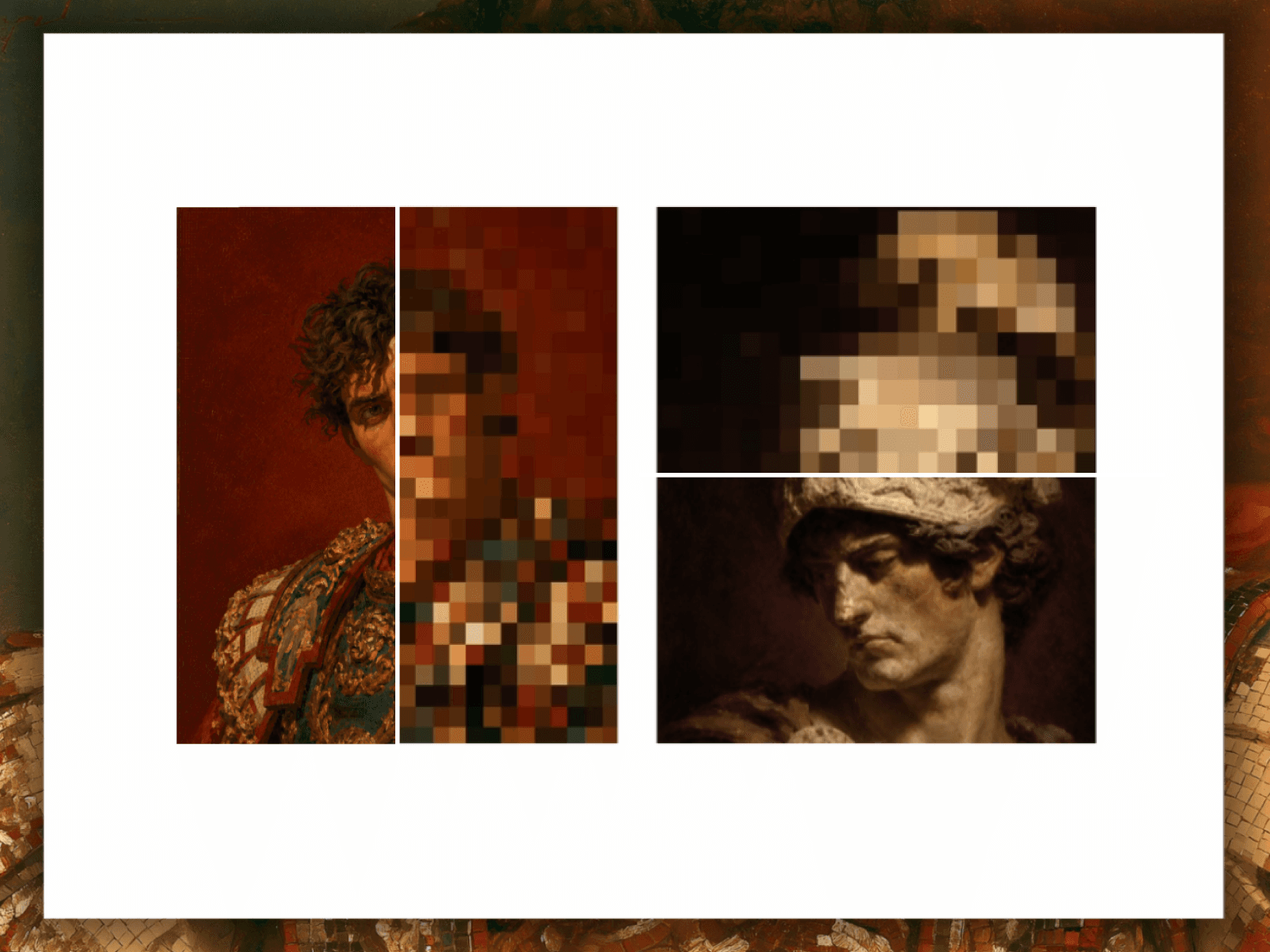
Add a stunning hover interaction to your Framer projects with the Ripple Hover Grid — an image grid component that splits any image into tiles and animates them with a mesmerizing center-to-edge 3D flip reveal on hover. Tiles cascade outward in a wave-like ripple, flipping to reveal a second image beneath. No coding required.
What It Does
Ripple Hover Grid divides any image into a fully configurable tile grid (3×3 up to 20×20) and triggers a sequential 3D flip animation on hover — rippling outward from the center like a wave. A second image is revealed on the back of each tile, making it perfect for before/after reveals, portfolio showcases, product transitions, and interactive hero sections.
Key Features
Ripple Flip Animation
Signature center-to-edge wave cascade hover effect
Sequential tile flipping with smooth staggered timing
Full control over ripple speed, rotation duration, and easing
Dual Image Display
Show two images in a single interactive component
Perfect for before/after comparisons, product reveals, and portfolio storytelling
Smooth 3D perspective transition between front and back images
Fully Customizable Grid
Grid size from 3×3 up to 20×20 tiles
Tile size adjustable from 30px to 200px
Configurable gap for tight mosaics or open, spacious layouts
Advanced Animation Controls
Fine-tune ripple speed, flip duration, breathing intensity, and breathing speed
Optional idle breathing animation keeps the grid alive between interactions
Dial in subtle, professional effects or bold, dramatic motion
3D Perspective Depth
True CSS 3D transforms with adjustable perspective depth (500–2000px)
Realistic depth and dimension on every tile flip
Optional per-tile shadow for added visual depth
Performance Optimized
Built with Framer Motion for hardware-accelerated, smooth animations
React.memo ensures fluid rendering on large grids (up to 400 tiles)
Auto-pauses when out of viewport to conserve resources
Responsive & Flexible
Supports Fixed, Fill, and Relative sizing modes
Adapts to any container while maintaining tile proportions and animation timing
Works seamlessly across desktop and mobile layouts
Perfect For
Image galleries and portfolio grids
Before/after product showcases and comparison sliders
Interactive hero sections and landing pages
Hover-reveal and image transition effects
Creative visual storytelling
Portfolio presentations and client work
Technical Specs
Built with React + Framer Motion
TypeScript support
Responsive image support with srcSet
Accessible alt text support
Customizable background colors, shadows, and easing functions
Drag and drop onto canvas — no coding required