About Rotating Text Cylind
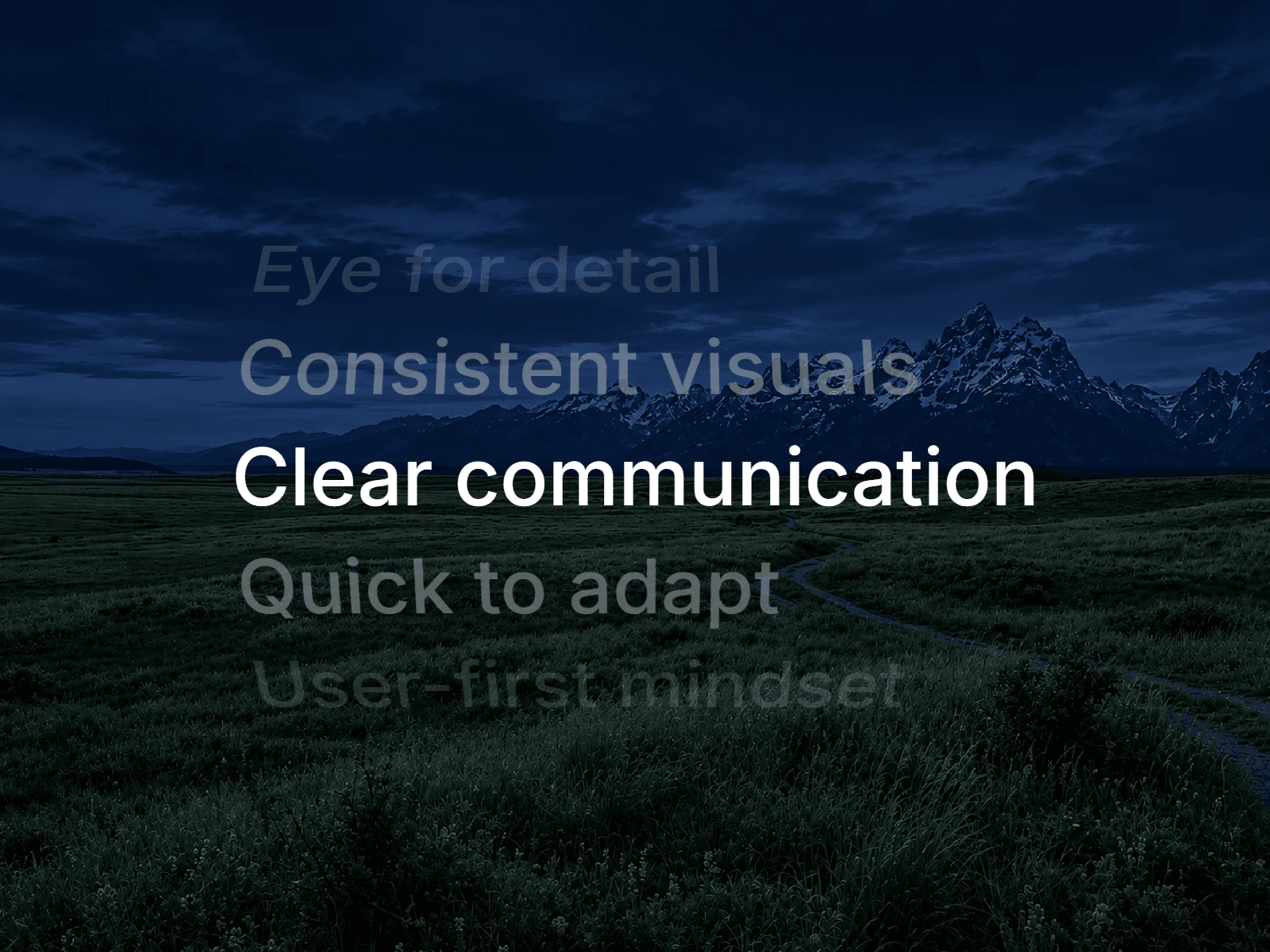
RotatingCylinderMenu is a 3D rotating menu component that arranges navigation items along a curved cylindrical surface. Featuring smooth transitions, interactive drag and scroll controls, and optional autoplay, it creates a distinctive navigation experience with depth and perspective. Perfect for creative portfolios, modern websites, agency landing pages, and interactive navigation sections.
Customize Options
1. Menu Items
Items – Add, edit, and reorder menu labels.
Link – Assign a destination to each menu item.
2. Behavior
Mode – Choose between Drag, Scroll, or Auto navigation.
Loop – Enable continuous looping through menu items.
Start Item – Set the initially active menu item.
Smoothness – Adjust the transition smoothness for manual navigation.
Sensitivity – Control scroll responsiveness.
Interval – Set the autoplay interval.
Duration – Adjust autoplay transition speed.
Auto Smoothness – Customize autoplay movement.
Direction – Choose upward or downward autoplay.
Pause on Hover – Pause autoplay when hovering over the menu.
3. Typography & Colors
Font – Customize font family, size, weight, and alignment.
Active Color – Set the color of the selected item.
Inactive Color – Set the color of other items.
4. Cylinder Appearance
Item Height – Adjust the height of each menu item.
Gap – Set spacing between items.
Curve – Control the cylinder's curvature.
Perspective – Adjust the 3D depth effect.
Visible Items – Set how many items appear at once.
Blur – Customize the blur effect on surrounding items.
5. Indicator
Show Lines – Display horizontal lines around the active item.
Color – Customize the indicator line color.
6. Link Settings
- New Tab – Choose whether menu links open in a new tab.