About Show and Tell
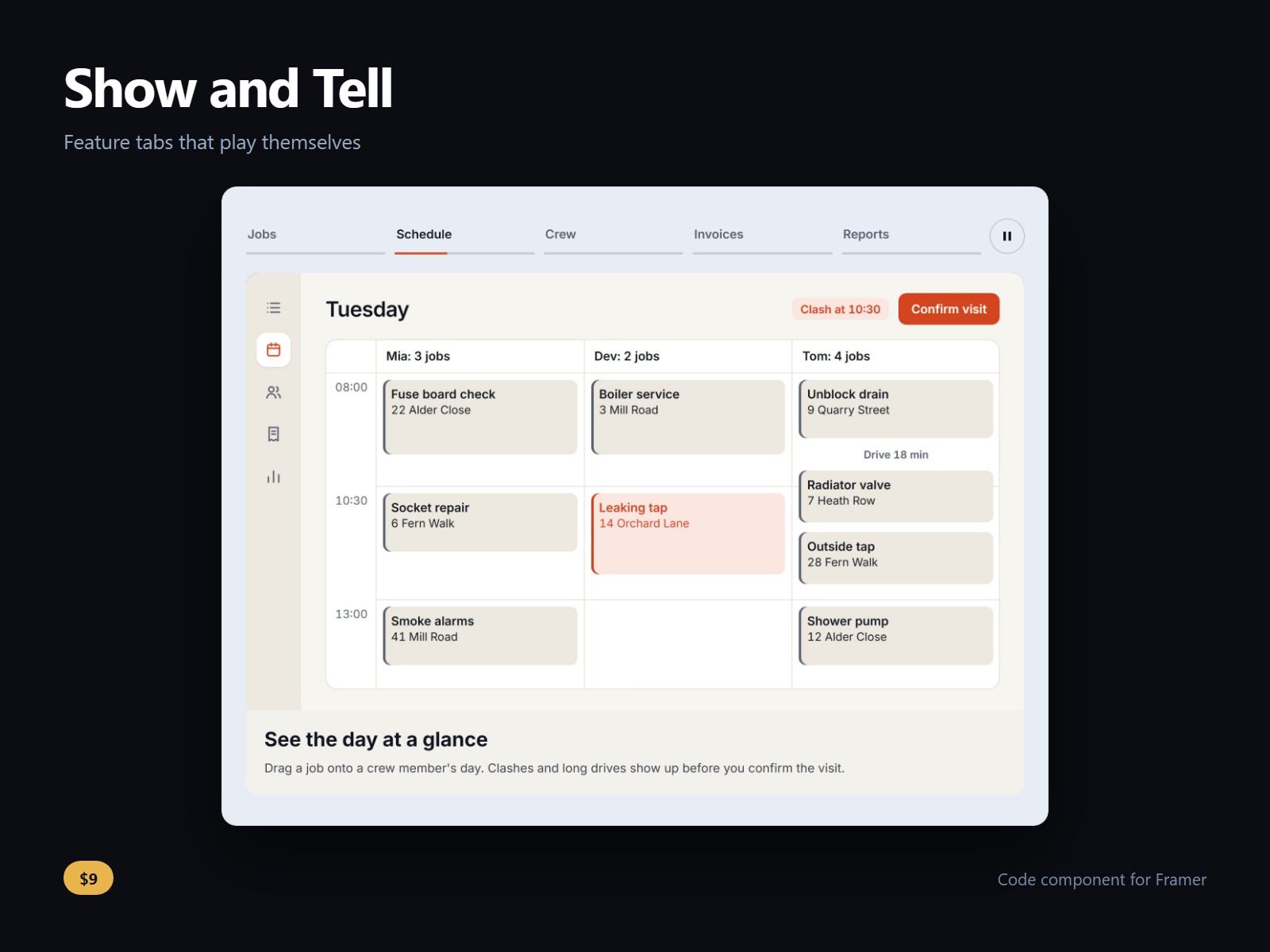
A row of feature tabs for a product page: pick a tab and the image, heading and text below it change. The tabs advance by themselves, with a bar under the active tab showing the time left.
While the tabs advance there is always a Pause button. The tour stops on hover, keyboard focus and touch, off screen and in a hidden tab, and for good once a visitor picks a tab (or choose Carry on). Under reduced motion nothing advances and the bar is a plain underline.
Real tabs for the keyboard: arrows, Home and End move between them, with Enter or Space to pick instead if you prefer. A tab named in the address opens on arrival, so a link like #invoices lands on the Invoices tab.
The block keeps one height, so the page below does not jump when a tab changes. On a narrow box the tabs become one row that scrolls sideways, with 44 px targets. The switch width is a control.
Each tab takes a label, a heading, a text, an image with alt text, and an optional link and link label. Up to 12 tabs; 16:9 by default, or 21:9, 3:2, 4:3 and 1:1. Tabs on top, left or right. No video. Without images each tab shows a plain coloured panel.
Seconds per tab, bar position, every colour and the three fonts and sizes are controls.
After purchase you receive the component URL. In Framer, select a frame and paste it (Ctrl+V or Cmd+V), then add your tabs in the Tabs list. In the Body field of a tab press Shift+Enter for a new line. A link takes a page of your site or a URL.
Licence: yours to use on your own sites and on client sites, commercially, with no attribution. Not for resale or redistribution: do not share the component URL, and do not publish the component or its code anywhere, paid or free. Full terms arrive with your purchase. Questions: me@majedesigns.dev