About SketchFlow
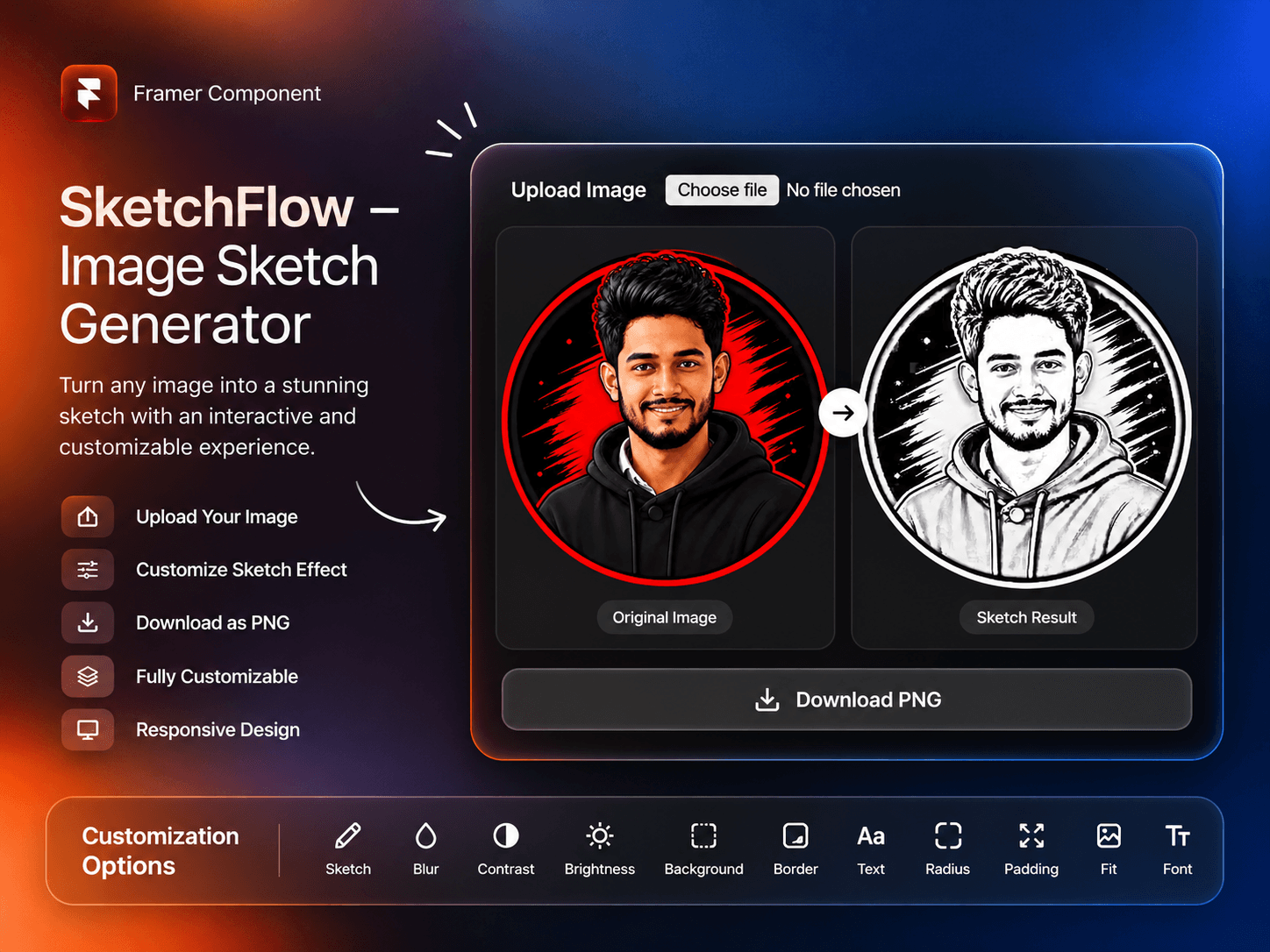
SketchFlow – Image Sketch Generator
Turn ordinary images into creative sketch-style visuals with SketchFlow, an interactive Image Sketch Generator component built for Framer.
Key Features
Image Upload: Allow visitors to upload their own images.
Sketch Effect: Control the intensity of the sketch transformation.
Blur Adjustment: Fine-tune image blur levels.
Contrast Control: Adjust image contrast for better visual results.
Brightness Control: Customize image brightness.
Live Customization: Adjust visual settings to achieve the desired look.
Download Image: Enable visitors to download their generated sketches as PNG files.
Responsive Design: Enjoy a smooth experience across different screen sizes.
Customization Options
Make SketchFlow match your website's design with flexible component properties.
Image: Set a default image or replace it anytime.
Show Upload: Turn the image upload option On or Off.
Upload Label: Customize the upload button text.
Sketch: Adjust sketch effect intensity.
Blur: Control the blur amount.
Contrast: Fine-tune image contrast.
Brightness: Adjust image brightness.
Background Color: Customize the component background.
Border Color: Change the border color.
Text Color: Customize text colors.
Radius: Adjust corner radius.
Padding: Control internal spacing.
Image Fit: Choose between Contain and Cover.
Download: Enable or disable image downloading.
Download Label: Customize the download button text.
Text Font: Choose your preferred font.
Perfect For
AI Image & Sketch Generator Websites
Creative Portfolio Websites
Photography Platforms
Art & Illustration Projects
Design Tools & Applications
Interactive Landing Pages
Easy to Customize. Easy to Integrate.
Whether you're building a creative tool, photography platform, or interactive landing page, SketchFlow gives you a flexible way to bring image sketch experiences into your Framer projects.
Add SketchFlow to your Framer project and turn images into creative experiences!