About Skyline Calendar
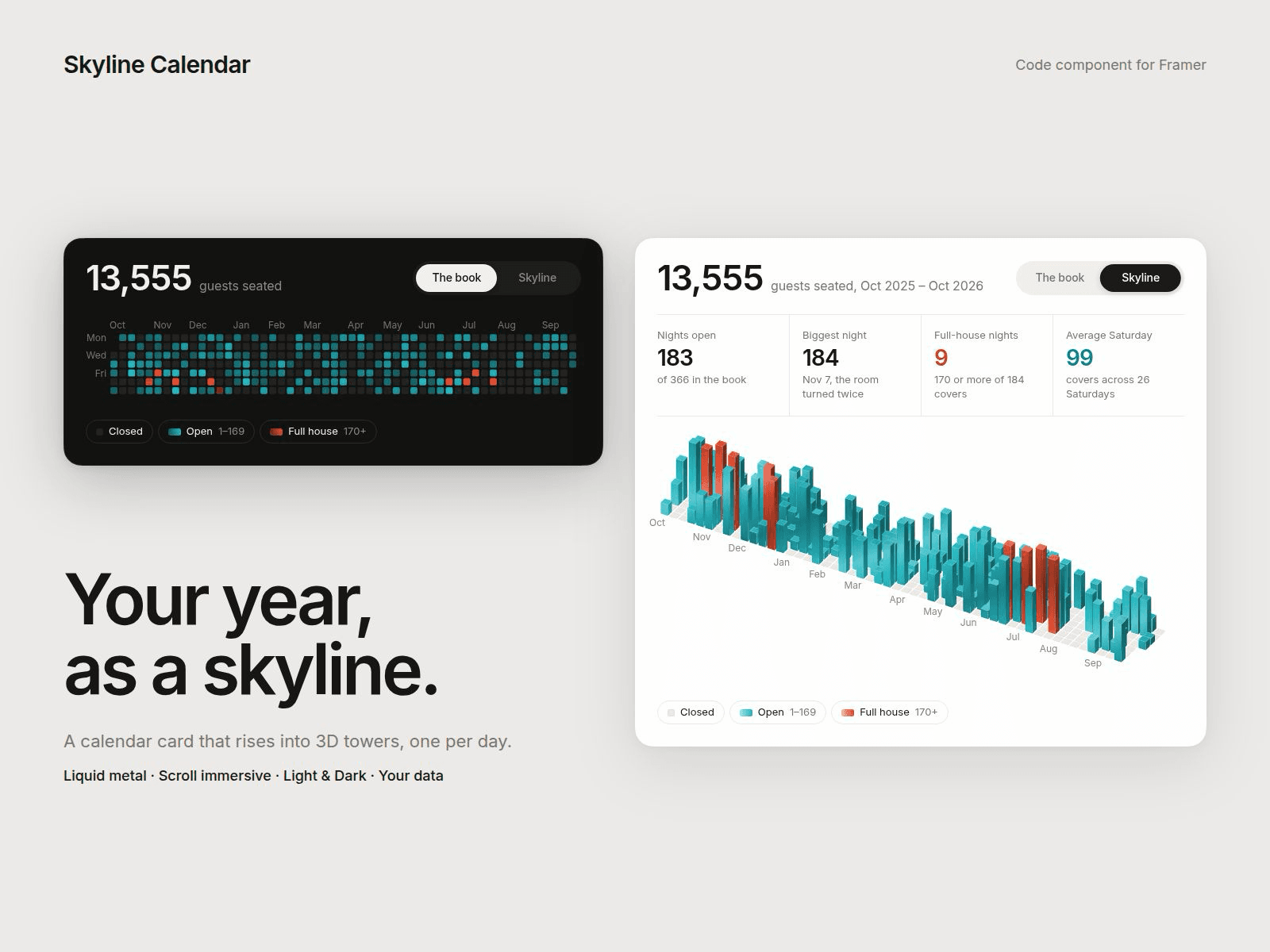
Skyline Calendar shows a full year of daily numbers as a clean calendar card, then tilts it into an isometric 3D skyline where every day becomes a tower. Bookings, visits, sales, workouts, anything you count per day.
Five ways to switch:
• Button: a sliding toggle with your own labels
• Hover or Click: the whole card flips
• Loop: plays back and forth on its own
• Scroll: the tilt follows the page, with an optional pin that holds the card on screen
Immersive mode fades the card away as the towers open, so the skyline stretches to the full width of the screen and holds there before the page scrolls on.
Towers you can play with:
• Liquid metal reflections that drift slowly across the towers, or a matte finish
• Hover a tower to raise it, click to keep it raised with its tooltip
• Rotation, tilt, height, spacing, stagger and corner controls
Your data, your categories:
• Paste one number per day from your start date (commas, spaces or new lines; 0 or - means closed), or dated lines like 2025-10-03: 128
• Build your own categories with a name, a starting value and a colour (it ships with Closed, Open and Full house)
• Optional shading by value inside each category
• Header total, four stat tiles (open days, biggest day, top-category days, weekday averages, totals or your own text) and a legend, all calculated for you
Everything is editable:
• Every label, tooltip, month and weekday name
• Light, Dark or Custom theme, with a colour control for each part of the card
• Font, radius, padding and shadow
• Responsive from phone to wide desktop
Built for real sites: animations pause when the card is off screen or the tab is hidden, and nothing touches the rest of your page.
Getting started:
1. Drop Skyline Calendar onto your page.
2. Pick a Trigger and a Theme.
3. Set Data to Custom, paste your values and pick a start date.
4. Rename the categories and stats to match what you are counting.
5. Use Canvas Scrub to preview any point of the tilt in the editor.