About Sphere Photo Globe
Turn Static Galleries Into Motion-Driven Visual Experiences
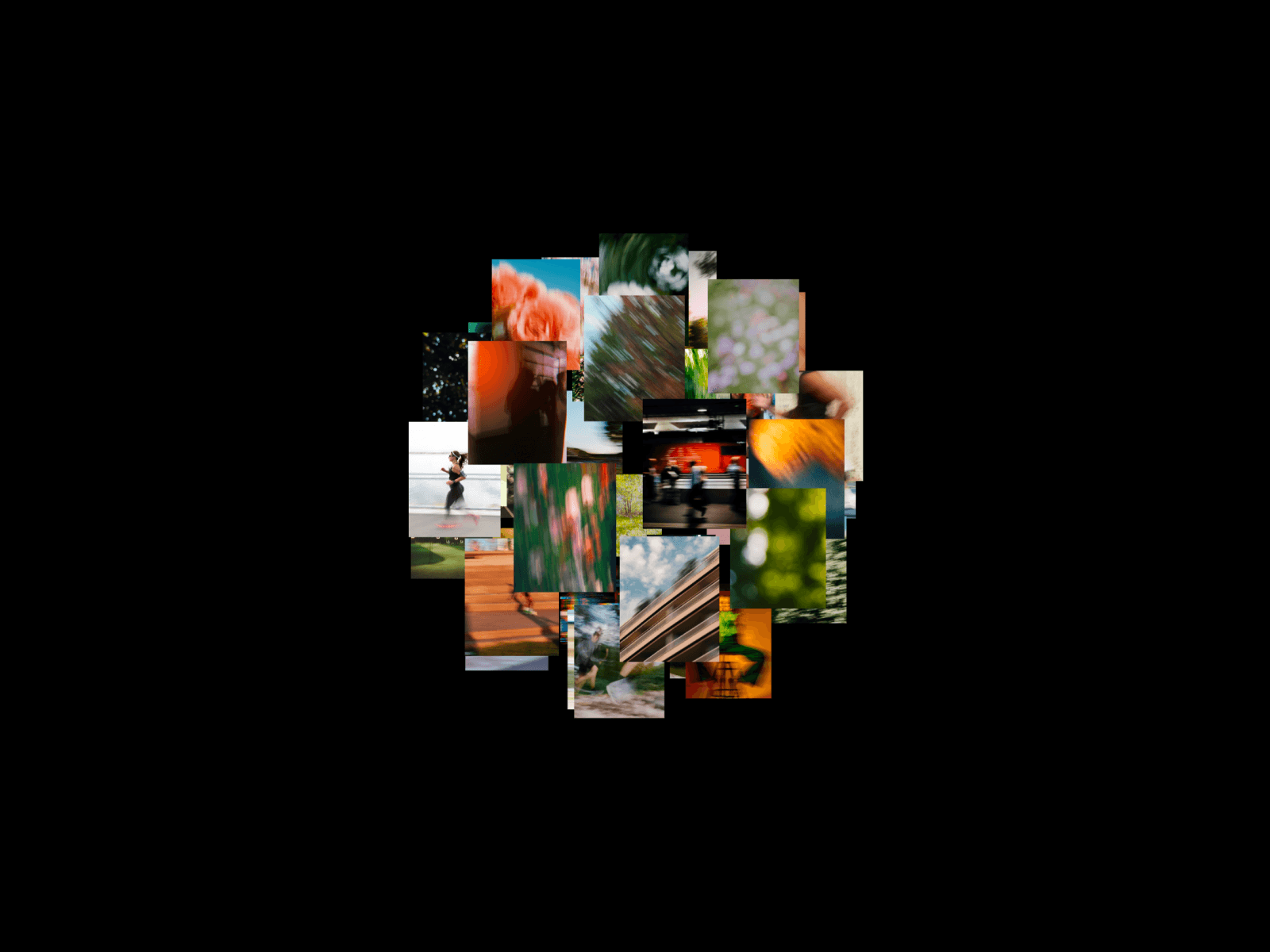
Sphere Photo Globe is a cinematic image collage component built for Framer creators who want immersive motion without building complex 3D systems from scratch.
Instead of placing images in flat grids or sliders, this component arranges visuals into a continuously animated rotating sphere. The result feels dynamic, layered, and editorial while remaining lightweight and easy to customize inside Framer.
Unlike heavy WebGL-based galleries or complicated Three.js setups, Sphere Photo Globe focuses on accessibility and production-ready implementation.
Paste it into Framer. Add your images. Adjust the controls. Ship.
Why Sphere Layouts Feel More Premium
Traditional image galleries separate content into rows, grids, or carousels. They feel static because users consume visuals one screen at a time.
A rotating sphere creates:
Constant visual motion
Layered spatial depth
Better image density without clutter
More attention retention in hero sections
Stronger “interactive art direction” feel
The motion is ambient rather than distracting.
That balance matters.
By combining continuous movement with perspective scaling, the component:
Feels cinematic instead of gimmicky
Creates depth without requiring 3D scenes
Keeps layouts lightweight and responsive
Makes portfolios and visual brands feel more elevated
The result is a cleaner visual experience that instantly increases perceived production quality.
Key Features
Animated rotating photo sphere composition
Framer-ready standalone component
Editable image array directly from properties panel
Adjustable image count for dense or minimal layouts
Radius control for tighter or wider sphere spacing
Zoom controls for composition framing
Corner radius customization for soft or sharp cards
Adjustable image scale and sizing
Continuous looping animation
Lightweight implementation without external libraries
Works well inside hero sections and fullscreen layouts
Responsive visual behavior across screen sizes
Clean canvas-only preview workflow inside Framer
No preset switcher or unnecessary complexity
Fast setup for production websites
Built for Real Framer Websites
Sphere Photo Globe is designed for real-world Framer projects, not isolated animation demos.
You can confidently use it in:
Designer portfolios
Creative developer websites
Photography showcases
Agency landing pages
Editorial storytelling layouts
SaaS hero sections
Fashion and visual brand websites
Product launch pages
The component is intentionally focused around a single sphere preset, which keeps the experience cleaner, easier to maintain, and more reliable in production use.
No unnecessary configuration.No visual overload.No bloated interaction system.
Customization
Everything is controlled through Framer’s property panel.
You can adjust:
Background color
Image count
Zoom level
Sphere radius
Image scale
Corner radius
Animation loop behavior
Image collection
This keeps the workflow visual and creator-friendly without exposing fragile internal animation logic.
All motion tuning is internally balanced for smooth playback and stable rendering.
Best Use Cases
Portfolio Hero Sections
Create instantly memorable landing experiences for designers, photographers, and creative developers.
Agency Websites
Turn case study previews into immersive moving visual systems.
Editorial Layouts
Use the sphere as a storytelling centerpiece for campaigns or launches.
Fashion & Culture Brands
Perfect for mood-heavy layouts where motion and atmosphere matter more than traditional UI patterns.
Summary
Sphere Photo Globe focuses on motion quality, immersion, and visual density. It transforms ordinary image collections into cinematic rotating compositions that feel modern, interactive, and production-ready.
Instead of building complicated 3D systems manually, creators can achieve premium visual storytelling directly inside Framer with minimal setup.