About Stack Carousels
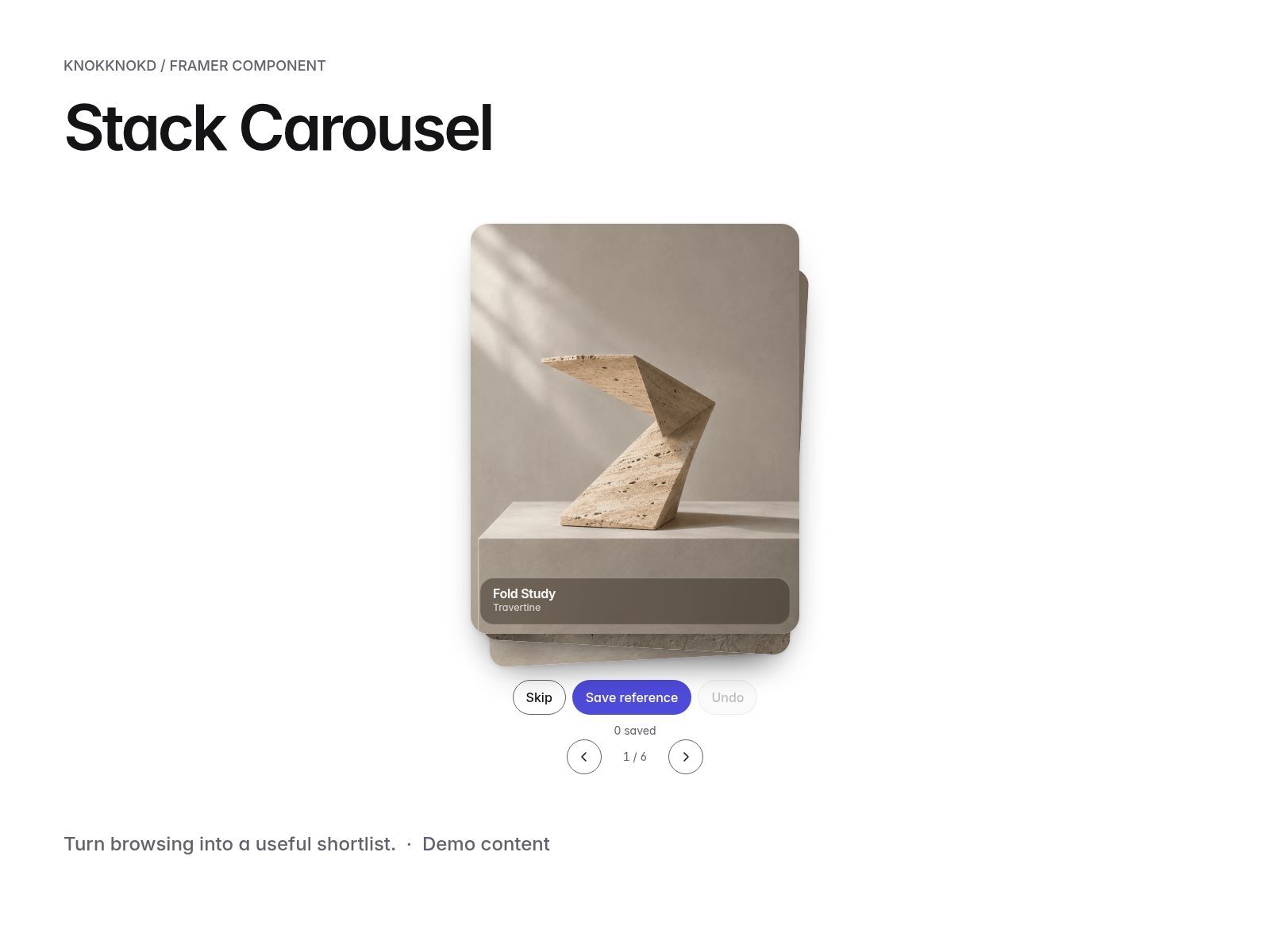
Turn browsing into a useful shortlist.
Use a visual deck to let visitors save references before a project enquiry. Save, skip and undo are built in, so selection feels like part of the design instead of a separate form.
Features
Save / Skip / Undo selection workflow
Revisit saved cards from a compact shortlist
Hidden form field carries selected titles as JSON
Visible focus states and reduced-motion handling
Editable Framer property controls
Try the difference
Save a reference, skip one, then Undo. Select a saved chip to revisit it. Clear shortlist starts again.
Setup
Enable Shortlist and set a unique Selection Name. Place inside a form when you want its JSON value submitted.
Add images in Items. Set Stack Size, offset and tilt to suit the frame. Swipe mode uses the top card for dragging; switch Swipe off if you want that card to open its link.
Scope
Shortlist is held for the current page session, not an account or shared collection.
Items are entered in the property panel. Direct CMS Collection List binding is not included. Native forms require a configured Framer Form and destination. The published demo uses no live customer enquiry destination.
Demo content
Example photographs are original AI-generated design studies. Names, reviews, ratings and sample copy are fictional demo content. Replace them with your own material before publishing. No sales, review verification or conversion lift is claimed.
Included
StackCarousel.tsx
Setup notes and the complete property control list
1600×1200 Framer cover
Actual preview captures at 390, 768 and 1440px