About Stack Up

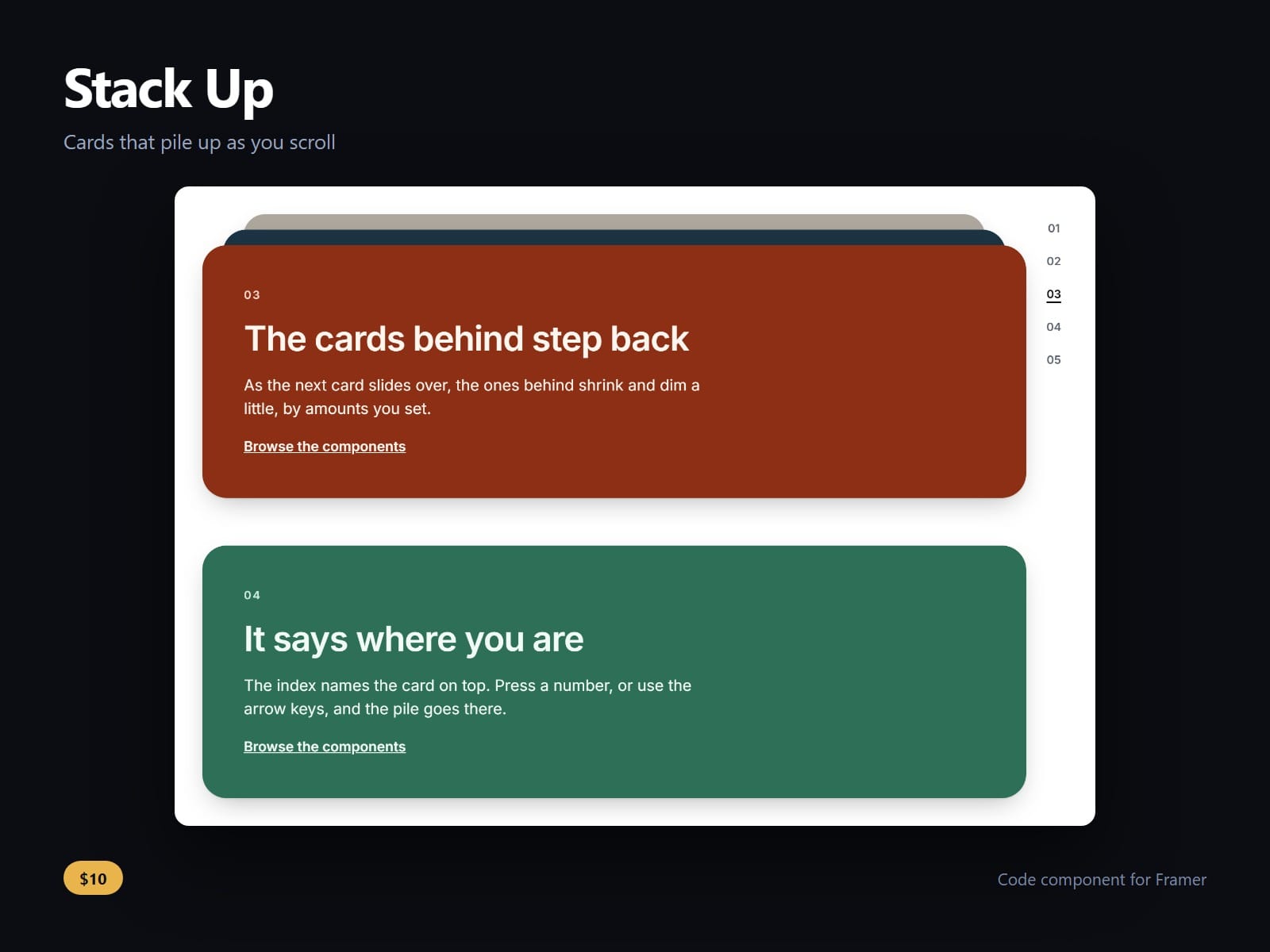
Cards that stack as the page scrolls: each one pins a little below the last and slides over it, so the section builds into a pile instead of scrolling away. The cards are your own frames, any layout and any count, so a process, services, case studies or plans keep your design.
The pile can be read without scrolling blind. An index beside it, numbers or dots, says which card is on top and jumps to any card by press or arrow keys. A keyboard never lands on a buried card: tabbing into one brings it to the top. Screen readers hear Card 2 of 5, or your own word, Step 2 of 5.
Earlier cards shrink, dim and tilt behind the front one as much as you set, and the top offset clears a sticky nav. It pins inside a scrolling frame as well as on the page. Under reduced motion the pile stays and a jump is instant; on the canvas the cards stand in a column, as drawn.
Setting up the cards: draw each card as a frame on the canvas beside your breakpoints, not inside one, because Cards only offers frames that sit there. Then select the Stack Up and add each frame under Cards, in order. Frames on the canvas are not published on their own; they only appear inside the Stack Up.
Peek, gap, end hold, shrink, dim, tilt, radius, shadow, the index style and side, its colours and font are controls.
After purchase you receive the component URL. In Framer, select a frame and paste it (Ctrl+V or Cmd+V).
Licence: yours to use on your own sites and on client sites, commercially, with no attribution. Not for resale or redistribution: do not share the component URL, and do not publish the component or its code anywhere, paid or free. Full terms arrive with your purchase. Questions: me@majedesigns.dev