About Super Resource Hub
About Super Resource Directory
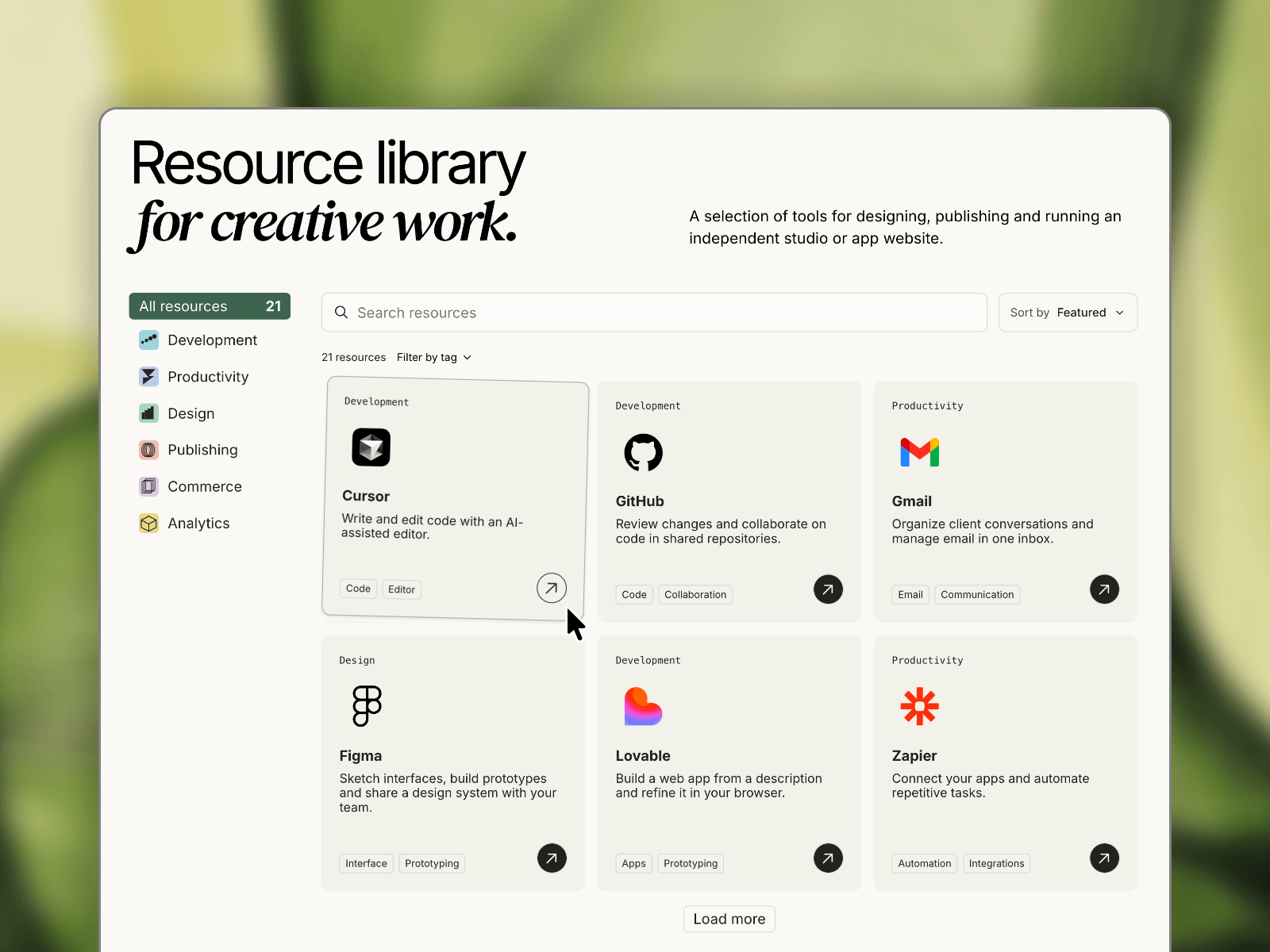
A customizable, searchable resource directory for Framer that helps visitors discover tools, links, and content in one organized place.
Turn a static collection into an interactive library with live search, category navigation, tag filters, sorting, and pagination. Choose from five layouts: Grid, List, Compact, Bento, or Editorial.
Customize colors, typography, logos, spacing, and hover effects directly in Framer. Manage resources manually or connect your Framer CMS to keep your directory updated.
Perfect for
Resource and knowledge libraries
Tools and software directories
Partner and integration listings
Curated collections and inspiration galleries
SaaS and community resource hubs
What's included
5 responsive layouts
Live search and category filtering
Multiple tag filters
Sorting by Featured, Title, Newest, or Popular
Load More or Previous/Next pagination
Custom logos, category icons, and card links
Full visual customization
Manual entries or Framer CMS integration
SEO-friendly structured data
How to connect your CMS
Create a Resources collection with Title, Description, Destination (link), Logo (image), and optional Tags, Featured, Date, Popularity, and Order.
Create a Resource Categories collection with Name and Icon. Add a reference field in Resources to connect them.
Add the component to your page in Directory mode and enable Use CMS.
Insert a Collection List connected to Resources. Inside its repeated item, add another instance of the component and select CMS row mode.
Bind the CMS row fields to your collection. Bind Category to the referenced category Name and Category icon to its Icon.
Select the main Directory and connect the entire Collection List to CMS Source.
Make sure your Collection List includes all resources you want displayed. Once connected, manage your directory directly from the CMS.