About Transfer List Modal
Transfer List Modal: Interactive Dual-List Picker
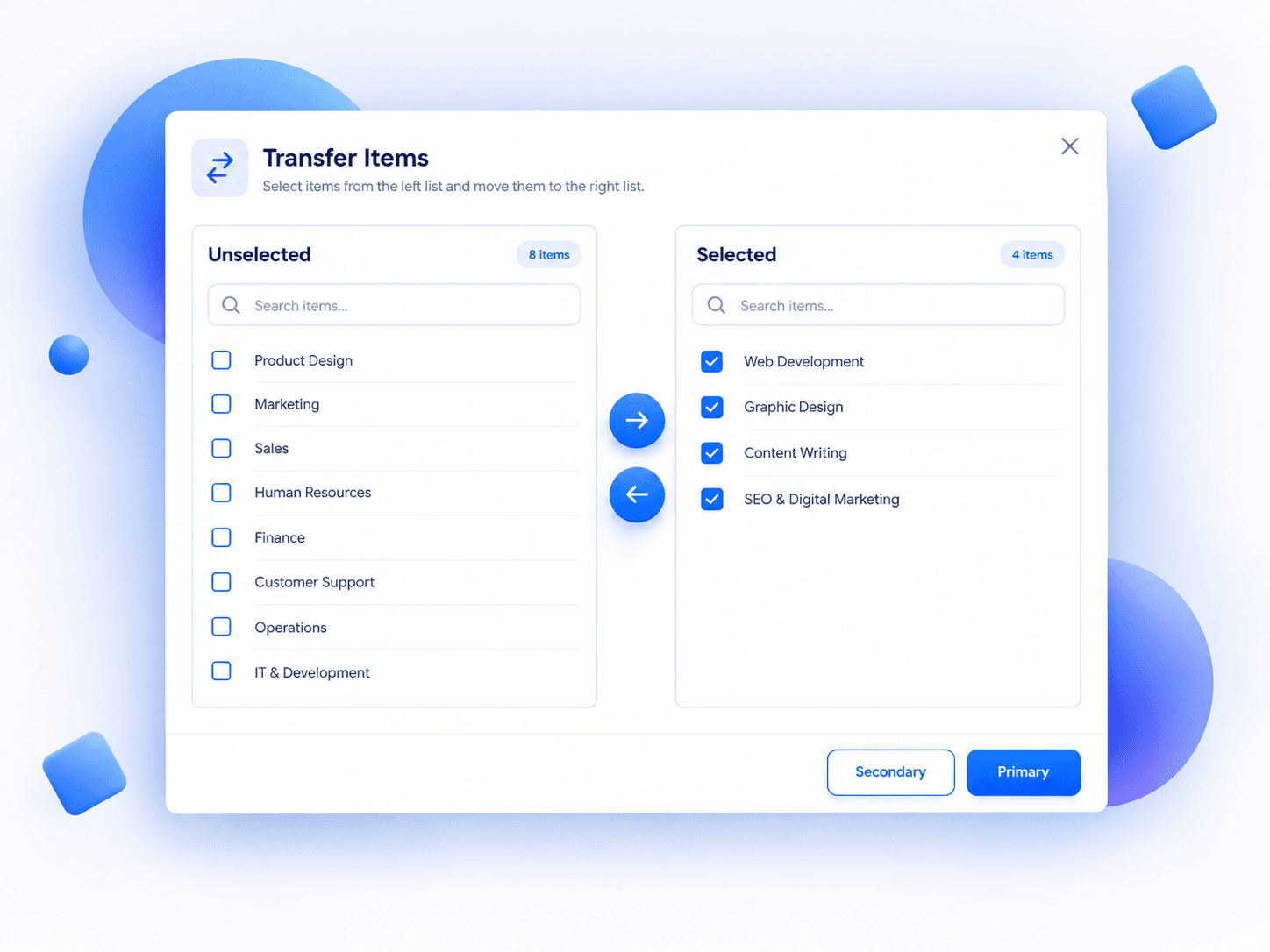
Turn complex selection workflows into a smooth, intuitive experience. Transfer List Modal is a customizable Framer component for moving, searching, and organizing items between two lists inside a clean modal interface.
✦ Features
↔️ Seamless Transfers Move selected items between Unselected and Selected panels. Transferred items reset automatically, keeping every interaction tidy.
☑️ Smart Select-All Tri-state checkboxes indicate unchecked, selected, or partially selected items. Select all visible results with a single click.
🔎 Independent Search Filter both lists instantly with case-insensitive search. Selections persist even when items are hidden by filters.
➕ Create Items on the Fly Add items using Enter or the + button. Empty entries are disabled, whitespace is trimmed, and new items appear unchecked. Filters clear automatically, revealing each addition.
↗️ Live Counters Track selected versus total items with counters that update instantly.
✨ Responsive Layout Starts at 524 × 576px and supports resizing, independent scrolling, and clean text truncation.
✦ Make It Yours
Customize modal and panel titles, placeholders, button labels, accent and border colors, text color, and typography. Toggle the Add Item row directly from Framer's property panel.
✦ Perfect For
Admin dashboards and user permissions
SaaS settings and feature management
Data table column selection
Team and project assignments
Onboarding preferences and categories
Recipient and audience management
✦ Ready to Explore?
Add it to your Framer project and experience the interactions firsthand. Includes 10 demo items per panel, React-based functionality, and inline SVG icons with no external dependencies.
Note: Primary, Secondary, and Close buttons are visual only. Initial items are demo data and aren't configurable through an array property yet.
Less friction. Clearer choices. Better interfaces.