About Type Mask Effect
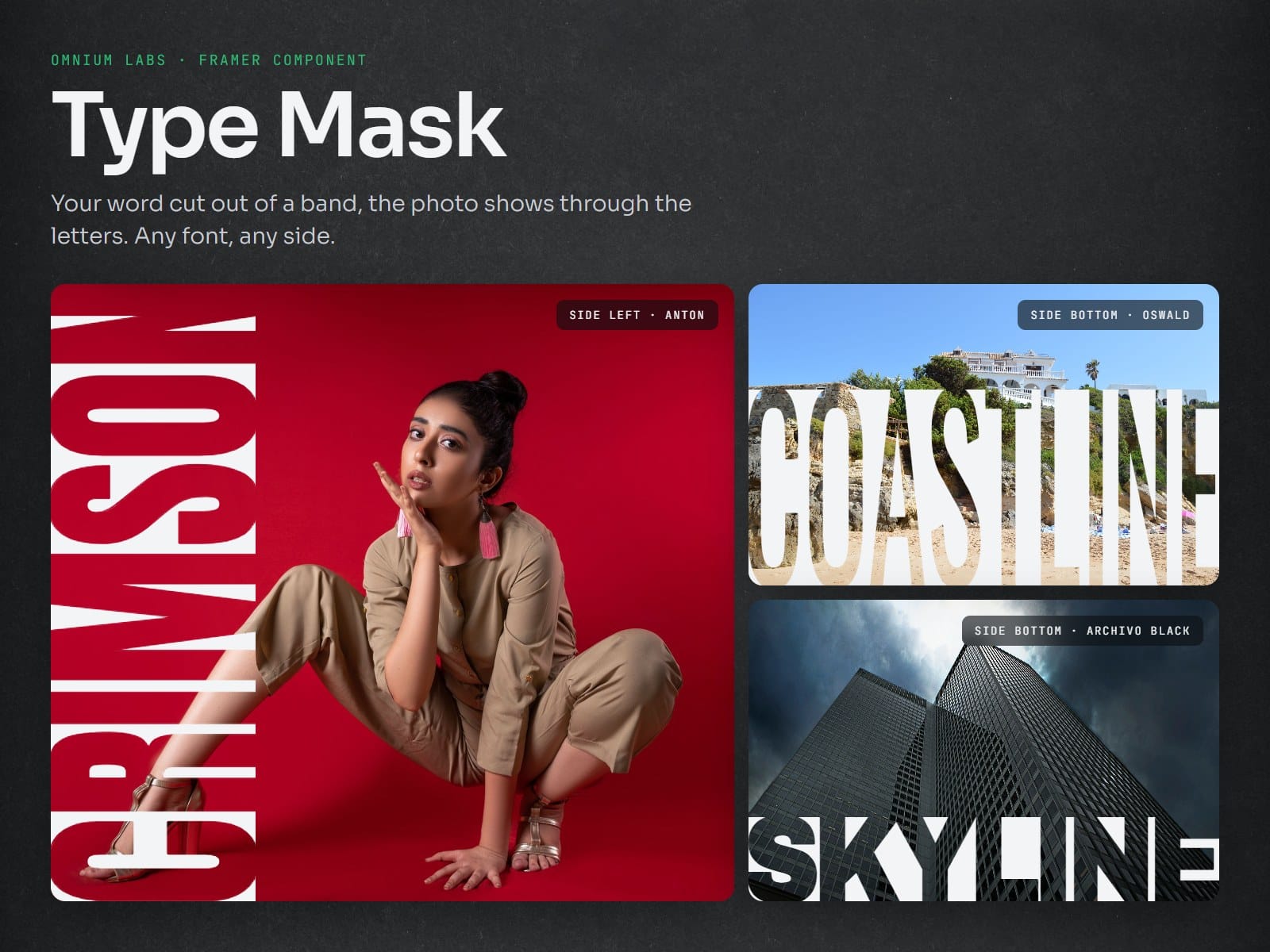
Type Mask puts a solid band along any edge of your photo and cuts your text out of it, so the photo shows through the letters. The letters stretch to fill the band on their own, whatever the word and whatever the font. Drop it on the canvas, add an image, type your word and pick a font. No code.
Layout:
- Side: left, right, top or bottom. Vertical text reads up or down.
- Band size and Position: a thin strip at the edge, a bold half, or a band right in the middle.
- Letters: stretch to fill the band, or keep their real shape.
- Weight: make any font bolder, right in the properties panel.
- Spacing, Inset (0 joins the letters to the photo and the edges), Focus X / Y for the photo, band colour, corner radius.
Intro animations:
Grow from edge, Grow from image, Slide in, Wipe along text, Open from middle, Fade.
Play on load or when the component scrolls into view, with your own duration and delay.
Good to know:
- Every control can be set per breakpoint: a slim band on desktop, half the image on phones.
- Works with every Framer font. Tall, heavy fonts look best (Anton, Bebas Neue, League Gothic, Oswald).
- The canvas shows the finished look; the intro plays in Preview and on your site.
- Visitors who turn on "reduce motion" see the finished look without the animation.
- Light: plain SVG, no WebGL, no extra libraries.