About Unzip
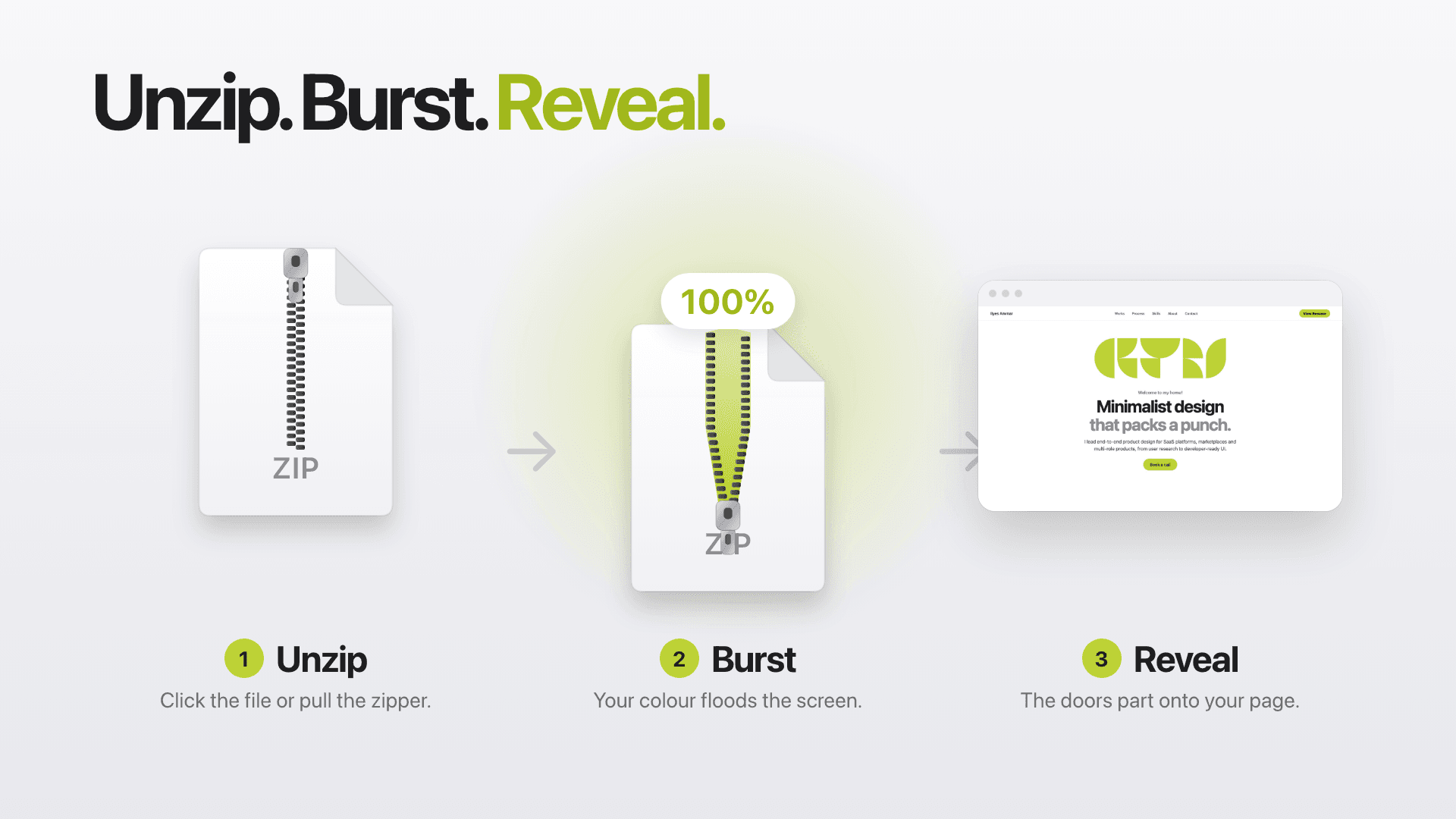
Unzip is a Framer code component that opens your page like a file. A zip file sits on a clean screen. Visitors click it, or drag the zipper down, and watch it unzip with a live percentage counter. A burst of your accent colour fills the screen, the file splits in two, and the doors part to reveal your page.
Use it as a full-screen intro on top of any page, or inline to unzip a case study, a product or a hero card.
Features
Click or drag: open it with a click, or pull the zipper down by hand;
Live counter: “Unzipping… 62%” while the file opens;
Burst and doors: your accent colour floods the screen, then the doors part;
Full screen or inline: an intro over the page, or a Content slot for your own design;
Teasing: the zipper tugs and the hint text changes while visitors hesitate;
Show once: show it once per visit, with a skip link and scroll lock;
Events: On start and On unzip events to trigger your own animations.
Customize
Set the file name, hint lines, progress text, accent, background and text colours, font, file size, unzip time and reveal style (Doors, Zoom in or Fade) from the properties panel.
Great for
Portfolio and agency site intros
Case studies: “unzip the project files”
Product and launch teasers
Coming-soon and event pages
Hero cards and section reveals
How to use
Click Copy Component and paste it into your Framer project.
Place Unzip at the top of your page.
For an intro, turn on Full screen and leave Content empty. For an inline reveal, drop your design into Content.
Press Play to preview.
Good to know
One self-contained code component, no packages.
Keyboard accessible (Tab, then Enter or Space) and respects reduced motion.
On the canvas it shows a half-unzipped preview, so you can style it without clicking.
Full screen mode locks page scrolling until the intro is done.
Need help?
Questions or ideas? Email contact@ilyes.world.