About Wall Art Visualiser
Help buyers picture your artwork on their own wall.
Turn Which size should I choose? into a preview they can see.
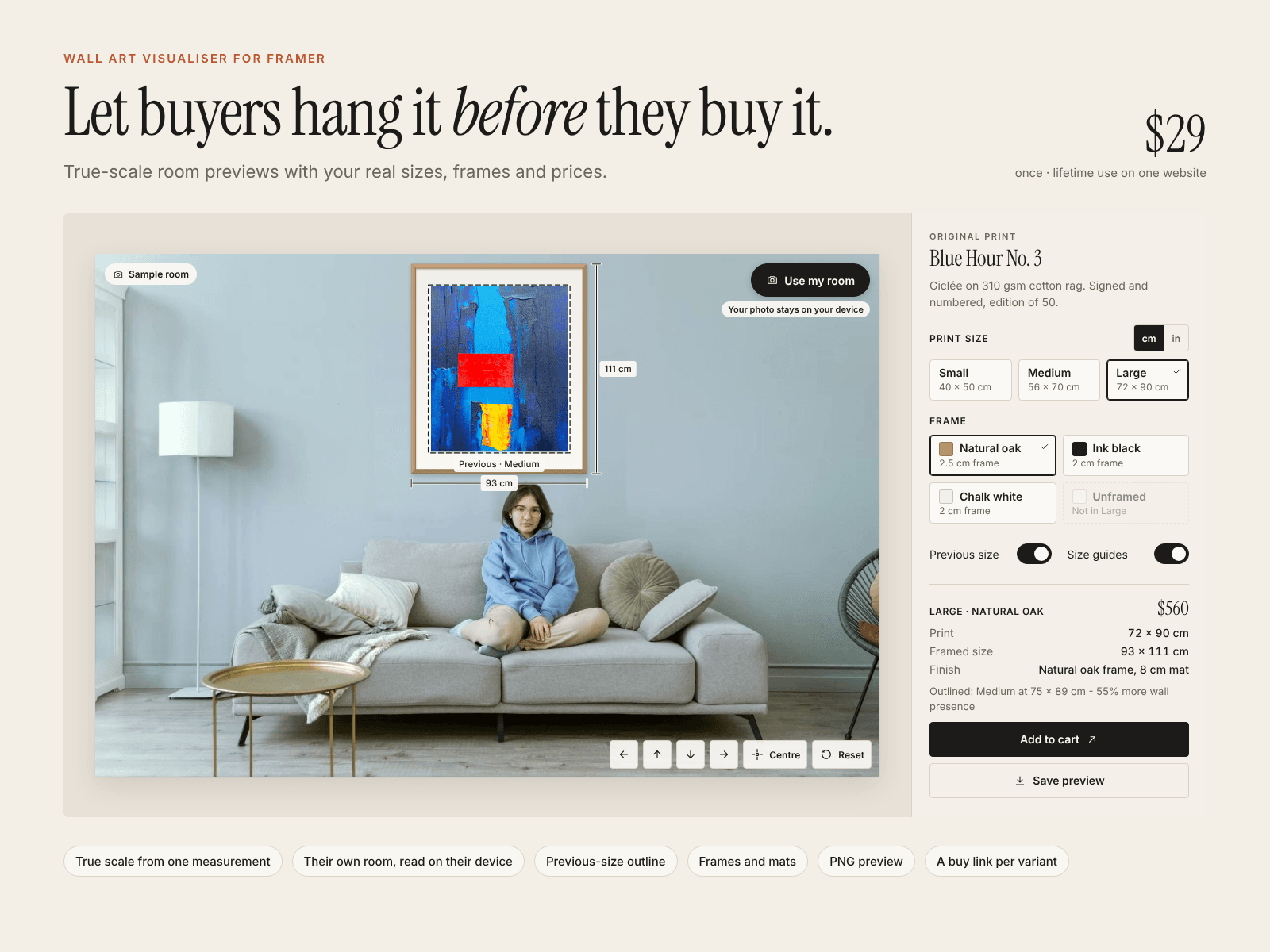
Wall Art Visualiser is an interactive Framer component for artists, photographers, galleries and print shops. Visitors can choose a room photo, set a measured reference and compare your available artwork sizes and frames before visiting the product page.
Start with an included sample room or let each visitor use a photo of their own space. Their room photo is processed locally in the browser, with no upload required.
Compare sizes in a familiar setting
Add the print sizes you sell and let visitors switch between them while the room stays fixed. An optional previous-size outline makes the difference between two sizes easy to see.
Preview your actual frame options
Configure the frames and mats you offer, including their dimensions. Keep the artwork's proportions intact and show the outer framed size alongside the preview.
Make it personal
Visitors can position the artwork, centre it, reset the scene and save a preview image. Touch, pointer and keyboard controls support the experience across desktop and mobile.
Give every available variant its own next step with a link to its product page or enquiry destination.
Edit directly in Framer
Customize the artwork, size options, frames, sample room, colours, typography, labels and product links from Framer's property panel.
Included
Visitor room-photo selection with local processing
Guided measurement setup for straight-on wall photos
Configurable print sizes, frames and mats
Previous-size comparison outline
Centimetre and inch display options
Positioning, centring and reset controls
Downloadable PNG preview
Variant-specific product or enquiry links
Responsive layouts and reduced-motion support
Three complete examples
Setup guide and editable source
$29 once. Lifetime use for one licensed website. No external tools, API keys or monthly component fees.