About Weekly Timetable
Reach for a schedule section and you end up embedding a booking tool — a
calendar app, an account, a subscription, and a flow your visitors have to
start before they can see anything.
Most sites do not need that. They need to show the week.
WHAT IT IS
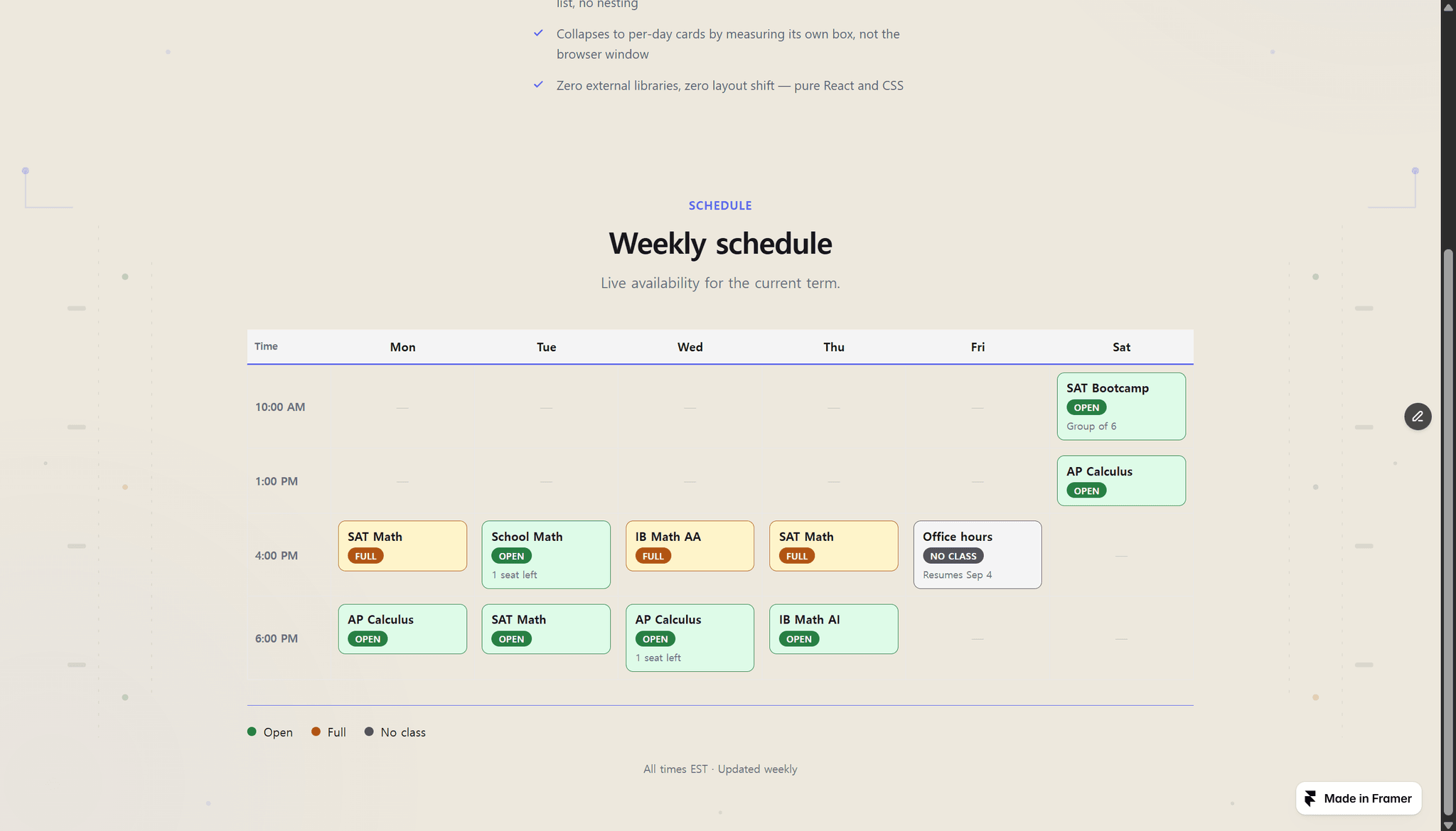
A day-by-time timetable. Every slot has a title, a status, and an optional
note — "1 seat left", "Group of 6", "Resumes next term". Three statuses come
styled: open, full, and no class.
You type the slots as one flat list in the properties panel. Rows build
themselves from the times you enter, in the order they first appear. No
nesting, no dragging, no CMS collection to set up.
AN HONEST NOTE
This is a display component. It does not take bookings, hold seats, sync a
calendar, or talk to a server. If you need a visitor to reserve a spot, you
still want a booking tool — put this above it. What you get instead is
something you can update in ten seconds from the panel, that costs nothing
per month, and that cannot break because a third-party service changed.
WHAT YOU GET
— Mon-Fri, Mon-Sat, or Mon-Sun. Hidden days leave no empty rows behind.
— Rename the three statuses to your own words: Open / Full / No class, or
Available / Booked / Closed, or anything else.
— Collapses to per-day cards below 620px of its OWN measured width, not the
browser window — so it still behaves correctly inside a narrow column.
— Optional legend and footnote for timezones or update cadence.
— Light and dark, an accent color, and a transparent section background so it
drops onto your existing page.
— Every cell carries an aria-label with the day, time, title, and status.
— Zero external libraries, zero layout shift. Pure React and CSS.
Everything is configured from the properties panel. No code, no booking
backend, no CMS.