About WhatsApp Multi-Agent
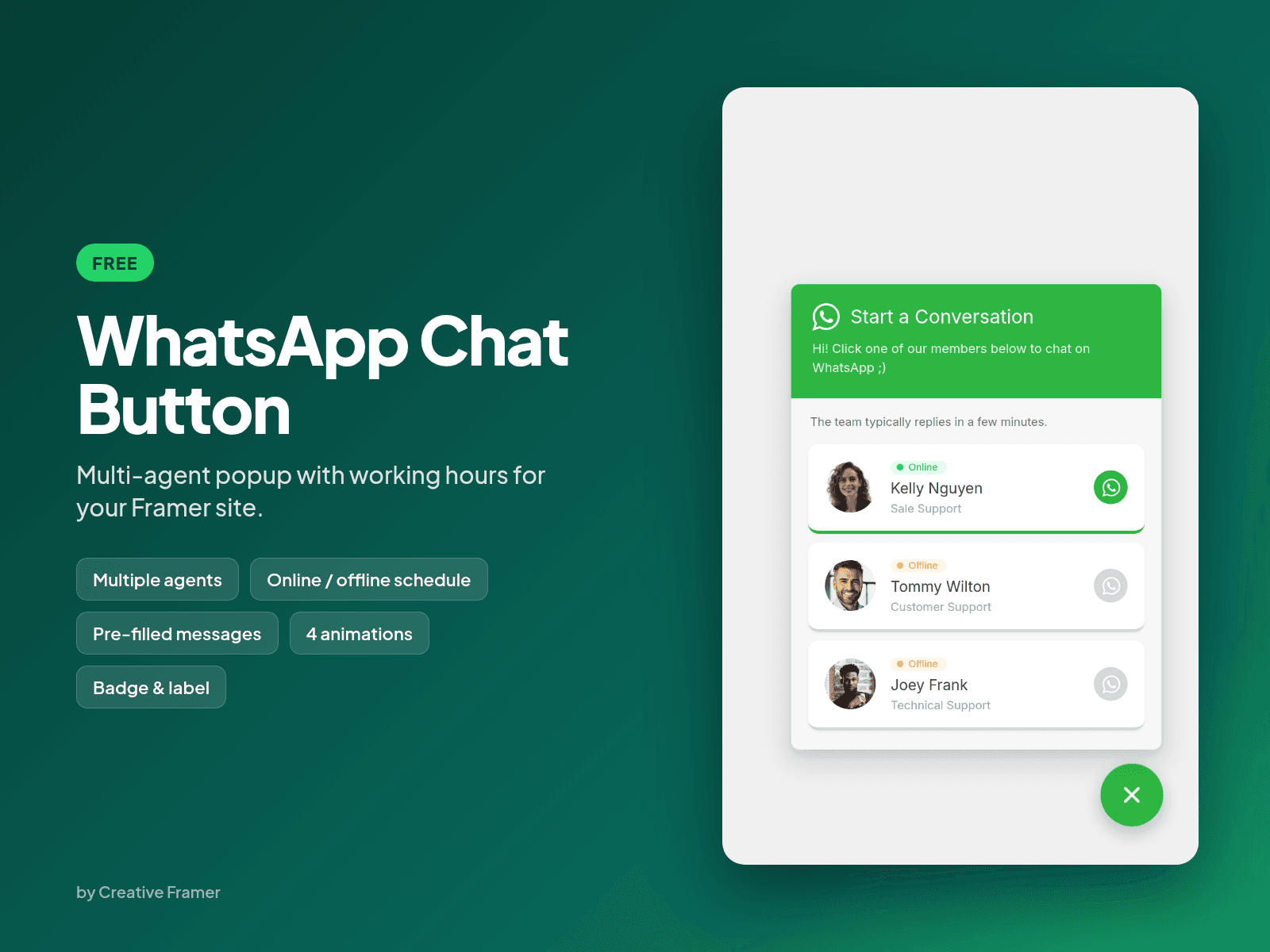
A free WhatsApp chat button for Framer with a multi-agent popup. Add your team members, each with their own WhatsApp number, photo and role. Visitors pick who to talk to and the chat opens in WhatsApp with a pre-filled message.
Features
Multiple agents, each with their own WhatsApp number, name, role and photo
Working hours per agent: online and offline status changes automatically (Everyday, Mon-Fri or custom days, in your timezone)
Pre-filled message for the whole team or per agent
4 button animations: Pulse, Focus Ring, Satellite and Multicolor
Optional label next to the button, like "Need help? Chat with us"
Offline agents are dimmed and listed below online ones
Initials as a fallback when there is no photo
Popup opens to the left or right depending on the button position, and fits mobile screens
How to use
Click Copy and paste the component into your Framer project.
Add your agents in the properties panel. Type each number with country code, digits only (for example 5511999999999).
Turn on Use Schedule for an agent and set the timezone, days and hours.
Publish your site.