About Accessibility Studio
$29 - Purchase a License
Accessibility Studio for Framer was built for framer by Mojave Studio
- This Framer add-on license covers one site only.
- If you need to scan multiple sites, use a monthly plan
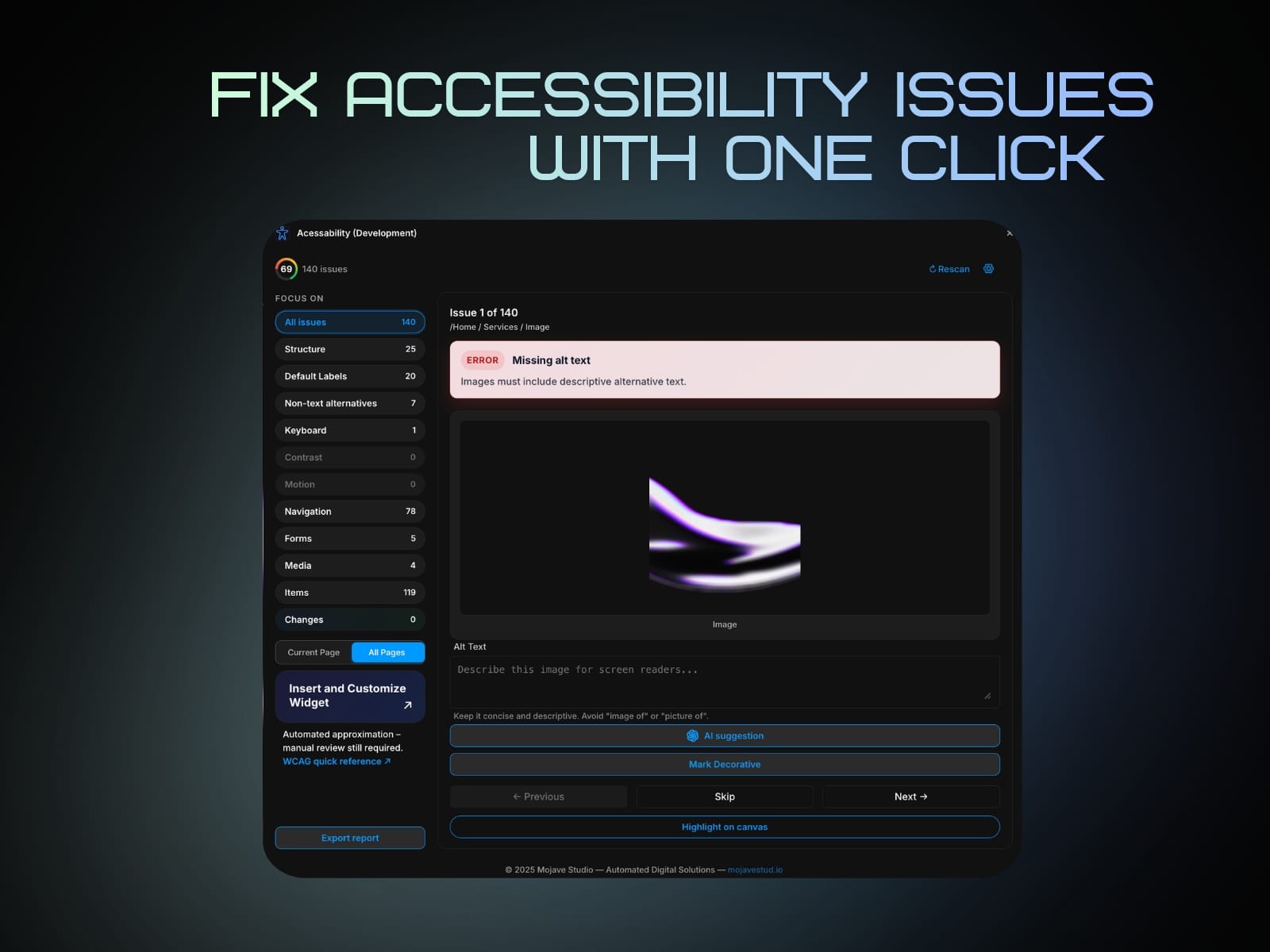
Fix Issues Fast
1. Click an issue.
2. Use Focus or Select Layer to jump to the element in the Framer canvas.
3. Fix it in Framer (or use a built-in quick action when available).
4. Re-scan to confirm the issue is resolved.
AI Fixes
Accessibility for Framer includes AI-assisted fixes to speed up remediation.
What AI can help with:
- Suggesting better alt text
- Improving weak labels
- Guiding semantic correction opportunities
AI tokens
AI features (for example AI Autolabel, single-issue suggestions, and bulk alt suggestions) use built-in AI tokens by default when you are signed in. Your current balance appears in Settings.
Using your own OpenAI key
- If you add an OpenAI API key in Settings, the plugin can use your key for those requests instead of built-in tokens.
- Clear the key to go back to built-in tokens only.
Buying more tokens
- You are always allowed to purchase additional token packs when you need more capacity—there is no hard cap on how many packs you can buy over time.
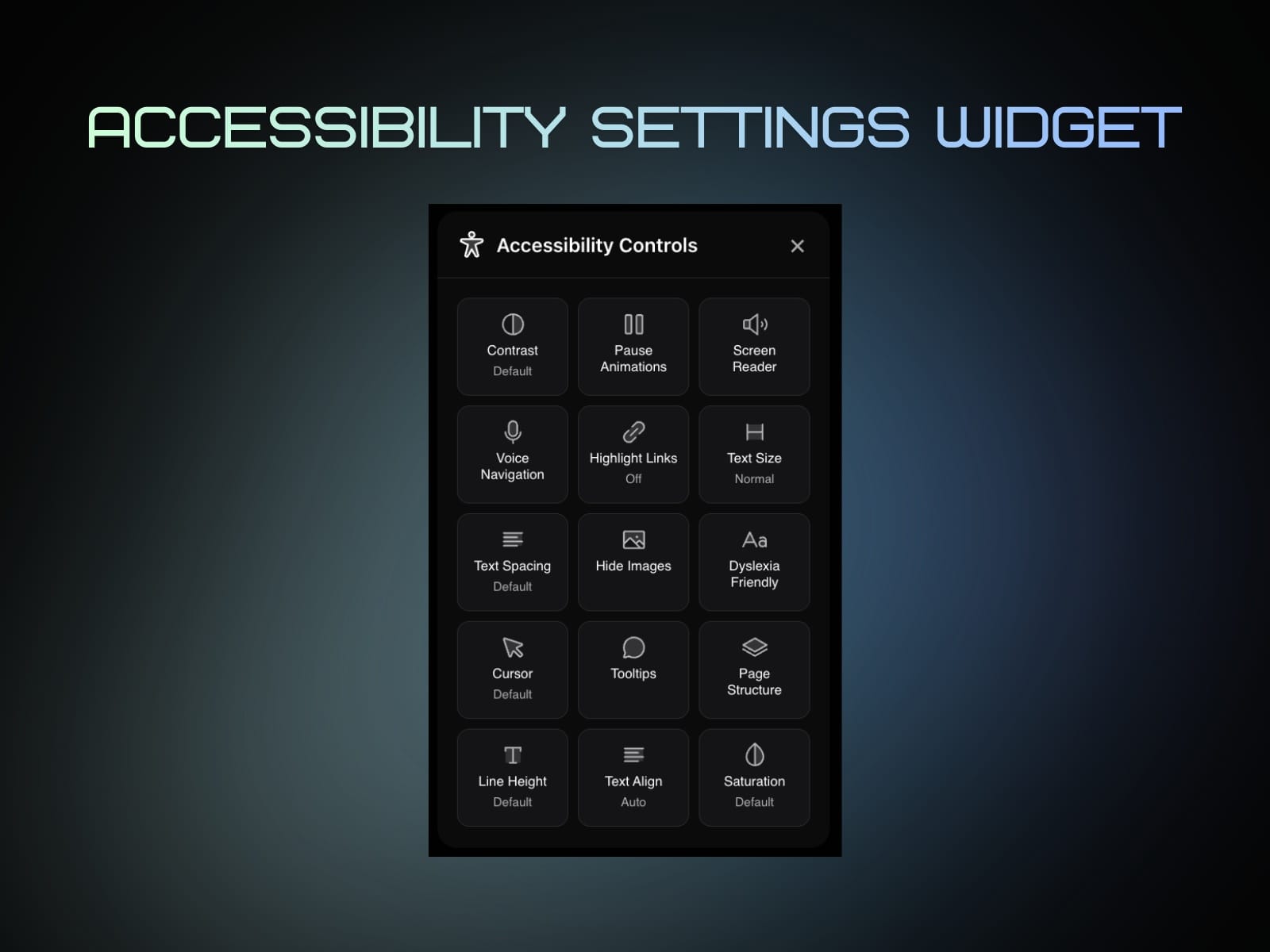
Accessibility Widget for Published Sites
Accessibility for Framer can publish an Accessibility Widget on your live Framer site.
The widget gives visitors an accessibility settings popup so they can adjust readability and navigation in real time.
Email Alerts
Email Alerts notify you when accessibility issues appear or return, so regressions are caught during content updates and redesigns.
- When scans detect new or regressed issues (based on your settings), notifications are sent so your team can review and fix before publishing.
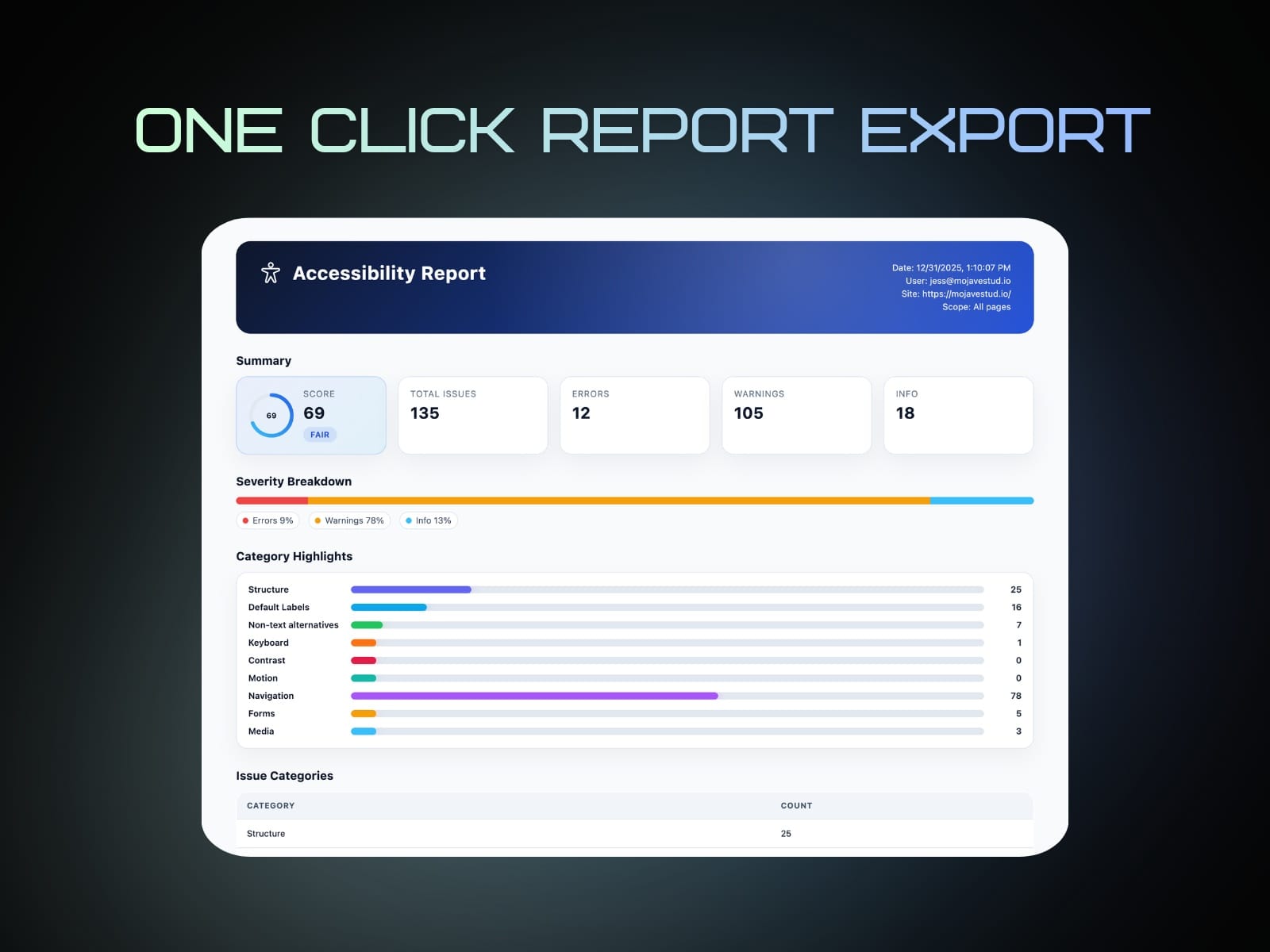
Export report
Share a snapshot of your latest scan as a PDF—useful for audits, client handoff, or internal QA.