About Actually Asked
Actually Asked puts a FAQ on your Framer site that answers your visitors' own questions from your own pages.
What it does
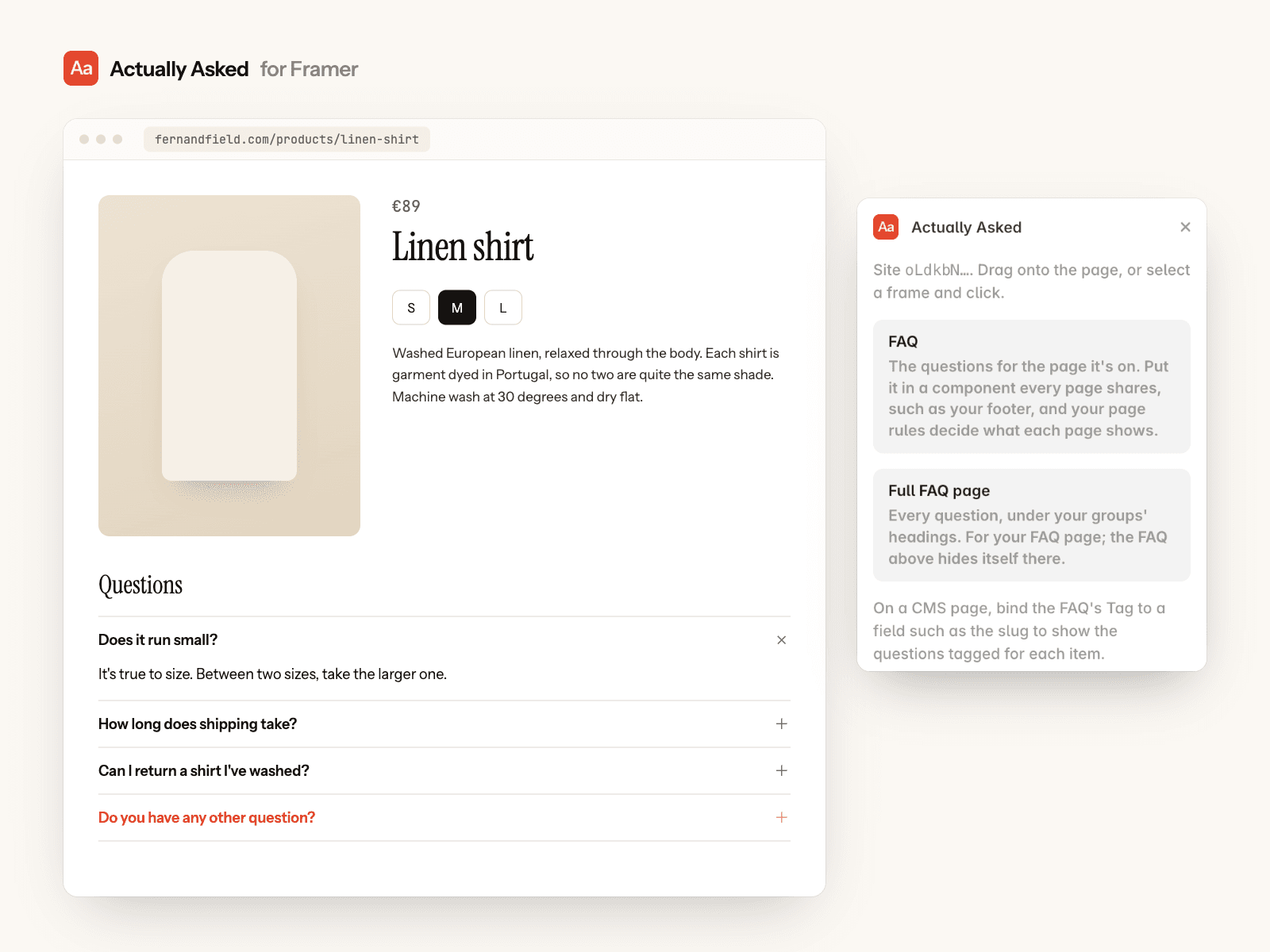
Your FAQ shows as a normal section of the page, in your site's fonts and colours. No chat bubble.
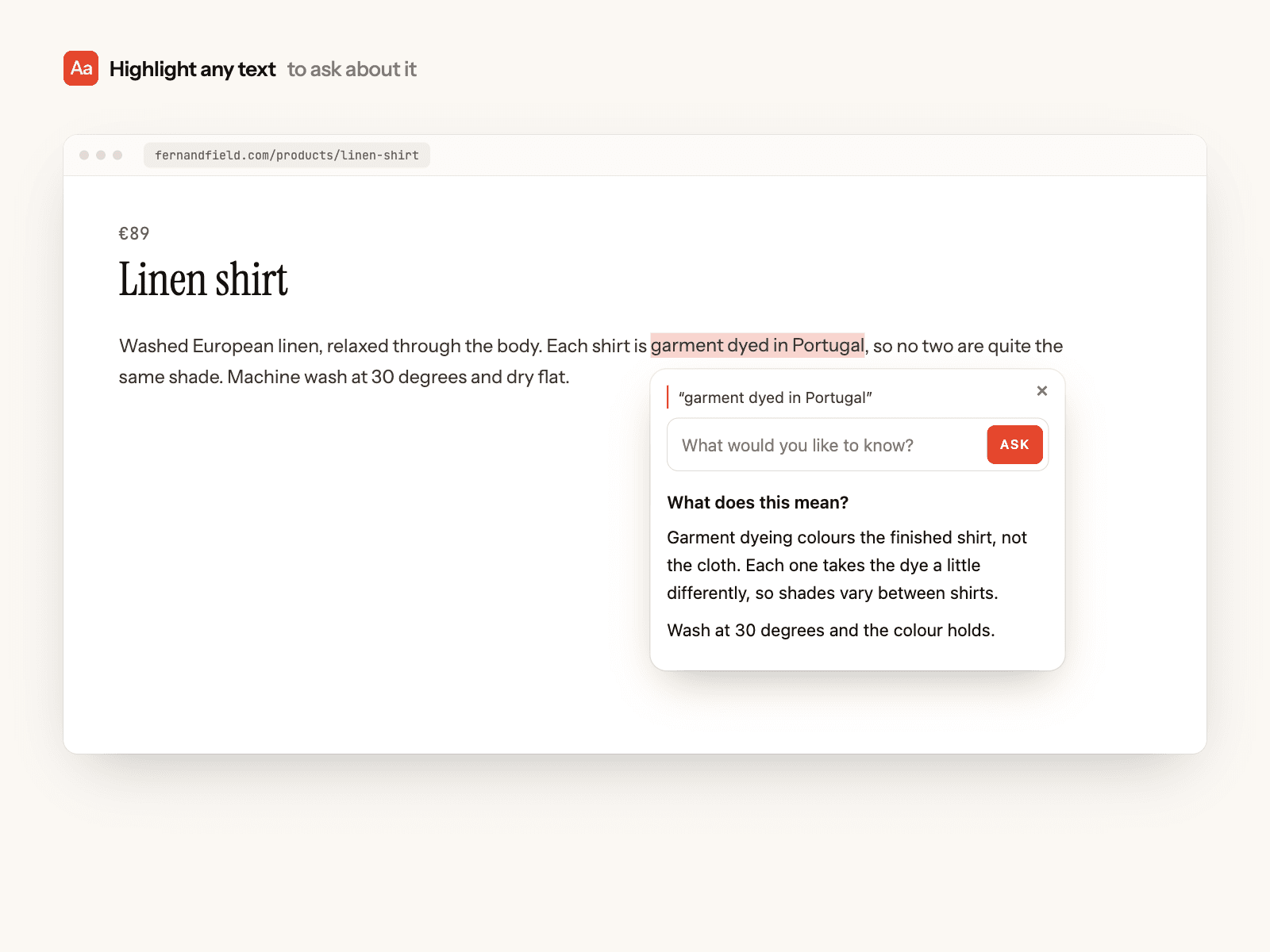
A visitor who can't find their question asks it, and gets an answer written only from your site's pages, never made up.
Highlight any text on the page to ask about it.
A full FAQ page lists every question.
It keeps itself up to date
When a few different visitors ask the same question a few times within 30 days and your pages answer it, it's added to your FAQ on its own.
The questions visitors ask and open most move to the top. Pinned questions stay where you put them.
Answers you wrote or edited are never rewritten, and a question you removed never comes back.
When a page behind a pinned or edited answer changes, Actually Asked flags it for you to check.
Set up
Create a free account at actuallyasked.com and add your site's address. It reads your pages and writes your first FAQ.
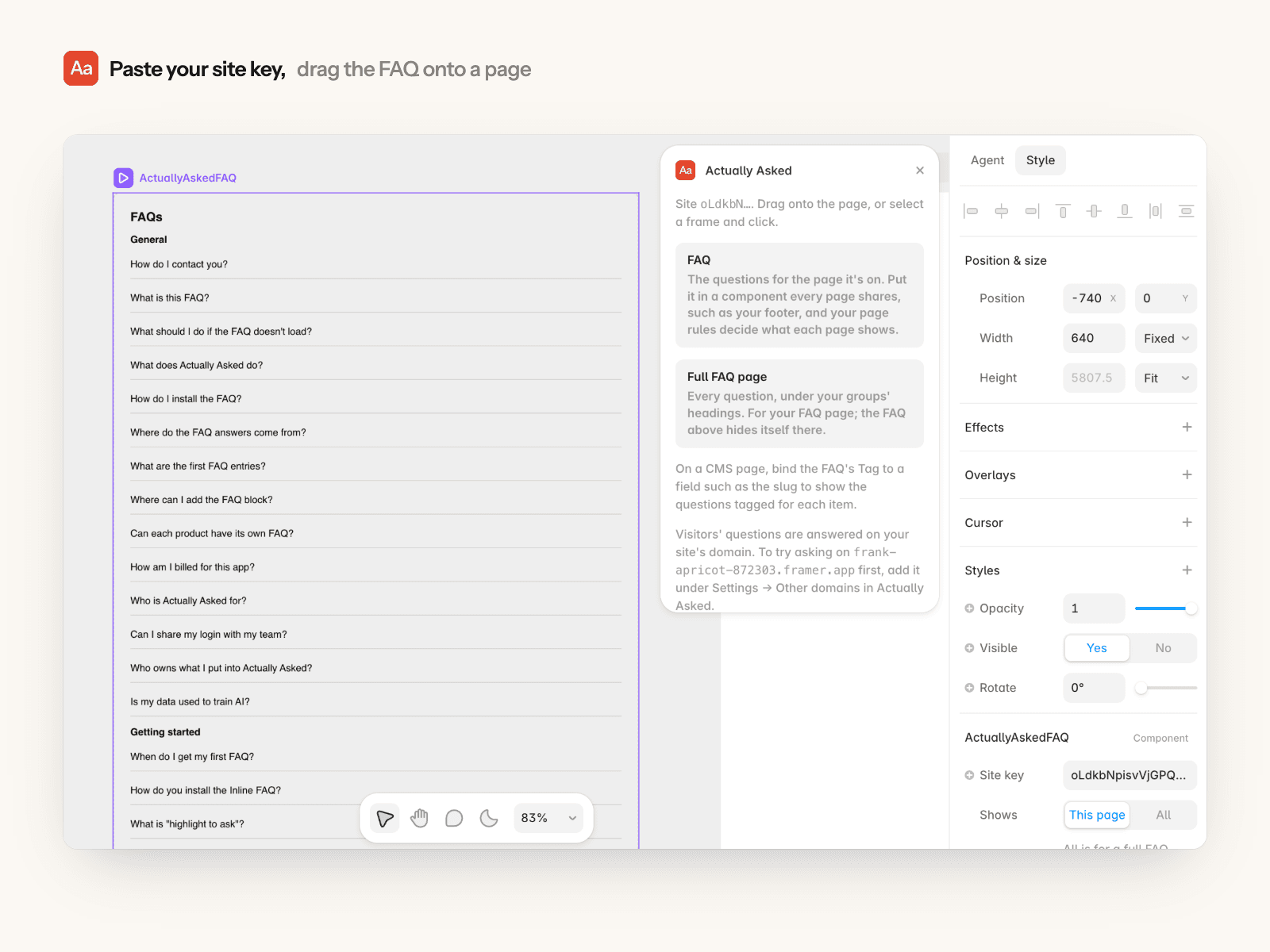
Open the plugin and paste your site key, or the snippet from your site's Install page.
Drag the FAQ onto a page. Put it in a component every page shares, such as your footer; on the Growth plan, page rules decide which questions each page shows. Use Full FAQ page on your FAQ page.
Publish your site.
On a CMS page, bind the FAQ's Tag to a field such as the slug to show the questions tagged for each item.
Troubleshooting
Asking says "that didn't go through": questions are answered on your site's own domain. To try it on your framer.app address first, add that address under Settings → Other domains in Actually Asked.
The FAQ is empty: publish an entry in Actually Asked, or check the site key in the FAQ's settings.
Anything else: hello@actuallyasked.com.
Needs an Actually Asked account. The Free plan includes 50 answers a month; paid plans start at $12 a month.