About AI Magic Placeholder
AI Magic Placeholder is a powerful Framer plugin that instantly generates and manages realistic placeholder content for your text layers. With access to 6,000+ local data entries and unlimited AI-generated content, it helps you design faster with smarter, more contextual placeholder text.
Three Data Sources
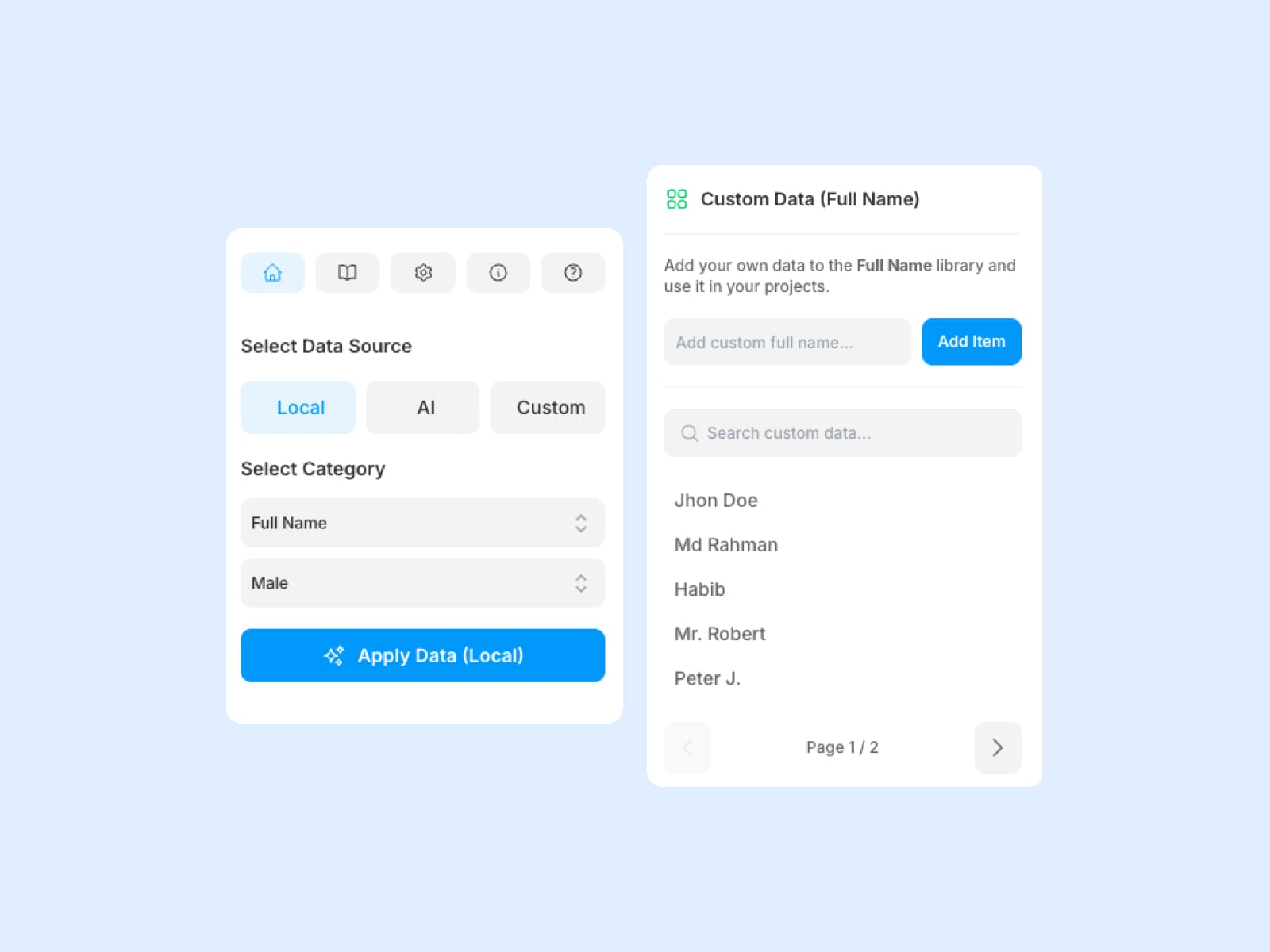
Local Data: Curated, high-quality content across 85 categories with 6400+ items total
AI Generation: Powered by AI for unique, creative content
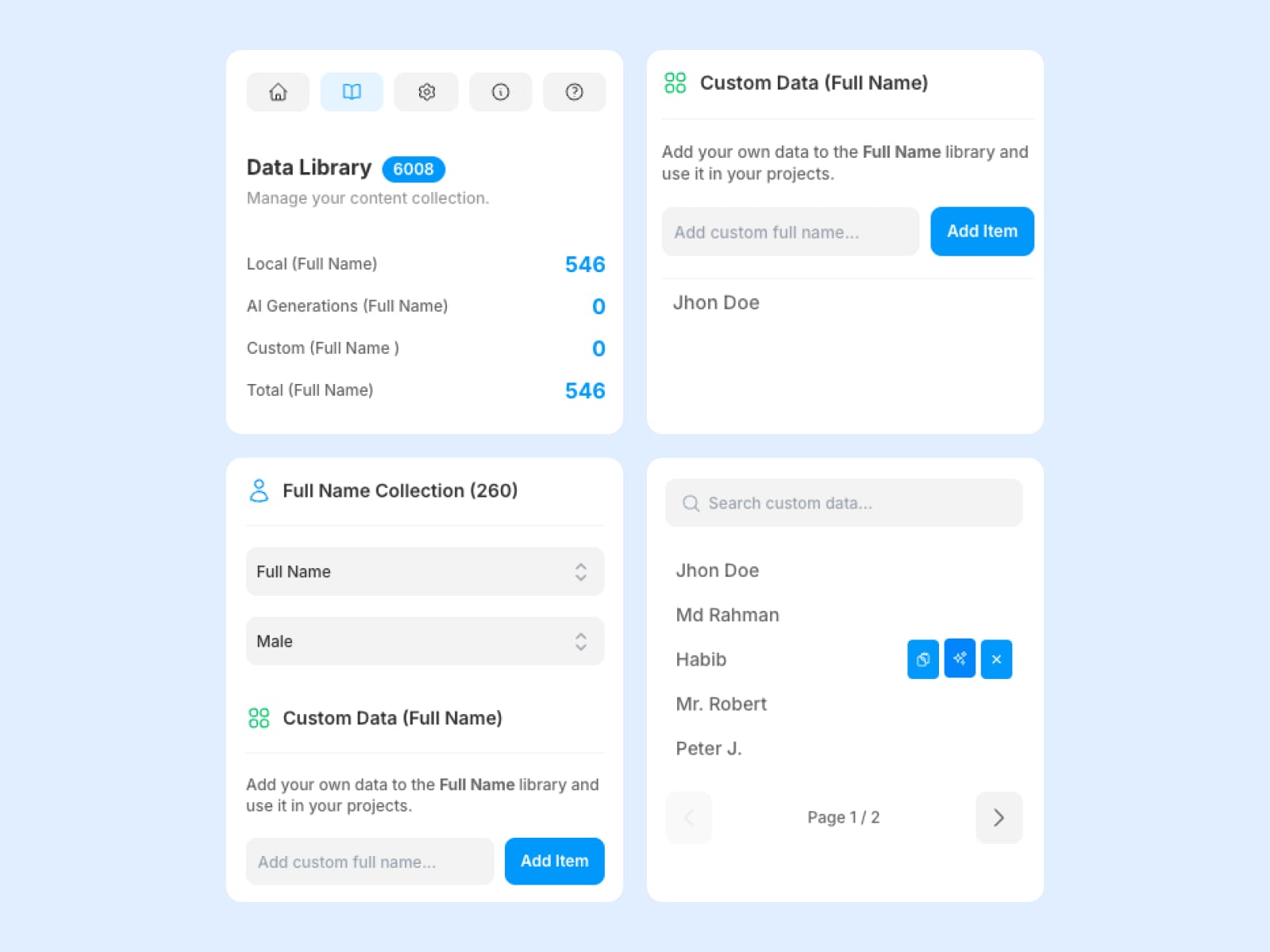
Custom Data: Add your own content and build personalized libraries
Rich Content Categories
Names: Realistic male and female names
Designations: Professional job titles and roles
Food: Dishes, desserts, and beverages
Blog Titles: Engaging headlines for various topics
Bios: Professional, personal, and creative descriptions
Reviews: Product, service, and experience testimonials
Support: Customer service messages and responses
Headlines: Compelling titles for news, marketing, and education
Addresses: US, international, and business addresses
Companies: Tech companies, startups, and consulting firms
Section Titles: Hero, About, Testimonials, CTA, Services, Portfolio, Features, and Contact sections
Designations: Professional job titles and roles
Food: Dishes, desserts, and beverages
Blog Titles: Engaging headlines for various topics
Bios: Professional, personal, and creative descriptions
Reviews: Product, service, and experience testimonials
Support: Customer service messages and responses
Headlines: Compelling titles for news, marketing, and education
Addresses: US, international, and business addresses
Companies: Tech companies, startups, and consulting firms
Section Titles: Hero, About, Testimonials, CTA, Services, Portfolio, Features, and Contact sections
More coming soon**
Smart Text Layer Integration
Multi-Layer Support: Update multiple selected text layers simultaneously
Auto-Selection: Creates new text layers when nothing is selected
Smart Detection: Recognizes text vs. non-text layers with appropriate feedback
One-Click Insert: Apply content directly to Framer with a button
Comprehensive Data Library
Search & Filter: Find content quickly with intelligent search
Pagination: Handle large datasets efficiently
Copy to Clipboard: Easy content copying for external use
Real-time Updates: Instant synchronization across all views
Advanced Management
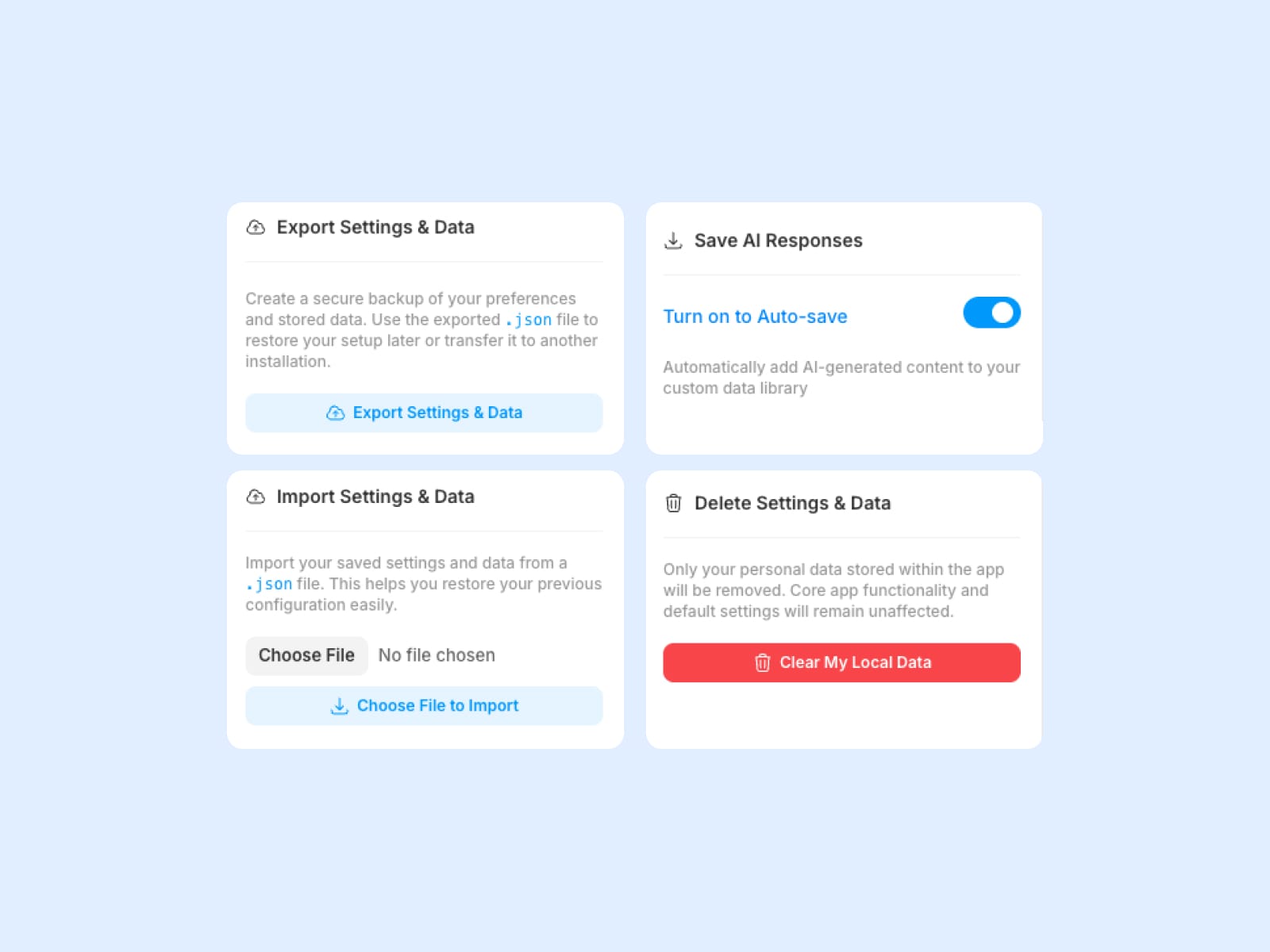
Export/Import: Backup and restore all settings and data
Auto-Save: Automatically save AI-generated content to custom data
Recent Generations: Track and reuse AI-generated content
Data Persistence: All data saved locally for privacy and speed
Perfect For
Designers: Quickly populate prototypes with realistic content
Developers: Generate placeholder text for development
Content Creators: Build content libraries and manage ideas
Agencies: Streamline client presentations with professional content
Startups: Create compelling mockups and demos
Getting Started
Install the plugin in Framer
Select your preferred data source (Local, AI, or Custom)
Choose a category and subcategory
Select text layers in your Framer canvas
Click "Apply Data" to apply content instantly
Feel free to contact us for any kind of support.