About Hot Keys
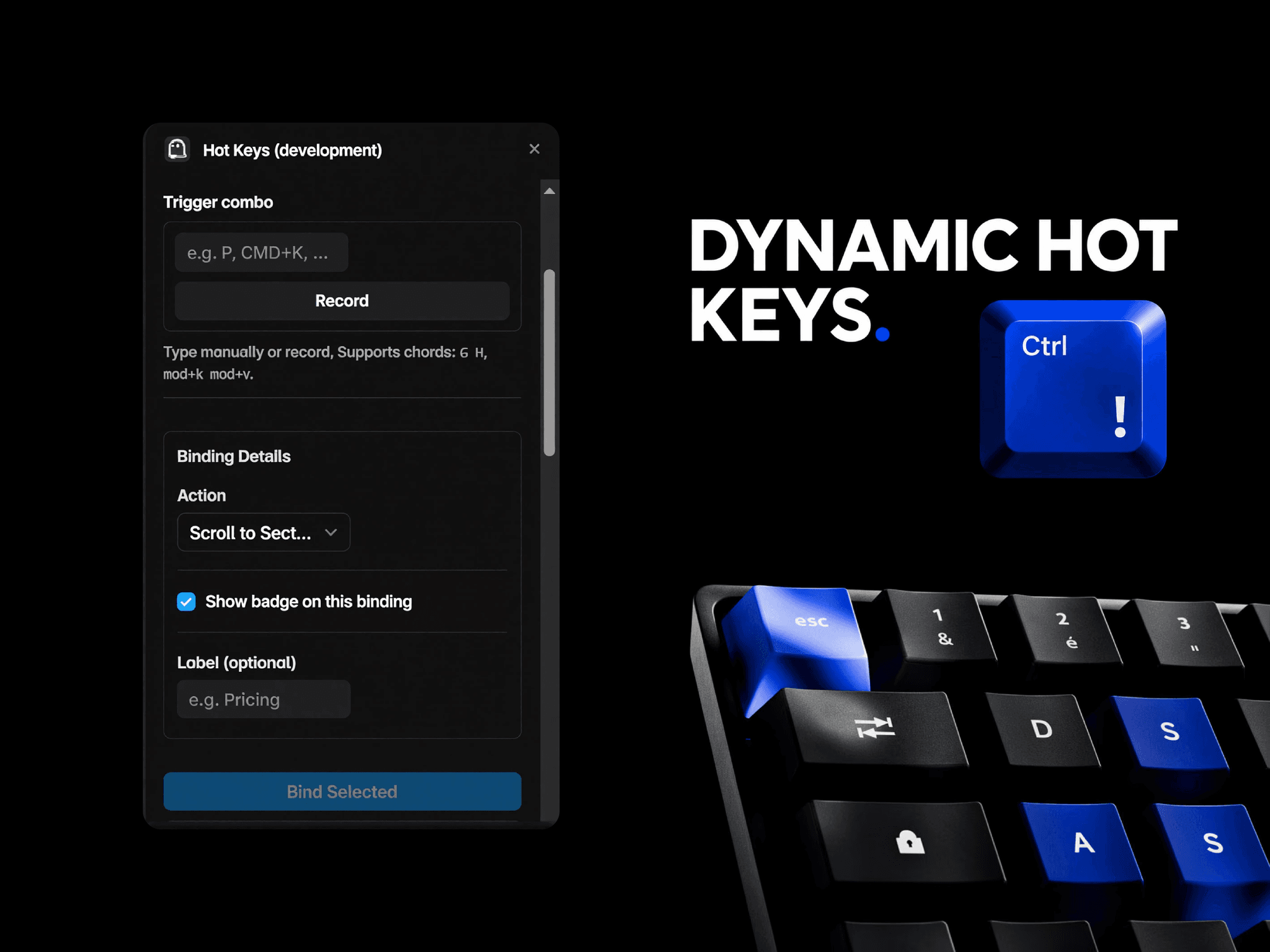
Transform static landing pages into interactive, power-user experiences. Hot Keys by Orix Studio allows you to bind keyboard shortcuts, modifier combinations, and sequential chords directly to native Framer layout layers with zero custom code components.
Designed for SaaS marketing sites, AI landing pages, and portfolio layouts, this extension brings web-app accessibility and speed to your standard canvas architecture.
Key Capabilities:
• Visual Shortcut Assignment — Select any element, record your key combo (e.g., P, Cmd+K, or two-key chords like G then H), and bind it instantly.
• Reactive Canvas Layouts — Trigger ultra-smooth scrolling mechanics to bring elements into center frame, or automatically drop user focus directly into input forms.
• Custom UI Badges — Auto-inject subtle shortcut hint tags directly over your elements. Customize background colors, borders, and rounded corners inside the panel to match your brand style system.
• Live Panel Emulator — Toggle test mode inside the dashboard to preview chord timing windows and layout triggers locally inside a safe sandbox environment before deploying.
• Automated Analytics Dispatch — Built-in detection scripts automatically forward event logs directly to your active Google Analytics 4, Plausible, or Mixpanel snippets.
Implementation Requirements:
Because Framer optimizes production builds by removing custom classes, this utility targets elements using your custom layer configuration names. Simply assign a clear, distinct name to your target layer in the Layers sidebar before setting up your binding!
Free . Engineered for the global design ecosystem by Orix Studio.