About Layout Composer
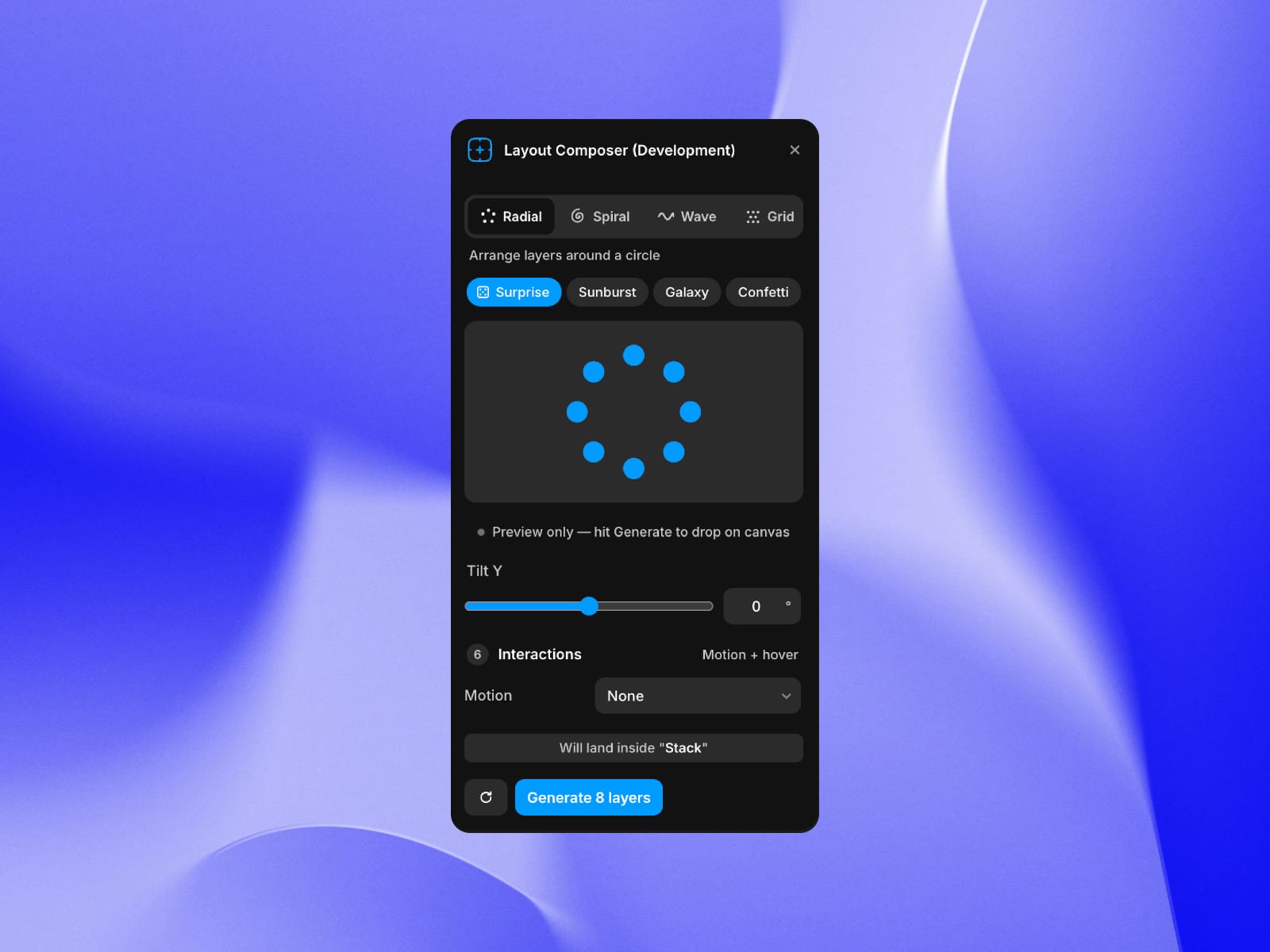
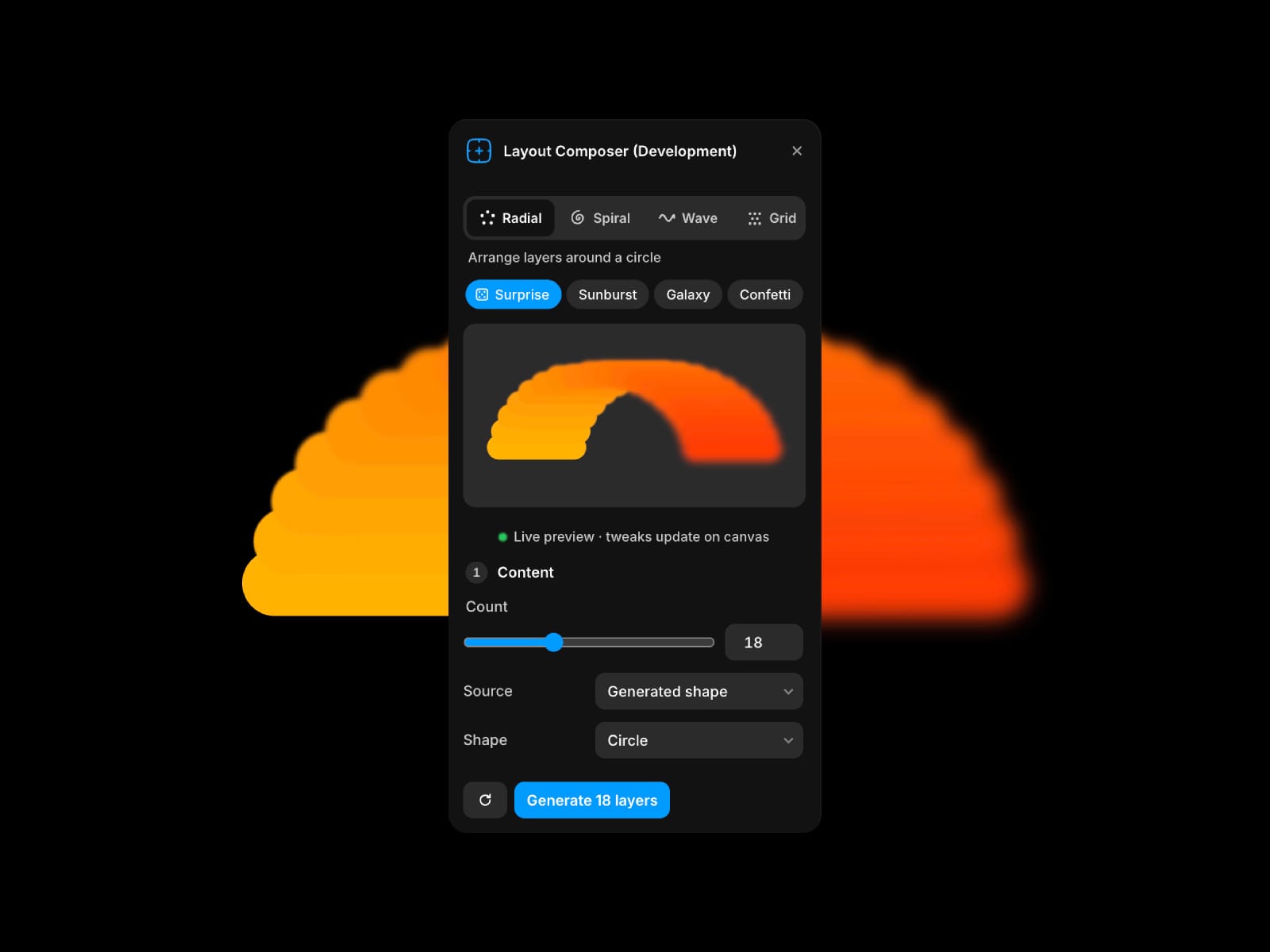
Layout Composer turns the tedious work of placing decorative layers into one click. Pick a layout, tweak with live preview, and drop the result on your canvas, or arrange the layers you already have.
What's in the plugin:
8 layout modes
Radial / arrange around a circle with arc control
Spiral / Fermat (sunflower) or Archimedean
Wave / sine distribution at any angle
Grid / hexagonal or brick offset
Sphere / Fibonacci 3D distribution with adjustable latitude band
Curve / cubic bezier you shape with sliders
Polygon / perimeter of a 3-12 sided shape
Stack / fan layout for card decks
Style
Size, aspect-ratio and opacity gradients
Per-shape blur (0–30px), uniform or progressive (start → end across the set) for depth-of-field looks
6 curated palettes (Pastel, Neon, Earth, Mono, Sunset, Ocean) with cycle or random modes
Three sources: generated shapes, Pexels photos (with search), or clones of your own layer
Bonus: arrange your existing canvas selection in any layout
Composition
Jitter — per-layer noise on position, size, and rotation for an organic feel
Perspective tilt that works on any mode
Connecting lines (sequence or closed ring) for constellation effects
Automatic z-ordering by depth on sphere and perspective layouts
Interactions
7 motion presets (Drift, Ripple, Pulse, Breathe, Loader, Spin, Sway) with intensity slider
5 hover effects (Scale, Lift, Tilt, Pop, Glow) — combine with motion and blur
One-click "Open Live Site" to verify them on your published page
Workflow
Live preview as you tweak any slider — see changes on canvas instantly
8 starter presets (Sunburst, Galaxy, Confetti, Tilted wall, Mandala, Petal, Card fan, Asteroid belt)
Save your favorite settings as presets — persistent across sessions
Export and import preset JSON to share with your team
Recent generations with one-click recall (last 5)
Surprise button for instant variations
Keyboard shortcuts: G to generate, S for surprise, R to reset, ⌘S to save preset
Smart placement — generates inside whatever frame you have selected
Use cases
Decorative hero patterns and backgrounds
Photo galleries and image stacks
Particle clouds and starfields
Spiral and mandala designs
Card fans and image decks (with blur for soft depth-of-field)
Constellation and network visualizations