About OverlayQA
OverlayQA turns client feedback on your Framer site into tracked issues, and checks the page with AI QA workflows. This plugin starts a review of your published site from inside the editor and adds no code to your site.
Client feedback
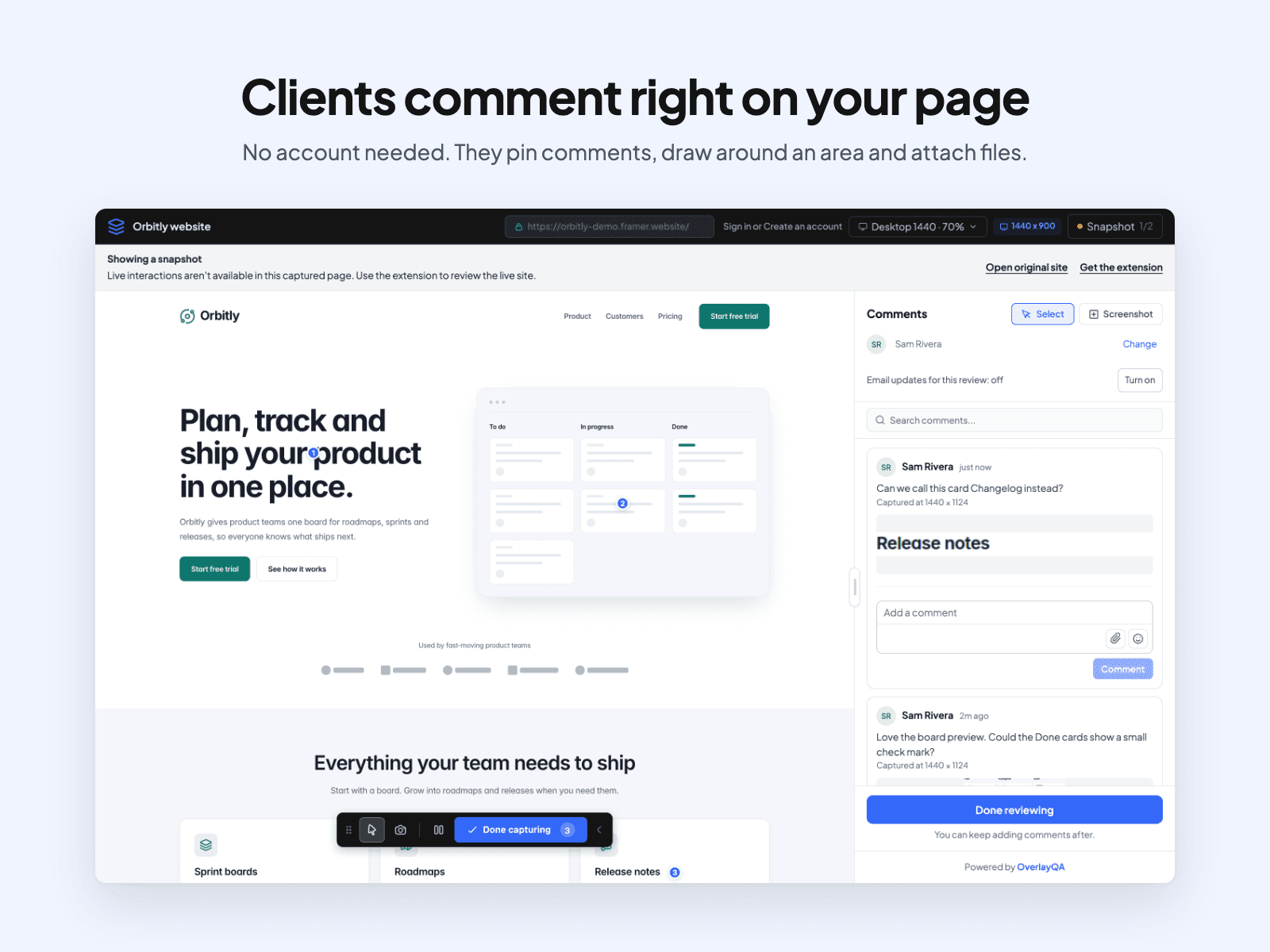
Send a review link. Clients open it without an account, pin comments to the exact spot on the page, draw around an area, attach files and reply. When they finish, they press Done reviewing.
Issue tracking
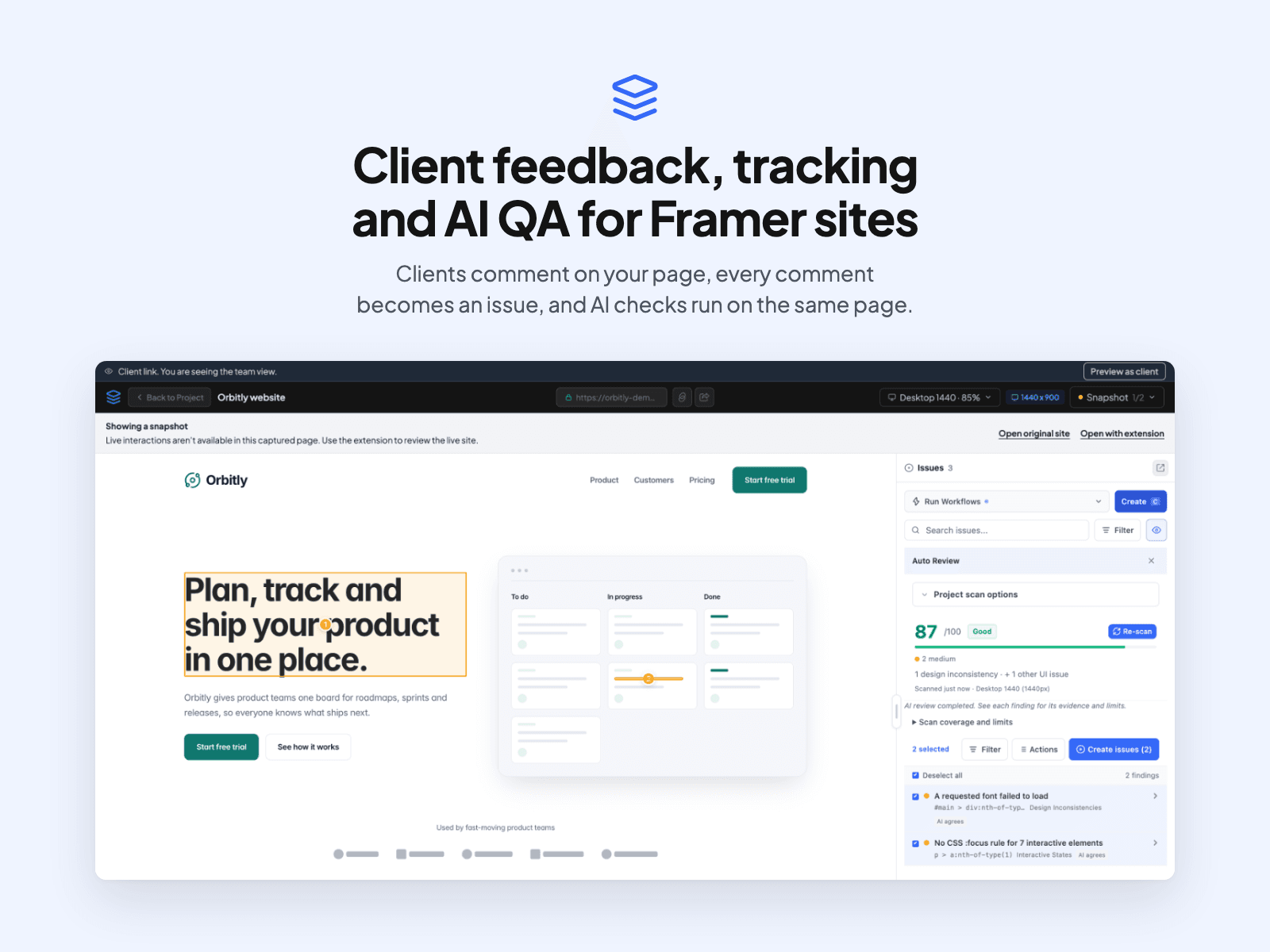
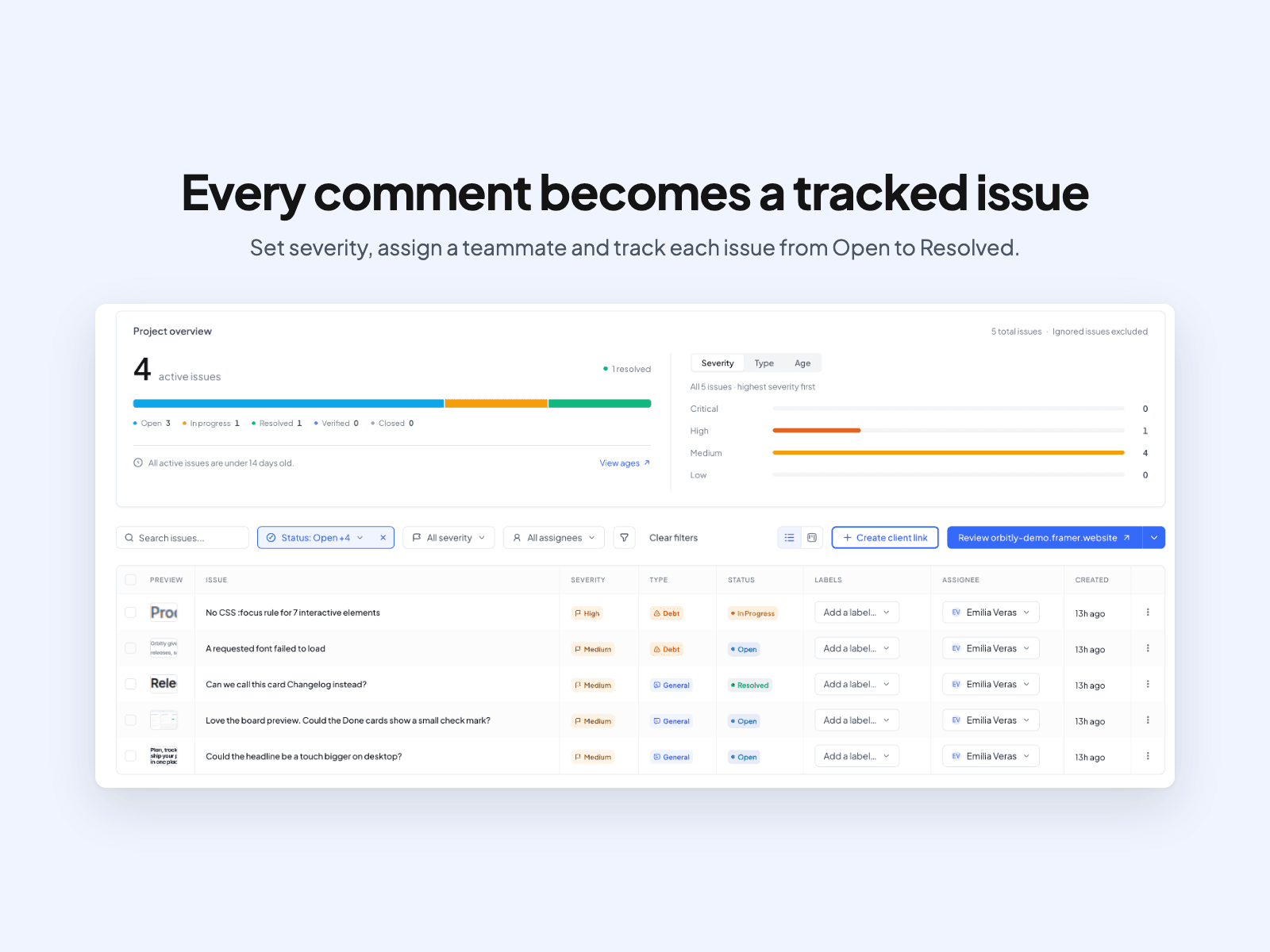
Every client comment becomes an issue in your OverlayQA project. Set severity, assign a teammate, add labels and move each issue from Open to In Progress to Resolved. Send issues to Jira, Linear, Asana, Trello, ClickUp, GitHub or Notion.
AI QA workflows
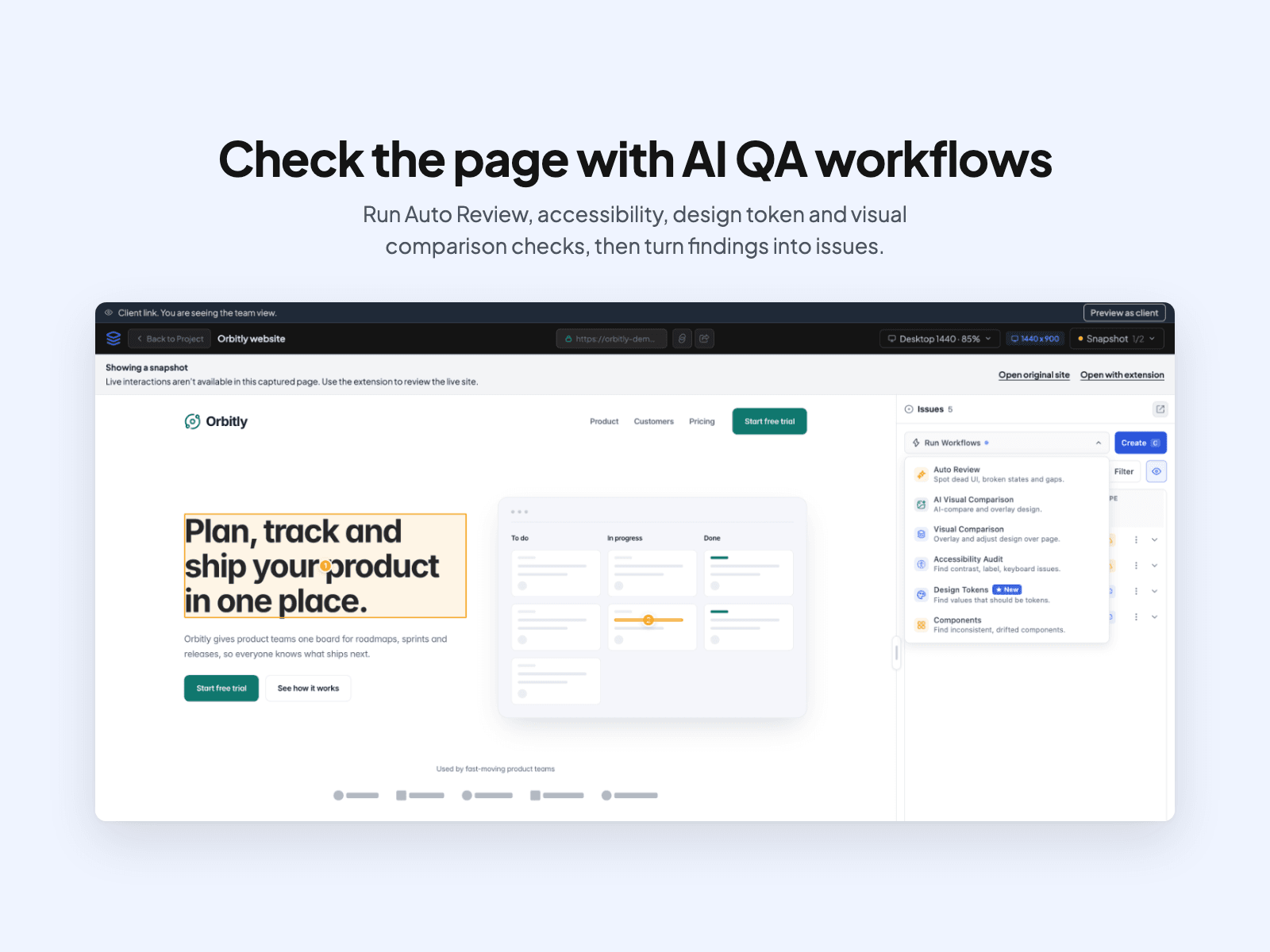
Check the same page and turn findings into issues:
Auto Review: Spot dead UI, broken states and gaps.
AI Visual Comparison: AI-compare and overlay design.
Visual Comparison: Overlay and adjust design over page.
Accessibility Audit: Find contrast, label, keyboard issues.
Design Tokens: Find values that should be tokens.
Components: Find inconsistent, drifted components.
Run them on the review page or with the OverlayQA Chrome extension.
How it works
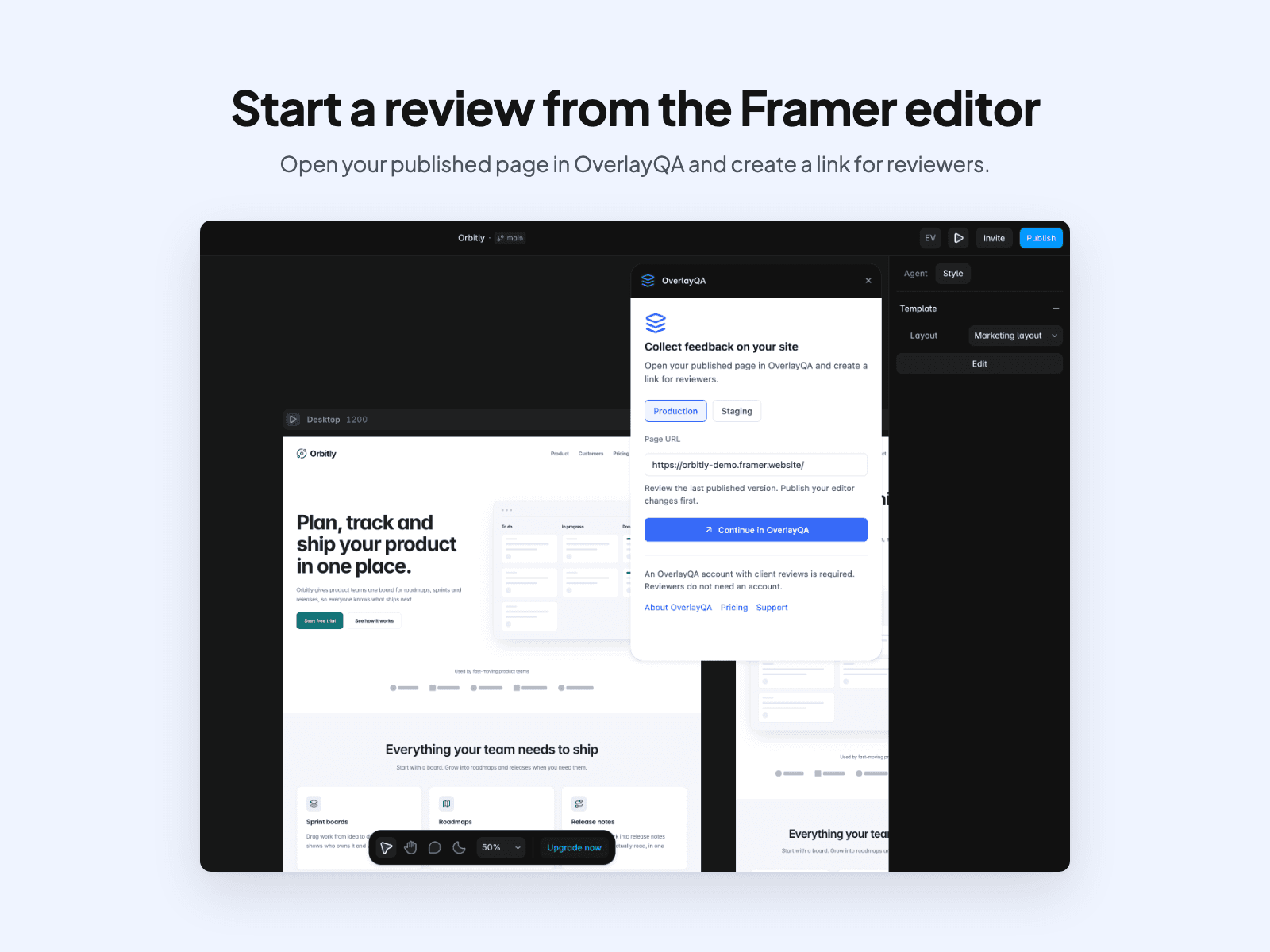
Publish your site and open the OverlayQA plugin on the page you want reviewed.
Pick production or staging, then press Continue in OverlayQA.
Choose a project and create a client review link.
Send the link to your client.
Who it is for: freelancers, studios and agencies that build Framer sites for clients, and product teams reviewing their own site.
What you need: the plugin is free. Creating review links needs an OverlayQA account and follows its plan limits. Clients do not need an account. Publish your latest editor changes first, so clients review the current version.