About Salesforce Integration
Send form submissions instantly to Salesforce and show live Salesforce data on your Framer site. No code needed.
SawStream connects your Salesforce org to Framer. Build a layout of your Salesforce records in the SawStream dashboard, then embed it on any Framer page. Your site always shows the latest data from your CRM.
What you can do
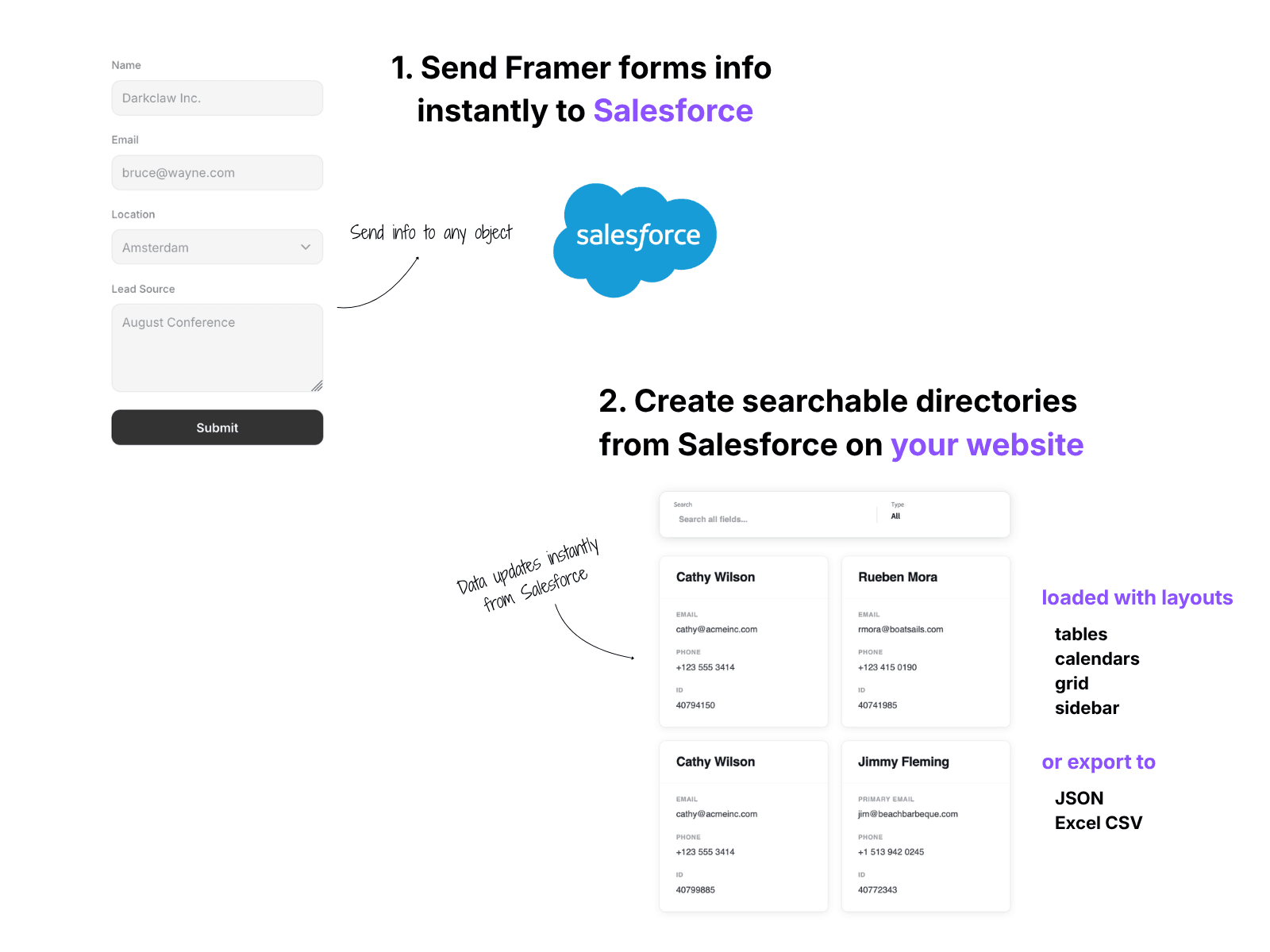
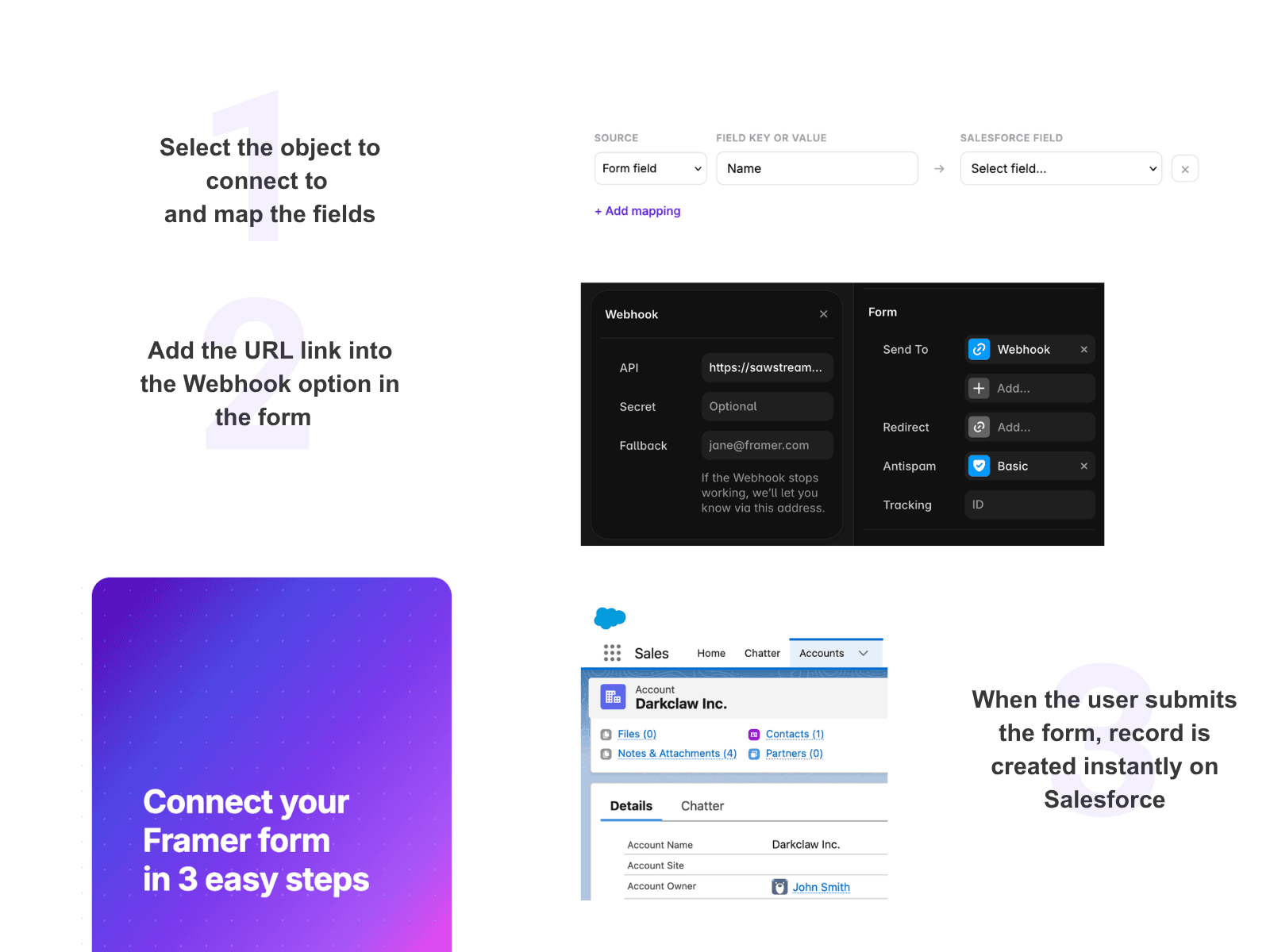
Send Framer form submissions straight into Salesforce as new records, such as Leads or Contacts or any custom or standard object with your own field mapping.
Display any Salesforce object (Accounts, Contacts, Leads, custom objects) as a table, cards, grid, calendar or custom HTML.
Add search and filter bars, and let visitors download a CSV.
How it works
1. Open the plugin and click Start
2. Connect your Salesforce org from the SawStream dashboard.
3. Your layouts and forms appear in the plugin.
For forms, copy the form's URL into your Framer form's Send To → Webhook.
For Layouts
Click Copy embed code and paste it into a Framer Embed (Type: HTML).
Pricing
It comes with a free 3-day trial, then costs $30/month, which covers unlimited layouts and forms.
Support
Docs: sawstream.com/docs
Help: info@sawstream.com
Privacy: sawstream.com/privacy · Terms: sawstream.com/terms