About Donations & Fundraising
Donation and Fundraising plugin
Add a donate button, donation form and fundraising goal bar to your Framer site.
Integration Ready with Donorbox
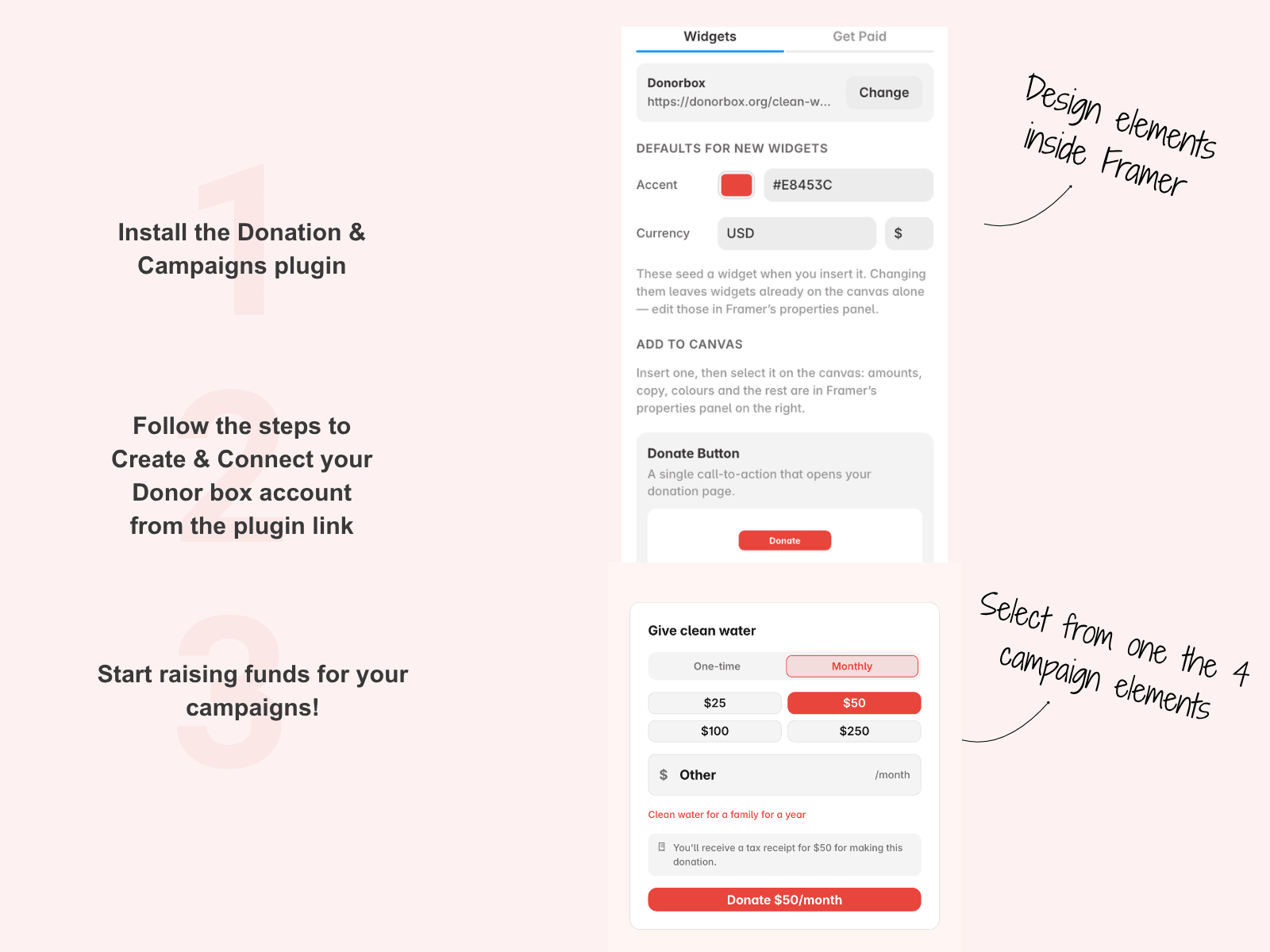
This plugin comes with Donorbox integration already setup. No code needed. You can easily select the layout to add and customize it according to your color theme.
This plugin is for nonprofits, charities, faith-based organizations, schools and causes. Pick a widget and click Insert. It goes right onto your page. Change the colors, amounts and words in Framer's own panel.
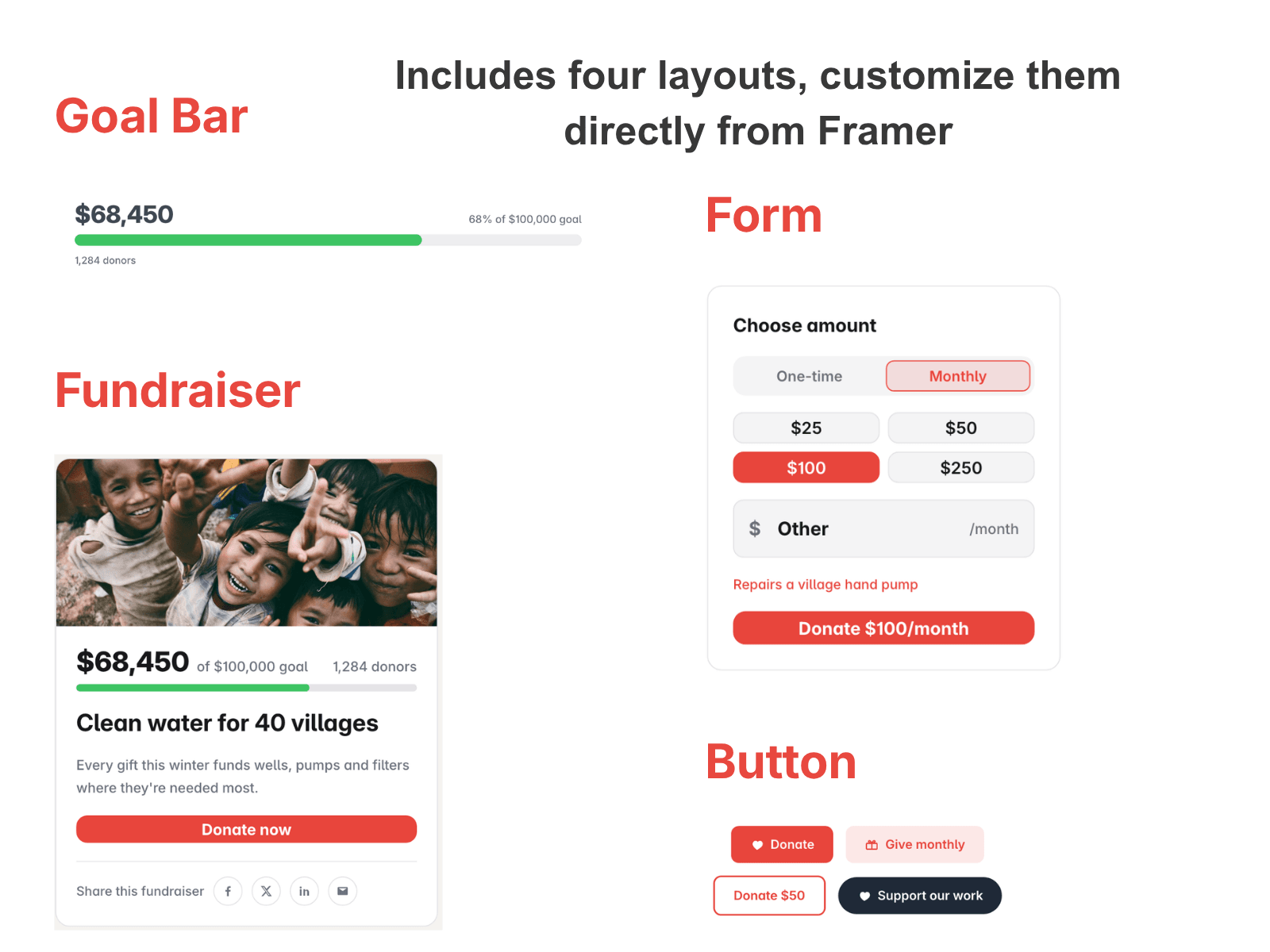
What you can add
Donate Button. A button that takes donors to your donation page.
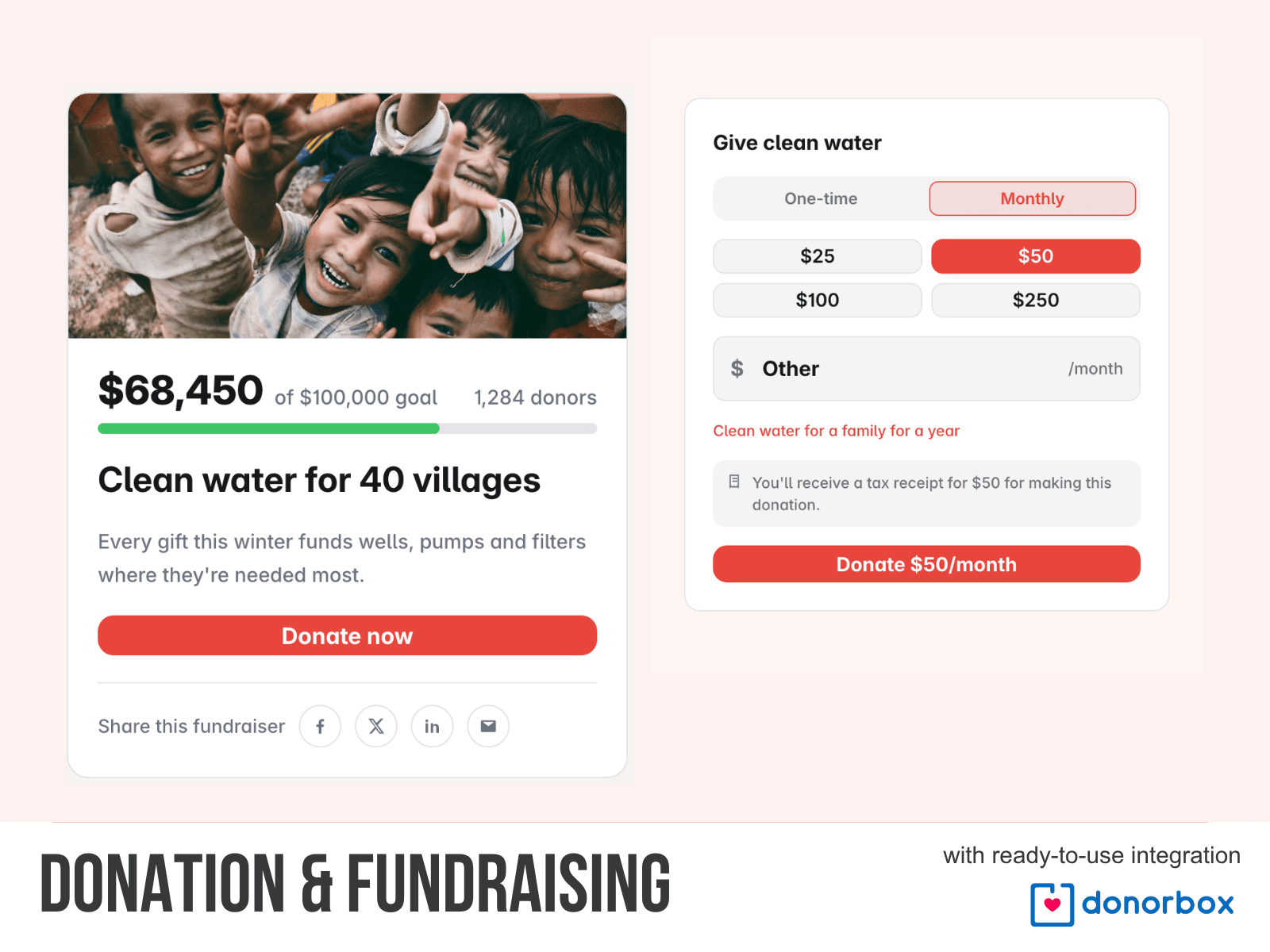
Donation Form. Donors choose an amount and pick one-time or monthly giving. They can also type their own amount.
Goal Bar. Shows how much you have raised toward your goal.
Appeal Block. A photo, your story, a progress bar and a Donate button, all in one block.
How it works
1. Open the plugin and insert a widget.
2. Go to the Get Paid tab.
3. Create your Donorbox account from the link
When a donor clicks Donate, your Donorbox page opens. The amount they picked is already filled in, and so is monthly giving if they chose it. Donorbox takes the payment.
New to Donorbox?
You need a free Donorbox account to collect donations. If you don't have one yet, sign up here to Donorbox.
You can also sign up from inside the plugin. Go to the Get Paid tab and click Sign up for Donorbox.
Pricing
The plugin is free. Donorbox charges its own fees on donations.
Privacy
The plugin does not collect or send any data about you or your Framer project.
Support
Help: info@sawstream.com