About Zapier to CMS
Fill your Framer CMS from any app Zapier connects to. No code, no API keys, no copy-pasting.
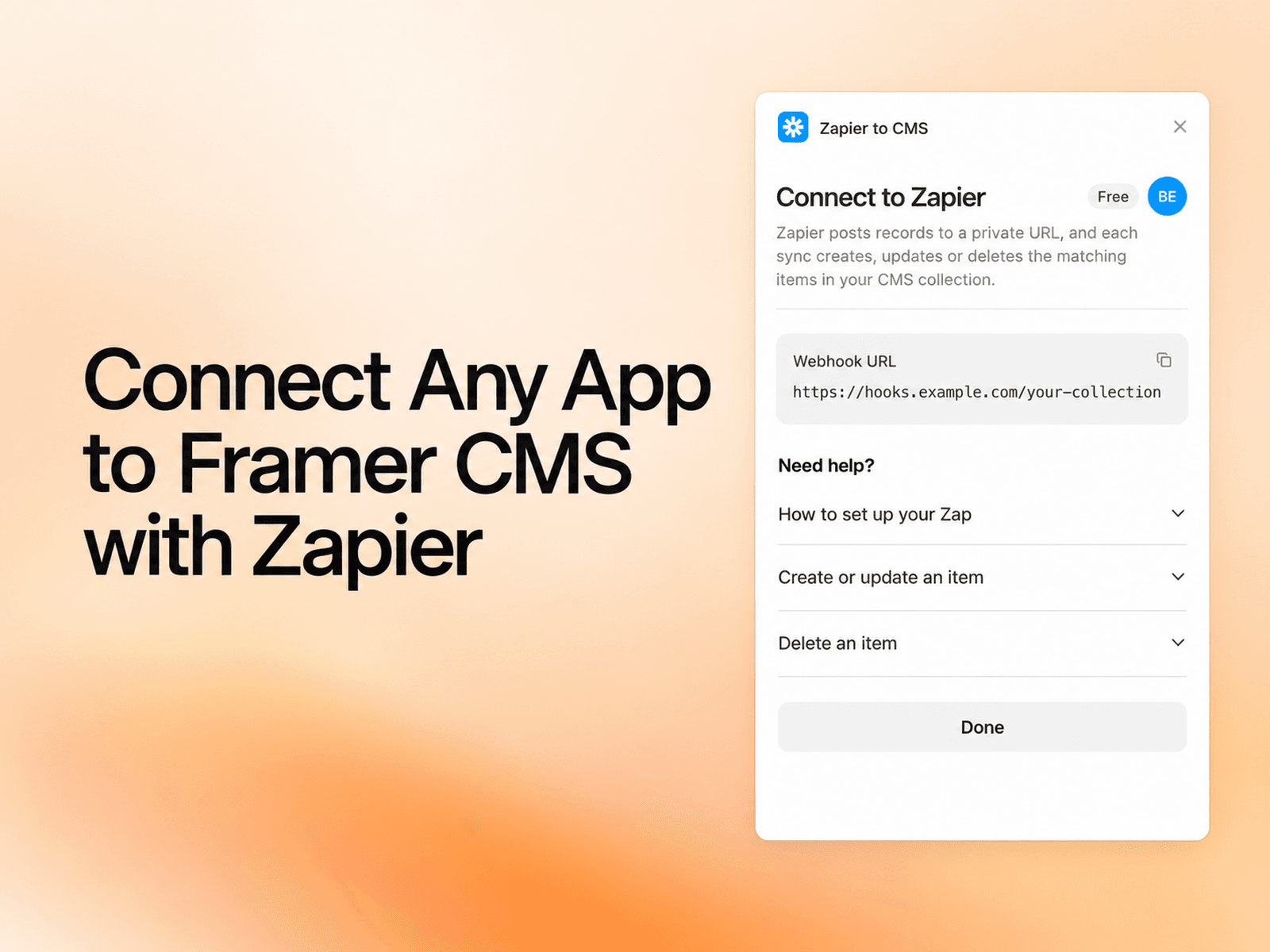
Add a webhook step to your Zap, paste your private URL, and every record Zapier sends becomes a CMS item. Change a record and its item updates. Send a delete and it’s gone.
Forms, spreadsheets, databases, stores, job boards: if it runs in a Zap, it can live in your CMS.
Features
Create, update and delete CMS items from any Zap, with one private webhook URL per collection.
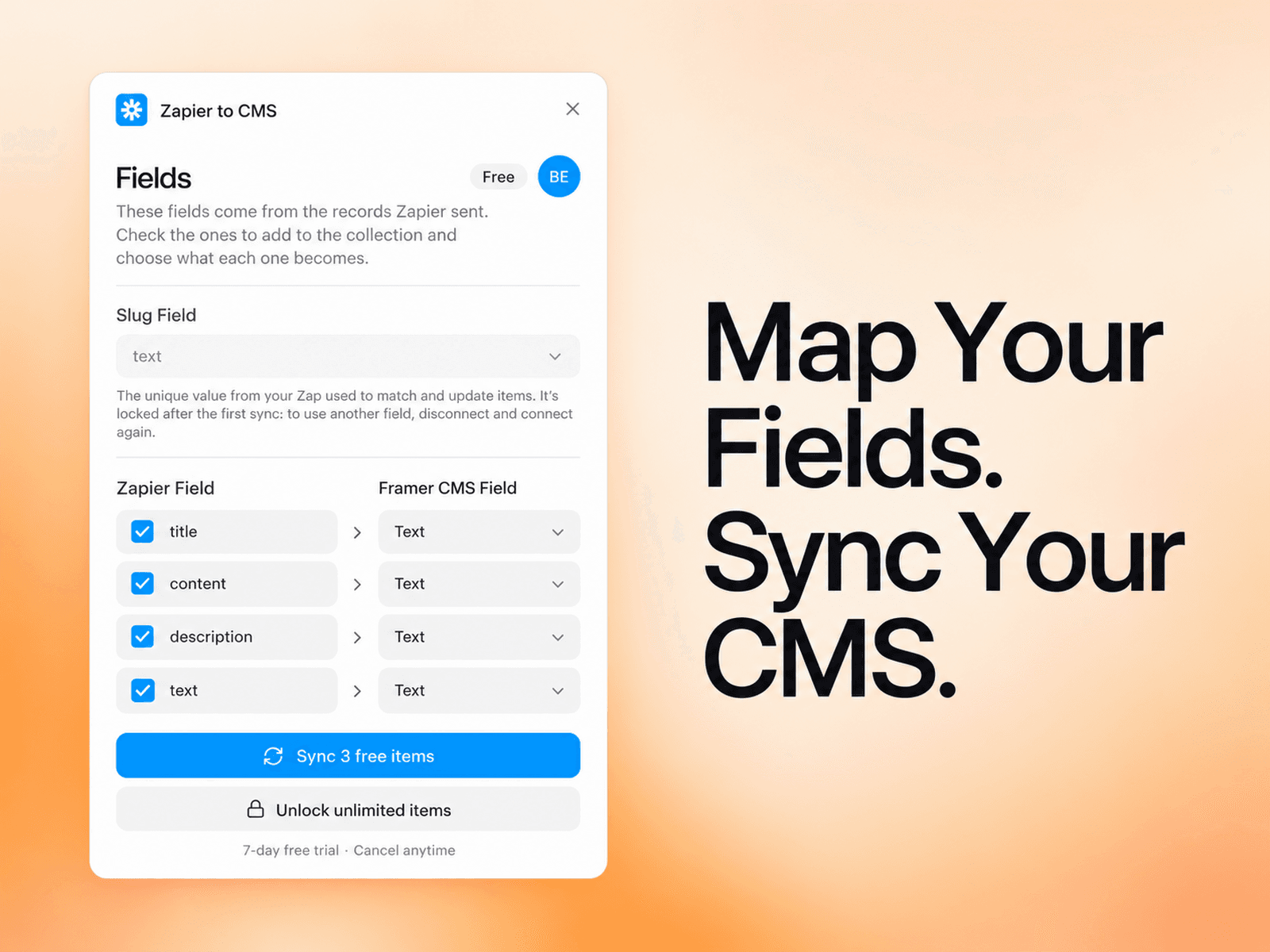
Fields detected for you. Send a record and its fields appear in the plugin, ready to map.
Choose what each field becomes: text, number, date, image, link or boolean. Leave out the ones you don’t need.
A Slug Field matches each record to its item, so updates never create duplicates, and it gives every item a clean slug.
Partial updates. Send only what changed, and the rest of the item stays as it was.
New fields show up as they arrive, marked New, ready to add.
Sync with Framer’s own Sync button. After the first setup, you don’t need to open the plugin.
A built-in setup guide and sample records you can paste straight into Zapier.
Free for up to 3 items per collection, with unlimited collections. Pro unlocks unlimited items. Your Zap never fails over the limit: extra records wait for up to 30 days, ready to sync when you upgrade.
How It Works
Open Zapier to CMS on a CMS collection and copy your webhook URL.
In your Zap, add Webhooks by Zapier (POST) and paste the URL.
Test the step, pick your fields and Slug Field, and click Sync.
That’s it. Click Sync in Framer any time to bring in everything your Zap has sent.