This is a win for real creators.
Less AI slop. More originality.
More room for designers who actually care about what they build.

We build the sites your competitors wish they had.
This is a win for real creators.
Less AI slop. More originality.
More room for designers who actually care about what they build.
How do you guys feel about the latest Framer Marketplace update?
Better for creators? Worse for creators? Or still too early to tell?
Stride 2.0 is officially launching next week!
Interactive 3D. Dark & Light-mode aesthetics. CMS case studies.
Studio Archive is live and 100% free for Framer creators.
Grab it here: https://framer.link/iAsimXo
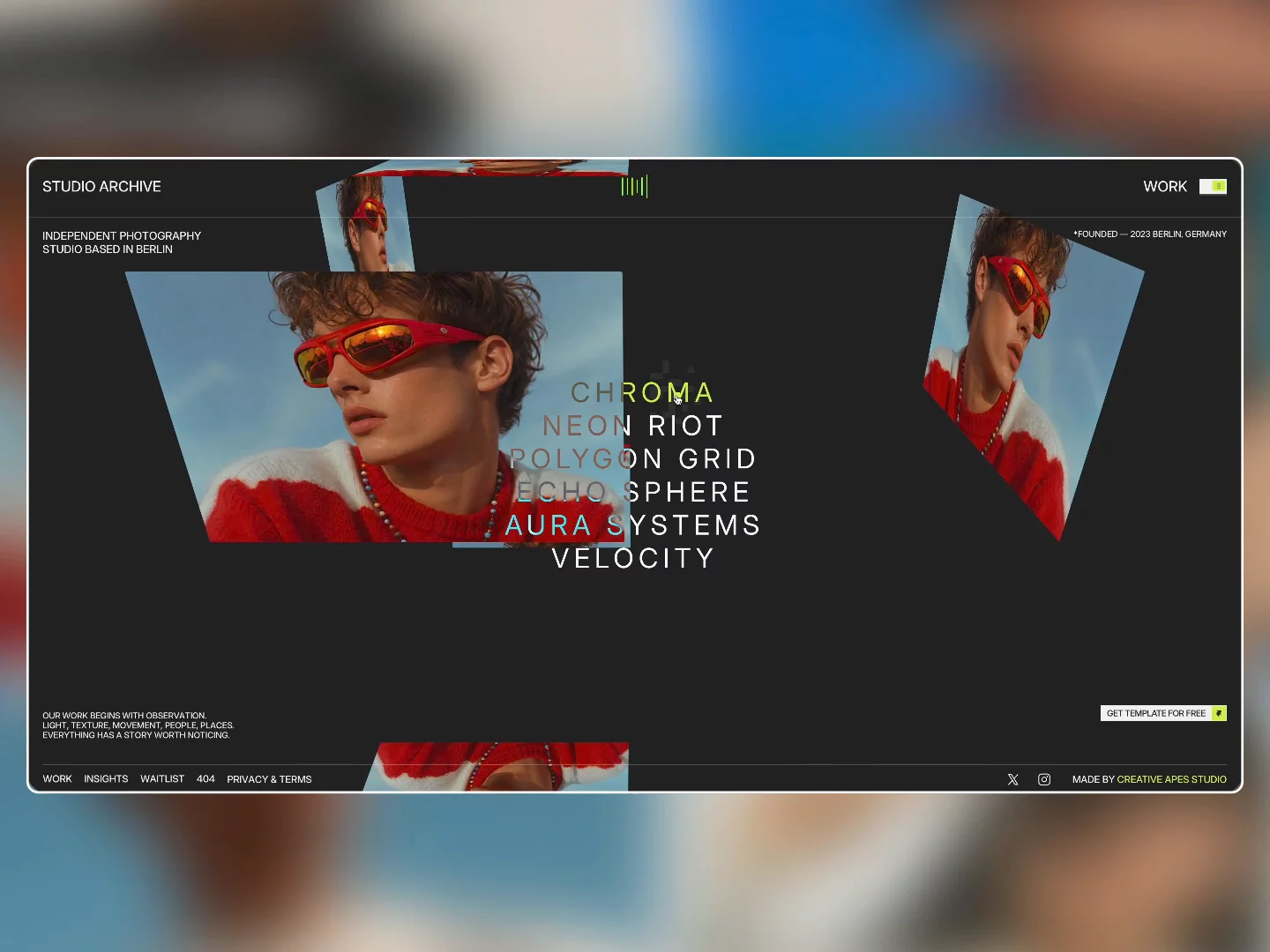
Introducing Studio Archive — Free Framer Portfolio Template
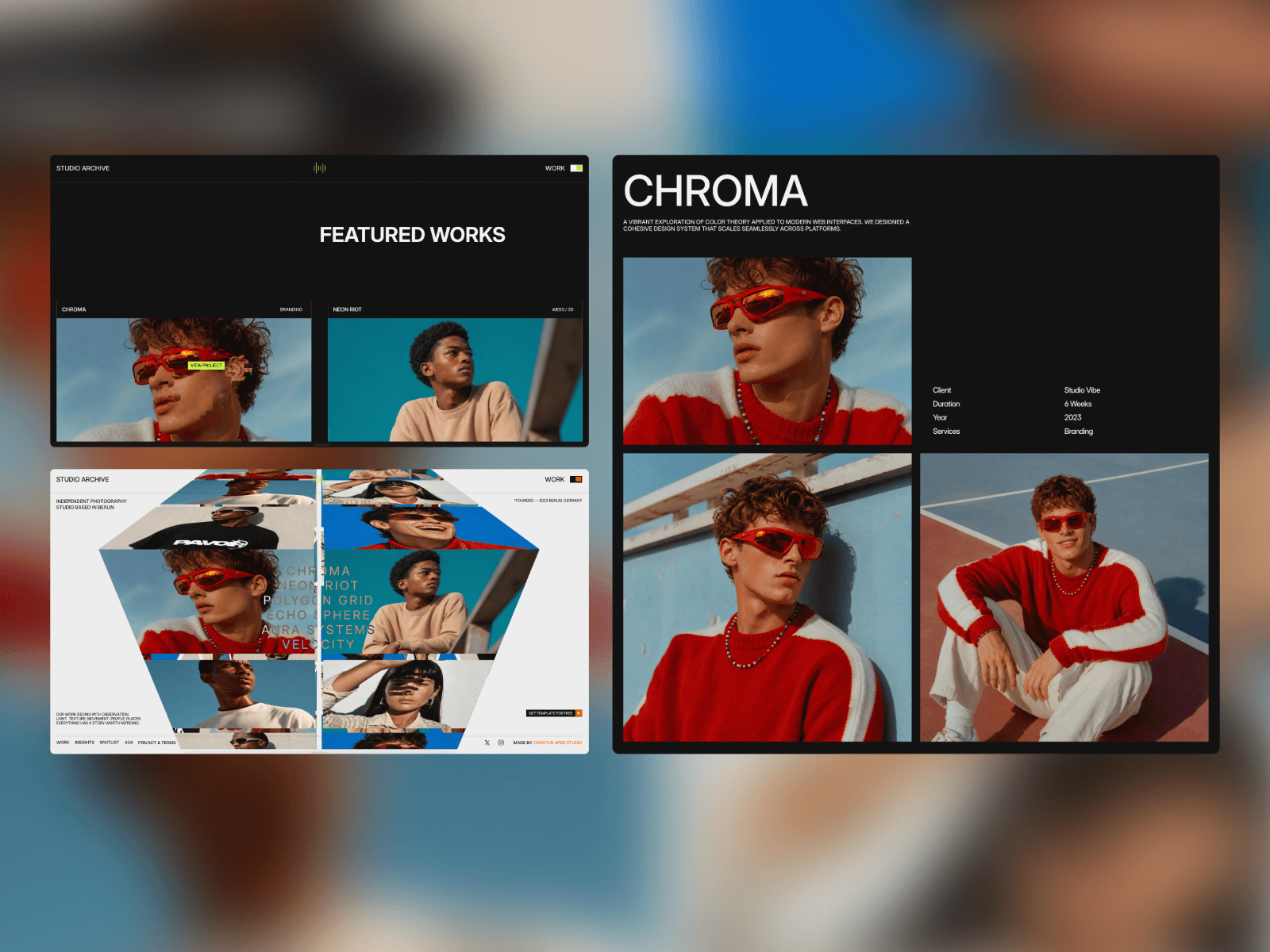
Studio Archive is a dark/light-mode, editorial Framer template built specifically for photography studios, creative directors, visual artists, and digital agencies.
✨ What’s inside:
• Interactive 3D WebGL Hero: Built-in MediaCube component that spins with cursor velocity, scroll input, and project hovers.
• Custom Canvas Effects: Interactive pixel-trail GLSL shader effects out of the box.
• Full CMS Integration: Dynamic case studies, outcome metrics, and structured long-form articles/insights.
• High-Converting Lead Gen: Clean contact section and a dedicated Waitlist page.
• 100% Responsive: Fully optimized for desktop, tablet, and mobile devices.
Ideal for creators looking to showcase high-fidelity work without touching code.
Stride 2.0 is officially launching next week!

Now Serving OCHA. https://framer.link/uwKARWC
OCHA 💚 🩷 is a high-energy lifestyle cafe Framer template designed with fluid interactions, layered visual storytelling, expressive typography and high-contrast aesthetics that instantly deliver a captivating online brand experience.
Talk about timing. 😅
We were grinding to get these ready for the marketplace review process, only to realize the review process isn't even a thing anymore right when we finished.
Building these was a serious challenge—especially pushing the limits of Three.js and WebGL without wrecking the performance.
But it was worth it to finally see them live.
Framer ain't boring. You just aren't using custom components. ⚡️
Framer ain't boring. You just aren't using custom components. ⚡️
We integrated custom Three.js WebGL directly into the project page of our Stride template. 🧪
Go break the canvas -----> https://framer.link/XWYYeJ2
The high-end scroll vault is open. Free for 24 hours. 🔓
Go grab it, drop it into your active canvas, and let the physics take over. Clock is ticking. ⏰
We’ve just bundled our entire collection of Framer components into one library.
Live Now ---> EXPLORE COLLECTION
We wanted to see how far we could push the Framer engine, so we built Stride.
Check this one out ----> STRIDE
Talk about timing. 😅
We were grinding to get these ready for the marketplace review process, only to realize the review process isn't even a thing anymore right when we finished.
Building these was a serious challenge—especially pushing the limits of Three.js and WebGL without wrecking the performance.
But it was worth it to finally see them live.
Going LIVE this Tuesday.
We’ve had so much fun building the interactive WebGL elements for this one.
Go take it for a spin! 👇 Link in comment section.
We just pushed a performance patch to Stride. 🧪
The hover interactions feel smooth, more responsive, and hold a flawless 60fps.
Experience the new feel here: STRIDE
Why custom shaders make your layouts look instantly expensive. 🧪
If you want to command high-end rates, your canvas can't look like a standard, flat SaaS grid. This is exactly where custom GLSL shaders change the game.
When you introduce a fluid noise texture, a liquid hover state, or a kinetic image distortion, you add physical weight to the digital environment.
It subconsciously signals high-fidelity engineering to the user. They immediately recognize they aren't just scrolling a standard webpage—they are interacting with a crafted digital product.
You don't even need massive 3D environments to pull this off. A simple, perfectly optimized fragment shader tied to mouse velocity will instantly elevate a basic hero section into an Awwwards-level experience.
Stop building flat internet. Start adding physical weight to your canvas.