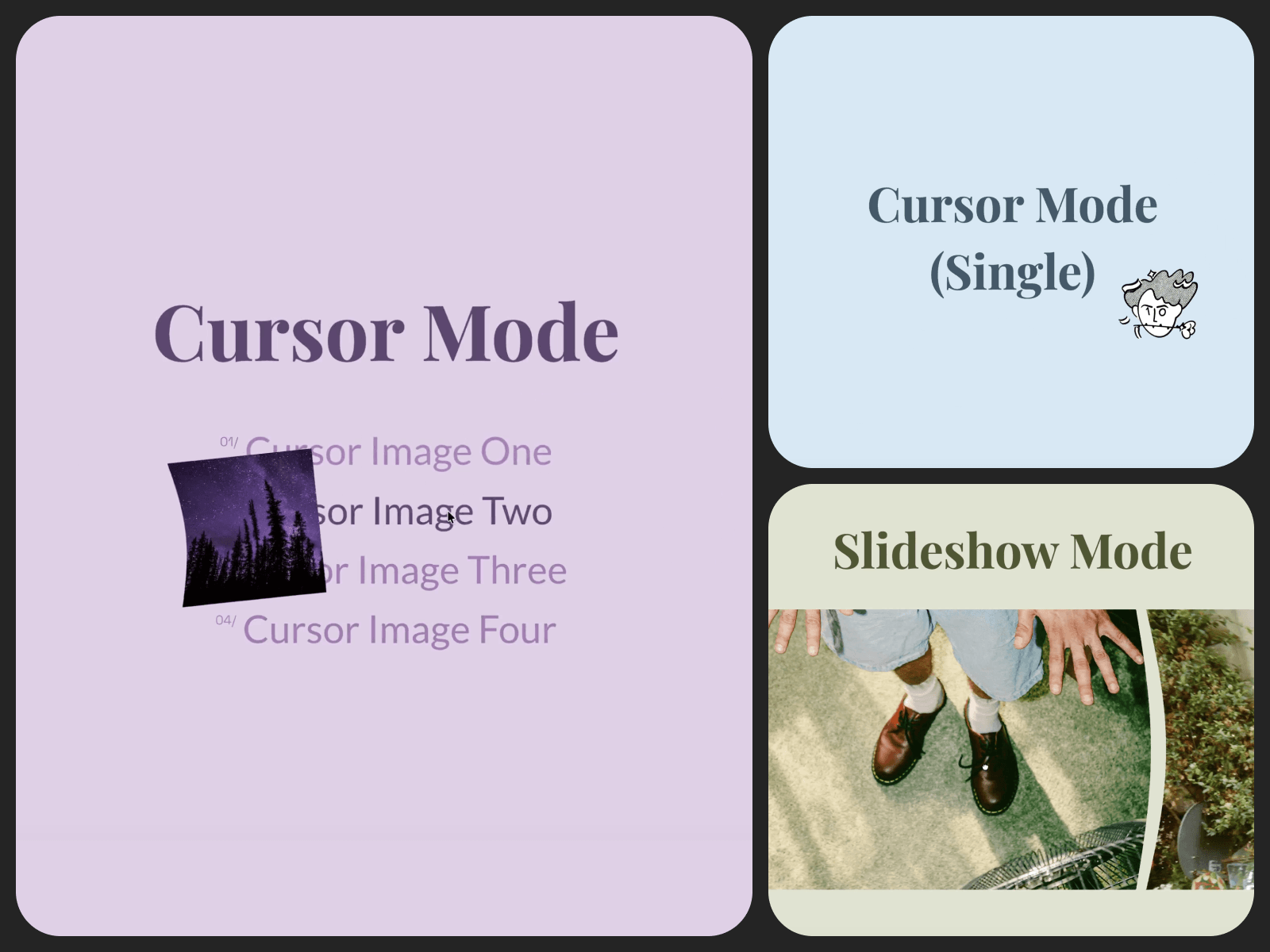
One component, two interactions.
Move across it — as a cursor, or with a drag. The surface leans away from your hand, lags a beat behind, then eases back to flat once you stop.
Image Distortion is a WebGL ripple effect built for exactly those two moments: pointing, and dragging. The same physics works whether the image is following your pointer or living inside a carousel.
A navigation list where the cursor becomes the preview — hover a name and the subject's photo materializes at the pointer, distorting with each movement. The image doesn't sit on the page. It follows you across it.
A director or artist roster where the work finds the pointer — no thumbnail grid, no hover card. Just names, and an image that bends into view at the cursor the moment one is moused over. The whole page breathes without a single static preview.
Product galleries and case-study carousels, on drag — the image resists a little as you pull it, the same way flipping a physical print would, instead of sliding past on rails.
Anywhere a site owner has said "I want it to feel alive when someone touches it" — a portrait grid, a lookbook, a single hero image.
Fits photography portfolios, agencies, and product pages — anywhere the picture is the pitch.
Setup
Usage: Custom Cursor or Slideshow Slide
Image
Fit: Cover or Contain
Motion
Strength: how much the image ripples
Recovery: 0 = fluid, 1 = snappy — how fast it settles back to flat
Overflow: how far the ripple can push past the frame edge
Slideshow only
Group: slides sharing the same Group ripple together on drag — give a second Slideshow a different Group so it doesn't react to the first one
Reset on Release: Snap or Fade (what happens the moment you let go of the drag)
Platform
Enable on Touch: runs the WebGL effect on touch devices when on; shows a plain image with no ripple when off

One component, two interactions.
Move across it — as a cursor, or with a drag. The surface leans away from your hand, lags a beat behind, then eases back to flat once you stop.
Image Distortion is a WebGL ripple effect built for exactly those two moments: pointing, and dragging. The same physics works whether the image is following your pointer or living inside a carousel.
A navigation list where the cursor becomes the preview — hover a name and the subject's photo materializes at the pointer, distorting with each movement. The image doesn't sit on the page. It follows you across it.
A director or artist roster where the work finds the pointer — no thumbnail grid, no hover card. Just names, and an image that bends into view at the cursor the moment one is moused over. The whole page breathes without a single static preview.
Product galleries and case-study carousels, on drag — the image resists a little as you pull it, the same way flipping a physical print would, instead of sliding past on rails.
Anywhere a site owner has said "I want it to feel alive when someone touches it" — a portrait grid, a lookbook, a single hero image.
Fits photography portfolios, agencies, and product pages — anywhere the picture is the pitch.
Setup
Usage: Custom Cursor or Slideshow Slide
Image
Fit: Cover or Contain
Motion
Strength: how much the image ripples
Recovery: 0 = fluid, 1 = snappy — how fast it settles back to flat
Overflow: how far the ripple can push past the frame edge
Slideshow only
Group: slides sharing the same Group ripple together on drag — give a second Slideshow a different Group so it doesn't react to the first one
Reset on Release: Snap or Fade (what happens the moment you let go of the drag)
Platform
Enable on Touch: runs the WebGL effect on touch devices when on; shows a plain image with no ripple when off